

As a small business owner, competing in search results means using the right SEO tools to improve visibility. With the right tools and SEO strategies, you can boost your rankings, increase brand awareness, and drive more leads and sales.
However, with so many SEO tools on the market and new ones constantly being developed, it can be challenging to know which ones are worth your time and money.
Without proper research, you might end up with a tool that doesn’t suit your needs or fit your budget.
In this post, I’ll share the best SEO tools I’ve personally used and trust to improve search visibility—tools I can recommend based on my experience.
What is an SEO Tool?
An SEO tool is software that helps improve search engine optimization (SEO). These tools can do things like analyze search queries, automate reports, give AI-powered content tips, and check website performance.
By using these tools, businesses and individuals can boost their online visibility, generate more leads, drive more traffic to their sites, and increase revenue.
SEO tools are a must for anyone wanting to succeed online. They give you insights into how search engines see your website, highlight areas for improvement, and provide actionable tips to strengthen your SEO strategy.
Whether you’re just starting or already experienced, using the best SEO tools can really help improve your search rankings and overall online presence.
Benefits of Using SEO Tools
SEO tools can bring numerous benefits to your online presence. Some of the most significant advantages include:
- Improved Website Ranking: By optimizing your website with SEO tools, you can increase your chances of ranking higher in search engine results pages (SERPs). Higher rankings mean more visibility and potential customers finding your site.
- Increased Website Traffic: Higher rankings and better optimization can lead to more visitors to your website. SEO tools help you identify the best keywords and strategies to attract more organic traffic.
- Enhanced User Experience: SEO tools can help you identify and fix technical issues on your website, making it more user-friendly and accessible. A better user experience can lead to higher engagement and lower bounce rates.
- Better Content Creation: SEO tools can help you create high-quality, engaging content that resonates with your target audience. These tools provide insights into what your audience is searching for and how to optimize your content to meet their needs.
- Competitive Advantage: By leveraging SEO tools, you can stay ahead of your competitors and establish your brand as an authority in your industry. Understanding your competitors’ strategies and performance can help you refine your approach and gain a competitive edge.
Top Free And Paid Best SEO Tools
You will find the best search engine optimization tools on this list.
From technical SEO audit, content marketing, audience insights, and competitive analysis to off-page SEO and website optimization, here are some popular SEO tools this year.
Quickly check through the table of contents if you need to jump to a tool in the list of top SEO tools for small business owners. I have made the table easier to navigate, as you can find in the sidebar.
1. SEO Powersuite
SEO PowerSuite is desktop-based SEO software that includes four tools designed to handle different SEO tasks and work together to provide a complete solution.
- Link-Assistant – This tool focuses on backlink analysis, research, and link-building campaigns. It includes 12 blogger outreach modules and allows you to automate the entire process. From sourcing link prospects to sending tailored email content to getting the links, you can complete the entire link-building circle in this app.
- Website Auditor – This on-page SEO tool scans your site for technical issues and provides actionable recommendations to fix them. It’s a reliable tool for improving your site’s overall performance.
- SEO SpyGlass – A competitor analysis and backlink checker tool with a massive database crawling over 7.1 billion web pages daily. It helps you analyze competitors’ link profiles, track incoming links, and find opportunities to improve your backlink strategy.
- Rank Tracker – This tool tracks keyword rankings for specific locations and 550+ search engines. It also includes 18 keyword discovery methods, such as Keyword Gap, Google keyword planner, and competitor keyword evaluation, making it a versatile option for keyword and performance tracking. It includes local SEO optimization and advanced competitor analysis tools.
SEO PowerSuite is one of the most widely used SEO tools. I’ve tested it alongside top tools like Semrush and SE Ranking and have written about its features and capabilities.

If you’re trying to figure out which SEO tool is worth your time and money, check out my in-depth 4,000-word review comparing Semrush and SEO PowerSuite. It breaks down which tool might be the better fit for your needs and why.
SEO Powersuite Features
Here are some of its helpful features worth mentioning here:
- Team Collaboration – Work with team members via a cloud storage facility (dropbox integration.).
- Track Keyword positions in any search engine.
- Competitors keyword tracking and research.
- 19 keywords research SEO strategies
- Localization keyword tracking.
- Track multiple URLs.
- Keyword SERP history and fluctuations.
- Mobile result keyword tracking.
- Search engine result features and keyword tracking.
SEO PowerSuite is constantly updated with new features, making it one of the most reliable SEO software options available.
It offers three licensing plans:
- Free: $0 forever (with limited features)
- Professional: $299/year
- Enterprise: $499/year
The free version has no time limit, but its features are restricted.
For SEO agencies with tight budgets, the Enterprise edition is a cost-effective option that includes powerful tools to streamline your workflow and deliver affordable services to clients.
2. Surfer SEO
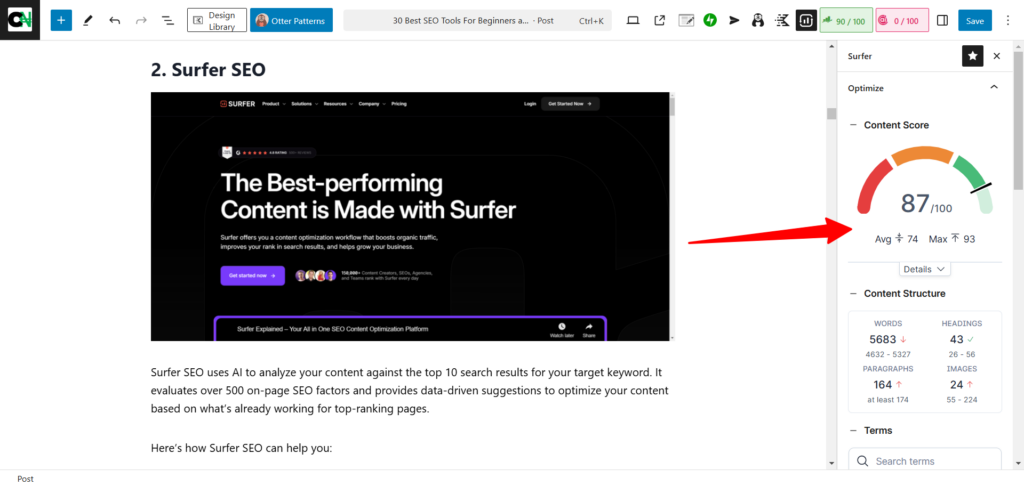
Surfer SEO is a premium SEO tool that uses AI to analyze your content against the top-ranking results for your target keyword. It evaluates over 500 on-page SEO factors and provides solid data-driven suggestions to optimize your content based on what’s already working for top-ranking pages.
Here’s how Surfer SEO can help you:
Optimize Content with Ease
Surfer SEO’s tools are designed for both new and existing content. The Content Audit tool checks key elements, such as:
- Average content length of top-ranking pages
- Heading structure (H tags)
- Coverage of NLP entities
- Missing backlinks, broken links, and referring domains
- Keyword usage and placement
- Meta tag optimization
- Topical coverage.
- Content gap analysis.
- And more.
You don’t need to figure out these metrics on your own. Surfer provides clear instructions, like which keywords to add, whether to expand or reduce content, and the ideal word count to aim for.
The Surfer Auto-Optimize feature automatically updates content for headings, optimized paragraphs, entities, NLP terms, content caps, etc. Plus, it integrates with your WordPress site so that you can create that rank in WordPress.
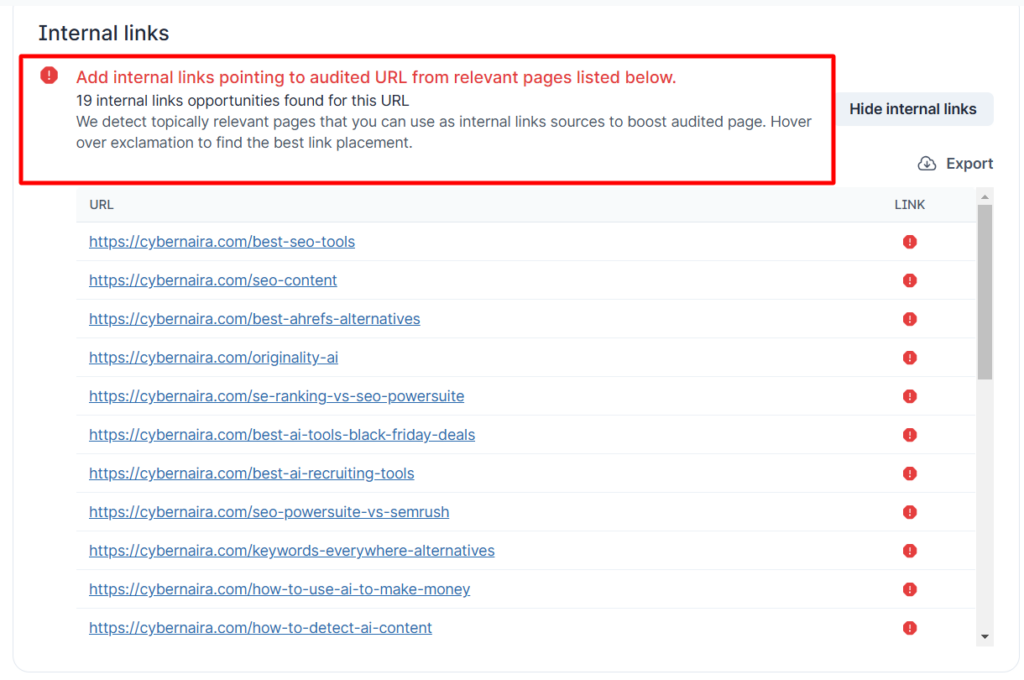
Internal Linking Made Simple
The audit tool also identifies inbound linking opportunities. It scans your site for related posts that should link to your target page, helping you distribute link authority effectively.
Competitor Analysis with SERP Analyzer
The SERP Analyzer tool reviews your keyword’s top 50 organic results, analyzing over 500 SEO factors. It delivers detailed reports showing how to optimize your content to compete effectively.
Using these tools, you can skip the guesswork and follow a proven SEO strategy for creating high-ranking blog posts.
Surfer SEO Top Features
- Content Planner – Plan your content strategy with relevant topics and keywords in minutes.
- Content Audit – Audit your entire site content in one go to get quick SEO wins, recommendations, and opportunities.
- SERP Analyzer – Get expert-level insight into your competitor’s SERP ranking strategies.
- Content Editor – Optimize new or existing content for your target keyword with data-driven SEO metrics.
- Free Outline Generator – AI content outline and short paragraph generator
- Keyword Surfer – Chrome extension to research content and keywords in SERP
- Content Editor – Create SEO-optimized content using AI (Ask Surfy), or take control and write it yourself with an editor made for SEO content.
However, Surfer SEO has no free version; the 7-day money-back guarantee lets you try it risk-free.
For a more in-depth look at what Surfer SEO is and how it can help you achieve top ranking, check my review of SEO Surfer.
3. HubSpot SEO

HubSpot SEO is a comprehensive free tool that helps you optimize your content to drive traffic and improve your rankings.
HubSpot provides a prioritized list of keywords to target, helping you focus on terms that can boost traffic. You can also identify which pages need updates, find missing keywords, and get actionable advice to improve each page’s ranking potential.
It suggests high-potential topics by analyzing factors like relevance, competition, and popularity to improve your content strategies.
Why Use HubSpot’s Content Strategy Tool?
- Focus on the Right Topics – Avoid wasting time on irrelevant ideas. The tool identifies themes that align with your goals and appeal to your audience.
- Stay Competitive – Discover trending topics in your niche and create content that stands out.
- Improve Rankings – Focusing on relevant, popular topics increases your chances of ranking higher in search results.
With these tools, you can create a targeted SEO content strategy that attracts visitors, showcases your expertise, and supports your business growth.
Top HubSpot SEO Tool Features
- Keyword Recommendations – Get data-driven suggestions for keywords to optimize your website content for better search ranking.
- Prioritized Optimization – HubSpot prioritizes keyword recommendations, highlighting those with the most significant impact on ranking potential.
- Content Strategy Planning – Discover relevant topics to create content, potentially improving search authority and organic traffic.
- On-Page Optimization – Optimize all your website content for search engines with a user-friendly tool that provides specific recommendations.
- Search Data & Reporting – Monitor search keyword data, estimate website traffic gains for ranking on new topics, and track essential metrics in a central dashboard.
- HubSpot CMS Integration – Seamlessly integrate your SEO efforts with HubSpot’s content management system (CMS) for a streamlined workflow. HubSpot SEO tools are integrated with the HubSpot CMS, ensuring your content is SEO-optimized while you write.
4. Pro Rank Tracker

Pro Rank Tracker is a position-tracking tool for keeping track of your ranking keywords in the SERP.
The tools give you a clear picture of how your search terms perform in major search engines such as Google, Yahoo, Bing, YouTube, and Amazon.
Pro Rank Tracker reporting tool gives you daily, weekly, and monthly performance analysis for your tracked search terms, as well as both desktop and mobile device SERP landscape.
If you want to see the highest jump and most significant drop in keyword changes, you can see that in the Pro Rank Tracker.
Pro Rank Tracker Top Features
- Track keywords from all major search engines
- Ability to track search queries by SERP features
- Track keywords by desktop, mobile, device type, and OS.
- Track keywords by location in the United States
- Bulk upload your keyword list from a file
- Analyze search results for your ranking keywords.
- Ability to view real-time top rankings pages for your searched terms.
- And more
The premium plan starts at $13.5/m for 100 keywords, and as you track more keywords, the price adjusts accordingly.
A free 30-day trial with all Pro Rank Tracker premium features is included. Sign up below to see how it can help your business.
5. WP Rocket

WP Rocket is the best WordPress cache and speed optimization plugin used by over 3.7 million blogs. Its notable users include Neil Patel, Yoast, Elegant Theme, WP Engines, Bigcommerce, and more.
Page speed is integral to search engine optimization and user experience; you need a caching system that removes all the heavy lifting and does the job in one click.
That’s what WP Rocket is – straight out of the box, the plugin enables 80% optimization strategies for your WordPress blog.
There is no complex setup process; it only requires a few mouse clicks to get the plugin working on your blog.
WP Rocket Top Features
- Page Caching – Powerful page caching to help boost SEO and performance.
- GZIP Compression – Transfer compressed files to your client browsers for faster delivery.
- eCommerce Optimization – Optimize important pages and exclude sensitive pages from caching.
- File Optimization – Minify, delay, and combine files, improving page speed and user experience. This also has a direct impact on Google Core Web Vitals reports.
- Browser Cache – Cache static files (images, JS, CSS) on the local memory.
- Cache Preloading – Automatically preload the cache anytime your site updates its content.
- Compatibility – WP Rocket is compatible with most WordPress plugins and web hosts.
You can choose from three standard licenses:
- Single – $59/yr (1 website)
- Plus – $119/yr (up to 3 websites)
- Multi – $299/yr (10 Sites)
- Multi – $399/yr (100 Sites)
- Multi – $599/yr (500 Sites)
You should read the detailed review of WP Rocket and how it helps improve this blog page’s speed and performance.
6. SE Ranking

SE Ranking is a comprehensive SEO toolset that helps with keyword research, site audits, off-page optimization, competitor analysis, keyword tracking, and creating white-label reports for clients or teams.
It’s an excellent choice for beginners or anyone looking for an affordable alternative SEO tool to Semrush. The interface is user-friendly, presenting SEO data in clear tables and reports that are easy to understand.
SE Ranking also provides access to SEO and keyword data from over 130 country databases, including the United States, giving you valuable insights to enhance your reports and SEO strategies.
SE Ranking Top Features
- Competitive Research – Get a detailed report on competitors’ organic traffic, paid ads, keywords, backlinks, domain trust, traffic distribution by country, and more.
- Keyword Research Tool – Run in-depth keyword analysis and get up-to-date information about your search term. See keyword data such as similar keywords, ranking difficulty, top-ranking pages, etc.
- Backlink Checker – Get complete data about any domain link profile. See their new and lost link, anchor text, link attributes, unique IP, etc.
- Backlink Gap – Build quality backlinks by spying on your competitor’s link profile.
- Website Auditor – Audit your site for over 130 technical SEO issues and get actionable tips on how to fix them.
There are other SEO tools, such as
- SERP analyzer
- On-page SEO checker
- Keyword Grouper
- Index status checker
- Search engine autocomplete
SE Ranking is reasonably priced and offers different subscription plans. You can subscribe to a daily, weekly, monthly, quarterly, six-month, and annual plan.
Check out the complete pricing structure from the link below.
7. All-in-one SEO
All-in-One SEO (AIOSEO) is a WordPress plugin designed to improve your site’s search visibility.
With over 3 million websites using it, AIOSEO is a top competitor to the Yoast SEO plugin.
Since its acquisition by Syed Balkhi of WPBeginner in 2020, the plugin has added numerous features, making it one of the most powerful SEO tools for WordPress.
AIOSEO now offers more features than Yoast and integrates seamlessly with tools and platforms like Google, Bing, Baidu, Yandex, WooCommerce, AMP, and others. Its beginner-friendly setup wizard simplifies the process, letting you configure your SEO settings without hassle.
All-in-one SEO Top Features
- On-page SEO Optimization – Set up meta tags with templates and forget them.
- Instant Sitemap creation – Once installed and activated, the plugin creates a sitemap for your website.
- Search engine notification – When you create a new post or update an existing one, the plugin automatically notifies search engines to crawl and re-index it.
- Image SEO – The plugin auto-generates alt and meta descriptions for your images based on the post title; you can change this if you like.
- Woocommerce optimization – Optimizes products and category pages on your eCommerce sites.
- Content optimization – Get SEO-recommended suggestions for your content as you write in the WordPress editor.
- Snippet Review – Preview your content in the SERP listing before you hit the publish button.
- Headline Analyzer – Analyze the current headline and try a new article headline score before you publish the content.
- Redirection Manager – Create and manage broken links to avoid 404 errors not found and improve user experience.
- Google New Site map – Ability to submit your news article for inclusion in the Google News
- Rich Snippets Support – The plugins support rich snippet structured data so you can create content that appeals to both humans and search engines.
- Link- Assistant – Internal link management and suggestion tool.
- And more…
The all-in-one SEO WordPress plugin is available for free download but has limited features and tools.
If you want the full power of the plugin, you need to subscribe to one of its premium plans:
- Basic – $49.60/yr
- Pro – $99.60/yr
- Plus – $199.60/yr
- Elite – $299.60/yr
8. SiteChecker Pro
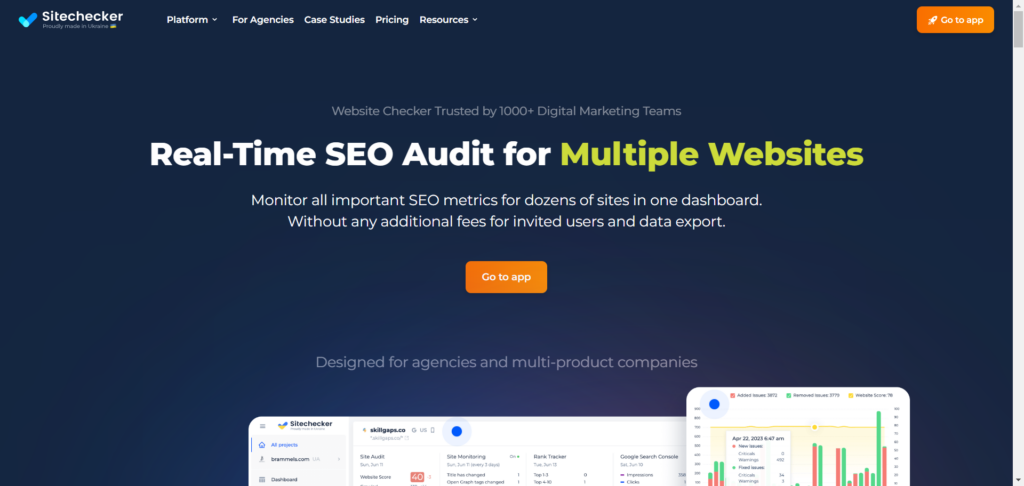
Sitechecker Pro is a cloud-based SEO platform designed for small and medium-sized businesses.
It includes tools for on-page optimization, website monitoring, site audits, keyword rank tracking, and backlink analysis, making it ideal for agencies, marketing teams, and businesses managing multiple websites.
One standout feature is the ability to monitor the search performance of multiple websites without limits on data exports or user seats.
Every account allows unlimited users to access projects, which is especially useful for agencies with large teams working on client sites.
SiteChecker Pro Top Features
- Give unlimited access to your SEO project.
- Connect data from GA4 and Google Search Console.
- SiteChecker Pro stores your SEO data for up to 36 months (Premium Plan)
- There are no recrawl limits. Recrawl a website as many times as you like.
- Monitor up to 50,000 (Premium Plan) pages for SEO issues, content changes, and SEO opportunities.
- Automatically check the website’s online availability every five minutes.
- Integrate with Analytics, Search Console, Slack, and Locker Studio using the SiteChecker Pro Chrome extension.
- There are no limits to how often you can check any website for on-page, search traffic, ranking keywords, etc.
SiteChecker Pro Pricing
Sitechecker Pro Pricing
Sitechecker Pro doesn’t offer a free plan, so you’ll need a paid subscription to use the platform. However, if it’s not the right fit, you can request a refund within 48 hours.
Here’s a breakdown of the plans:
Basic Plan ($41/month with annual billing)
- Monitor up to 1,000 pages across two SEO projects.
- 12 months of data retention.
- Ideal for small marketing teams or in-house SEO professionals.
- Month-to-month billing costs $49.
Standard Plan ($166/month with annual billing)
- Includes everything in the Basic plan.
- Monitor up to 10,000 pages and receive 500 credits (upgraded from 200 in the Basic plan).
- Designed for growing teams or agencies managing multiple projects.
Premium Plan ($333/month with annual billing)
- This is best for agencies needing white-label features like custom logos, emails, SEO reports, and branding on a custom domain.
- Monitor up to 50,000 pages and track 4,000 keywords.
Prices are slightly higher if you choose monthly billing. For example, the Basic plan costs $49 per month when billed monthly.
For more details on each plan, visit Sitechecker Pro’s pricing page.
9. Link Research Tools
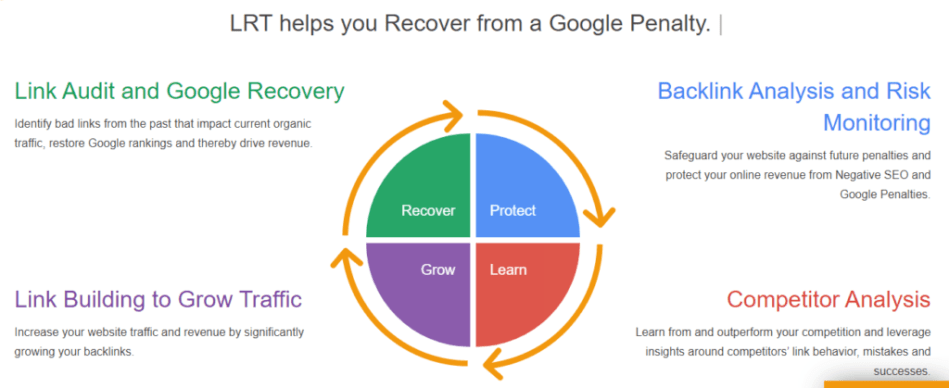
This is one of the market’s most complete, versatile link analysis tools.
Many features exist, from link building, link alert, contact finder, etc., to detecting Google penalty risk links.
This tool can check for potential link penalty issues on your website. So you can act quickly before Google pulls the Hammer.
Link Research Tool checks for over 150 link data points for every link profile it analyzes. And over 25 link sources combined to analyze a single URL.
Link Research Tool Top Features
- Link Detox Boost ®️ – Link recovery acceleration tool
- Common BackLink Tool (CBLT) – Advanced competitor backlink profile analysis and link-building methods
- Competitive Link Detox – Discover high-profile links your competitors have.
- Competitive Link Velocity – Compare link growth in your industry and spot trends to determine if you’re building too fast or too slow.
- Link Alert – Get notified when you or your competitors get new links.
There are four subscription payment models and four plans to choose from.
- SuperHero small- $599/m
- SuperHero Standard – $999/m
- SuperHero Plus – $2,499/m
- Enterprise – Get a quote
However, the SuperHero Small plan has a 7-day free trial for $17. This gives you access to test the tools and learn how they work.
10. Ahrefs
Many SEO professionals consider Ahrefs one of the best tools in the industry.
Ahrefs prides itself on being the complete, up-to-date, and all-in-one best SEO tool, with historical background marketing metrics dating back as far as five years in the history of that web page.
It does a lot more than you can imagine.
This page won’t be enough to write about Ahrefs’ SEO software features, benefits, and use cases. You need to see it yourself.
But here are a few to mention:
Ahrefs Top Features
- Site Explorer – Backlink analysis, organic traffic research, and competitors’ paid advertising research tools.
- Keyword Explorer – An Accurate keyword tool that supports 171 countries’ databases from 10 search engines. Get thousands of keyword suggestions, including keyword difficulty, from a database of over 7 billion keywords.
- Rank Tracker – Monitor keyword position in SERP and get notified if something needs attention.
- Content Explorer – Get new content ideas, discover link partners, and explore the SERP with over 11 billion web pages in the database.
- Site Audit – Get insights into the on-page technical SEO issues affecting your rankings.
Ahrefs does not offer a free trial of its tools, so you can only subscribe to paid plans on the website.
- Lite – $83/m
- Standard – $166/m
- Advance -$333/m
- Enterprise – $833/m
Note that the above prices are for the annual subscription. The price is slightly higher if you pay monthly. Also, Ahrefs’ free version or plan lets you use limited features and tools.
11. Google Analytics

If you own a website/blog, you need Google Analytics (GA4).
I don’t need to start explaining why here; you need to see it for yourself.
The good part is that GA4 is a free SEO tool that works, and you don’t need paid analytics software for the same purpose. It has all the features, tools, and access to make it a must-have website analytics software.
If you want to know/understand where, how, when, what, and why about your website, look no further – this is the best free SEO analytics tool.
It lets you know what’s happening on your site – how people find you, traffic sources, landing pages, exit pages, time on site, user location, gender, new visitors vs. return users, pageviews, sessions, bounce rate, etc.
Google Analytics is a complete website reporting tool and one of the most essential free SEO tools. You only need a Gmail account to log in and create your web property.
12. Google Search Console

Formerly Google Webmaster Tools – if you run a website/blog, you need this tool, too.
Google Search Console is Google’s SEO tool for technical website audits. The tool lets you see errors that might prevent your website pages from indexing, ranking, and appearing for all SERP placements.
Google Search Console provides excellent insight into organic keyword ranking, position, impressions, search queries, top-performing pages, on-page errors, etc.
Google Search Console Top Features
- Sitemap submission tool
- URL inspection tool
- Google Core Web Vitals Assessment Report.
- Google Organic clicks reports.
- Analyze keywords by clicks, position, impressions, country, queries, dates, and pages.
- Mobile usability report
- Page experience report for mobile and desktop
- URL removal from Google search engine request
- Index coverage report
- Website link profile overview
Google Search Console is a free search engine optimization tool.
13. Google PageSpeed Insight
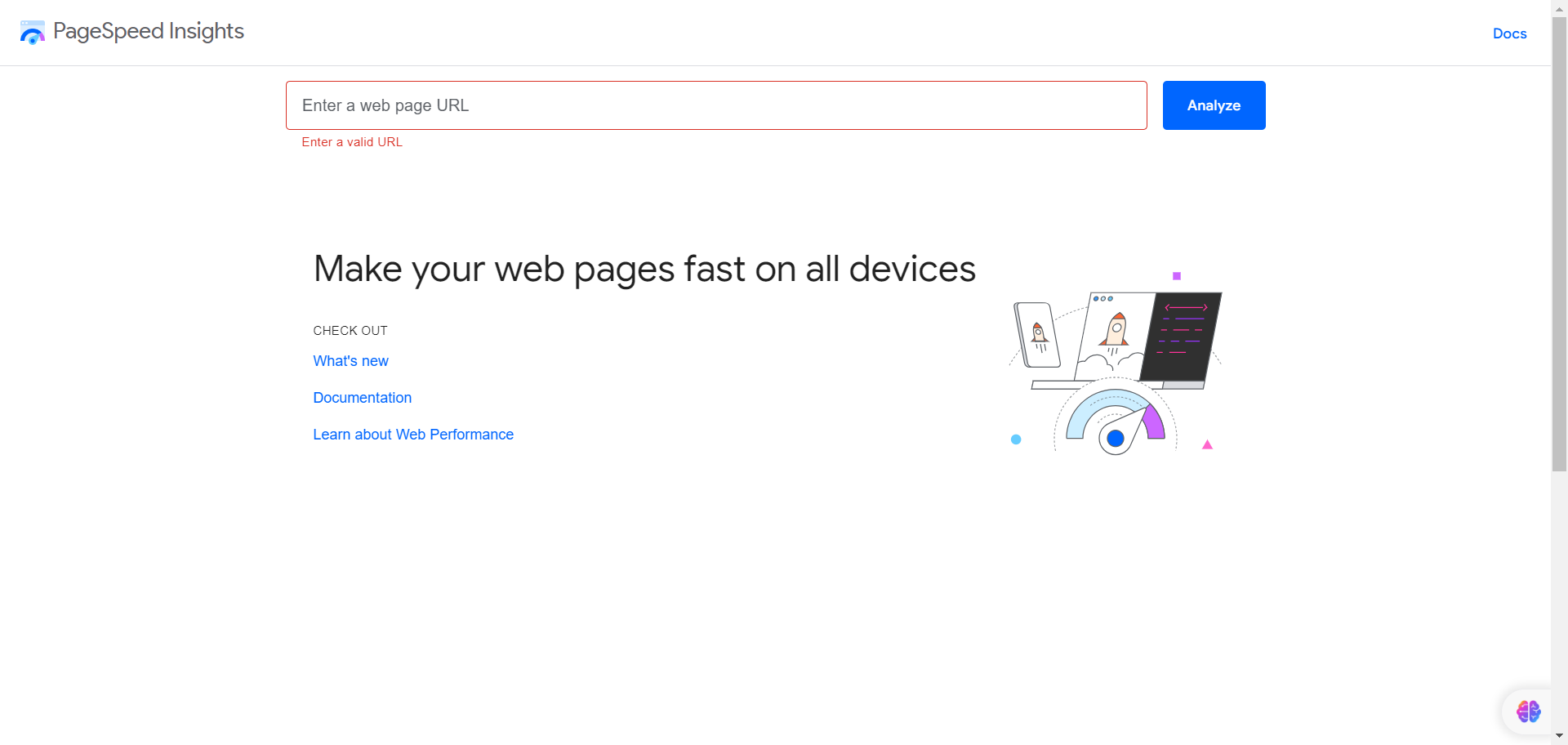
Page Speed Insights is a testing tool that reports a web page’s desktop and mobile performance. It then provides recommendations on how to fix the issues affecting the page.
The tool uses two ways to diagnose a web page for page speed and performance tests – it collects lab and field data and compares it against hundreds of checks to provide its report.
This allows it to capture many real-world bottlenecks affecting page speed.
The test report is broken down into a few metrics:
- First content painful – FCP
- Time to Interactive –
- Total blocking time – TBT
- Cumulative layout shift – CLS
- Largest content painful – LCP
- Speed Index
Though some of its recommendations may not be possible to fix completely, such as third-party codes affecting performance, it is worth paying attention to its detailed report if you want to improve speed and provide a better user experience.
14. BuzzSumo

It is undoubtedly one of the best content analysis, influencer marketing, and discovery tools on the market.
BuzzSumo gives you access to the archives of more than 8 billion online articles.
You can research content ideas, find winning topics, publish high-performing articles, and get influencer contact details.
BuzzSumo Top Features
- Content discovery – Get all the content ideas you need in one place and say goodbye to writer’s block.
- Content Research – Publish posts on an industry topic backed by data that’s guaranteed to succeed
- Find Influencers – Research influencers and industry leaders to help you amplify your marketing efforts.
- Web Monitoring – Track web, keywords, industry updates, and brand mentions in one place.
- BuzzSumo Chrome Extension – Analyze content and discover opportunities as you browse the web.
BuzzSumo offers a 30-day free trial and a forever-free plan.
The free plan gives you access to limited content marketing and discovery features. The 30-day trial plan can be subscribed to via the web button below.
There are three standard subscription plans on the website:
- Pro – $99/m
- Plus – $179/m
- Large – $299/m
15. Yoast SEO WordPress Plugin

Yoast SEO is the industry’s #1 best tool for SEO WordPress.
WordPress users love it, and it has already been downloaded over 5 million times, making it one of the most downloaded WordPress plugins ever.
Yoast SEO WordPress plugin has excellent SEO features like:
- Automatic sitemap submission.
- On-page SEO optimization.
- Content optimization.
- Word-count checker.
- Image alt optimization.
- Content analysis.
- Schema Markup
- Internal link suggestion
- Optimize for multiple keywords
- Wincher Integration
- Readability score
- Search appearance analysis
- Structure data markup, etc.
You can import SEO settings from other WordPress SEO plugins into Yoast for easy migration.
16. GTmetrix

Unlike Google Page Speed Insight, GTMetrix is a page speed testing tool that analyzes the content of your web pages and reports on the average time it takes your page to load.
Then, it presents possible recommendations on how to fix things up.
Like Google Page Speed Insight, not every GTmetrix recommendation should be taken seriously.
This is because some things are entirely out of your control (like modifying files that are not hosted on your server). Or script from third-party apps for tracking and data analysis, such as Google Analytics code.
And some are just generic recommendations that may not apply to your situation.
17. Ubersuggest

Ubersuggest was previously a keyword research tool that tended to mimic the Google autocomplete suggestion tool. As the name implies, it is more of a keyword suggestion tool.
However, after Neil Patel bought it in 2017, Ubersuggest became a complete SEO analysis tool.
Ubersuggest now has an SEO audit tool, backlink analysis, content analysis, keyword ideas tool, etc.
Neil Patel has continually improved the quality of the SEO tool by regularly adding more SEO features to compete against Ahrefs, Moz, SEO Powersuite, SE Ranking, etc.
I regularly use UberSuggest to analyze competitors’ backlinks. It is beneficial for uncovering competitors’ backlink profiles that you can tap into.
18. Website Penalty Indicator

If you’re unsure whether a Google algorithm update has hit your website, notice a sharp drop in your organic traffic.
This simple tool lets you discover exactly when the incident occurs, so you know if you’ve been hit by any of the Google updates – Panda, Penguin, Mobile Friendly, Core updates, etc.
19. KeywordTool.Io

Keywordtool.io is one of my favorite free keyword research tools. Though you’re limited to keyword research features in the free plan.
If you want to generate a list of related long-tail keywords you can target in your content, keyword.io is a helpful free keyword research tool.
Input your seed keyword, and the keyword tool will generate a list of long-tail keyword ideas you never thought of. It categorizes the result into 3 sections:
- Keyword suggestions.
- Questions.
- Prepositions.
You can filter the search results by excluding negative keywords you don’t want. Run your keyword research using a particular search result type.
The tool provides keyword data like search volume, CPC estimate, keyword trend, and competition.
20. Google Trends

Since I started using Google Trends, I’ve realized how useful it is for keyword research. Google Trends is a free tool that shows how popular a search term is over time.
It helps you understand the trend of a search phrase and discover the terms your audience is using to find relevant information.
When I was writing the headline for this post, I had to decide between using “premium” or “paid.”
I turned to Google Trends and compared both terms over the past 12 months to see which one had been searched for more.
As shown in the image below, “paid” is the more commonly searched term for paid SEO tools, while “premium” is trending downward.
This insight helps me create keyword-rich content that resonates with users and ranks well with search engines. By speaking directly to your audience, you optimize for search visibility.
21. Semrush

Semrush is a well-known name in SEO, widely used by over 10 million professionals and agencies.
It’s an all-in-one platform offering tools for SEO, content marketing, and competitor analysis. Major companies like eBay, Quora, HP, and Booking.com rely on Semrush for their digital strategies.
Key Features of Semrush
- Keyword Research and Analysis
- Link Building
- Competitor Analysis
- Content Research
- Backlink Gap Analysis
- PPC Marketing Tools
- SERP Analysis
- Rank Tracking
- Market Analysis
- Local SEO Tools
- Domain Analysis
- Lead Generation Tools
Who Should Use Semrush?
While Semrush is packed with features, it may not suit beginners or those on a tight budget. However, if your business has a steady income and you’re ready to invest, the Pro plan, starting at $119.95/month, offers excellent tools for small businesses.
One standout feature is the Keyword Magic tool, a powerful resource for keyword research and analysis. It’s invaluable for content marketers aiming to optimize their strategies. You can find a detailed tutorial on how to use it effectively.
Subscription Plans
Semrush offers three main plans, each with a 7-day trial (requires a credit card and a $1 charge):
- Pro: $119.95/month
- Guru: $229.95/month
- Business: $449.95/month
If you’re serious about SEO and content marketing, Semrush is worth considering for its comprehensive tools and insights.
Conclusion…The Best SEO Tools for Marketers
Many SEO tools today make it challenging to know which one is the best SEO tool for the job.
You don’t have to use them all. Pick one or two for a task and learn how to use them best.
Tools are meant to provide guidance and directions; you must try to make it work. You must consistently write quality content, engage your audience, and network with other marketers.
If your blog has existing content, you can start by rewriting and optimizing it for better search visibility. This might give you a quick boost in the search rather than starting to write a new piece of content from scratch.




Hello,
Nice tools explained in a very good way. I am still focus in free tools but really look to work with the paids soon. Thank you for sharing this valuable suggestions.
Hi Yasir,
Thanks for reading through.
It is okay to make use of the free tools available. In fact, free tools can be enough in some instances. But if you need extras, that’s where paid tools come in.
Thanks, stay safe.
Great article with nice tools, well explained in simple content. Thank you for making this blog with useful tools!
Hello shamsudeen,
Thanks for sharing such a content. You have covered almost all tools necessary for small business.
Appreciable efforts
Thanks, Anshika,
I’m glad you find the list useful.
i think google trends is best and free to use for keyword research and as well as content. even on same date it shows the result of keyword volume
Thanks Gautam,
Yes, you’re right. Google trend is very helpful for keyword research and discovering trending search terms. Thanks, and nice having you here.
Awesome post, as always. I love your writing style.
Thanks, glad you like it.
Thank you,
this Google trend is very helpful for keyword research,trending search result is usefull
Hi Nsebse,
Google trend is a very helpful keyword research tool. Glad you find it useful, and thanks for reading through.
Hey Shamusdin,
These are the perfect and top tools for Keyword research like Moz, Ahref and SEMrush but they also have their academies where they give you better understand to use their tools respectively.
Thanks
Hey Shamusdin,
Moz academy is the best to learn about keyword research.
Thanks
Hi Wesley,
Yes, Moz is one of the go-to websites for everything technical SEO. I learned a lot from reading Moz too. Thanks.
Nice post shamsuddin.
Thanks Rashid. I’m glad you like it.
yes i feel also like that moz is the best tool knowing about a website through high PA,DA. In Youtube threre many tools available for searching good website
Hey, I am very happy to see these SEO tools, Your list of all blogs is awesome and helpful. Thank you
Thanks Sanjay, glad you like it
I love all the SEO tools you mentioned,
Your post is really very informative and attractive too.thanks.
Thanks Jagannath, I’m glad you like the SEO tools mentioned.
Great article!!! Covered almost all the tools. Ahref is a bit costly for small business and I would prefer google analytics a better tool than ahref.
Thanks
Hi Vedang,
Yes, Ahrefs is not an average SEO tool when it comes to pricing. And for many starters, Google SEO tools will be enough to get started. Thanks for coming.
A really good list of seo tools. They are all more or less good. Though I prefer using moz, ahrefs or google analytics.
Thanks Valibhav,
Google analytics is a most use SEO analytics tool. Moz and Ahrefs are good too, Thanks.
Thanks sir
It is okay to make use of the free tools available. In google solve problem to easy
Wow! so many new tools, that I have never heard of but i will try them. Thank you for sharing great article.
Thanks Jatin,
Glad you find it useful.
Thank you for sharing the useful tools.
Thank you so very much. MozBar is exactly the tool I have been looking for. Now I can see a site’s Domain Authority with ease.
Hi Lawrence,
Glad you find something helpful in the list. Mozbar is an essential SEO analyst tool.
Thank you for this amazing guide, I am also using some of the best SEO tools for my website what you mentioned in this post Again thank you
Hi Ramesh,
Good to read you also use some these SEO tools on your website, I hope they serve you well. Thanks for coming.
In Digital Marketing Tools Plays Important Role And When It Comes To Free Tools Then Its Plays Fabulous Role. Free Tools Explained In very Good Way. I Always Try To Focus On Free Tools.
Thanks, Narendra,
Yes, free tools help take the business further, but like all things, you always get what you pay for. Thanks, Narendra.
Incredible research. You have done an amazing job in providing this comprehensive list of Digital Marketing Tools. Thank You.
Thanks Akshi,
Glad you like it.
This is nice post and well documented. It is an umbrella post where I get all the valuable, most needed tools for SEO landscape. It helps me a lot. Thanks for posting such beautiful article. These tools helps analysis to take best decision making and target to prospect customers.
SEO tools are important for Digital Marketing strategy. It is helpful for small business information with the help of them you can inform other about your business. these are the famous tools of digital marketing. I am using some tools for my website
Hi, Nikita,
Glad to read you already use some of these SEO tools. Hope they helped you achieve better SEO results.
The use of SEO technologies is critical for a successful digital marketing plan. It is beneficial for small business information because you can use it to inform others about your company. These are the most well-known digital marketing tools. For my website, I use a few tools.
Hi, Zain,
Thanks for sharing your thought here, I’m glad to read that you use a few of the tools here. Thanks for reading through.
I have started my honey business. And I have also created my own website. I was thinking about the SEO of my site. From your post, I came to know about SEO Tools. Thanks for this post.
Thanks, David,
Wish you all the best in your business.