Many site owners assume a proper SEO audit requires an expensive subscription. It doesn’t.
You can audit your site thoroughly: technical issues, on-page SEO, page speed, indexing problems, and content gaps, without spending a dime.
Yes, premium tools like Ahrefs and Semrush exist. But their free plans are deliberately crippled. Semrush limits you to 100 crawled pages for your project. Ahrefs’ free plan is more generous; still, you can only audit a limited number of your site pages.
For most bloggers and small site owners, these restrictions make the “free” label misleading.
The good news: a combination of free tools — one of which you already have in your browser — covers everything that actually moves the needle for a small to mid-sized site.
This guide walks you through a complete, step-by-step process to conduct a free SEO audit without a budget or expensive tools. By the end, you’ll know exactly what’s holding your site back and what to fix first.
What Is an SEO Audit and Why Does It Matter?
An SEO audit is a structured evaluation of your website’s health across three dimensions:
Without regular audits, problems accumulate silently. A broken internal link here. A missing meta tag there. A JavaScript error is blocking Googlebot from rendering your page correctly.
None of these announce themselves; you only discover them when rankings drop or traffic stalls.
An audit gives you a clear picture of your site’s current state so you can fix problems before they compound.
What a Free SEO Audit Can (and Can’t) Cover
Being honest about this upfront will save you frustration. A free audit covers:
A free audit won’t cover (without paid tools):
For most bloggers and small site owners, the free audit covers everything that actually moves the needle. The gaps only matter once you’re operating at a scale where the premium investment makes sense.
The Free Tools You’ll Need
Before diving into the process, here’s the toolkit. You don’t need all of these open at once. Each tool has a specific role in the audit.
| Tool | What It Covers | Free Tier |
|---|---|---|
| SEO PowerSuite Website Auditor ⭐ | Technical + On-Page audit, site structure, content analysis | Extensive audit, unlimited projects |
| Google Search Console | Indexing, coverage errors, Core Web Vitals, search performance | Fully free |
| Google PageSpeed Insights | Page speed + CWV per URL | Fully free |
| Browser DevTools | JS errors, missing resources, CSS rendering issues, network requests | Built into every browser |
Why SEO PowerSuite Website Auditor is the anchor tool here.
SEO Powersuite Website Auditor’s free version does something the competition won’t. It gives you a bigger picture and unlimited audit without gutting the core features.
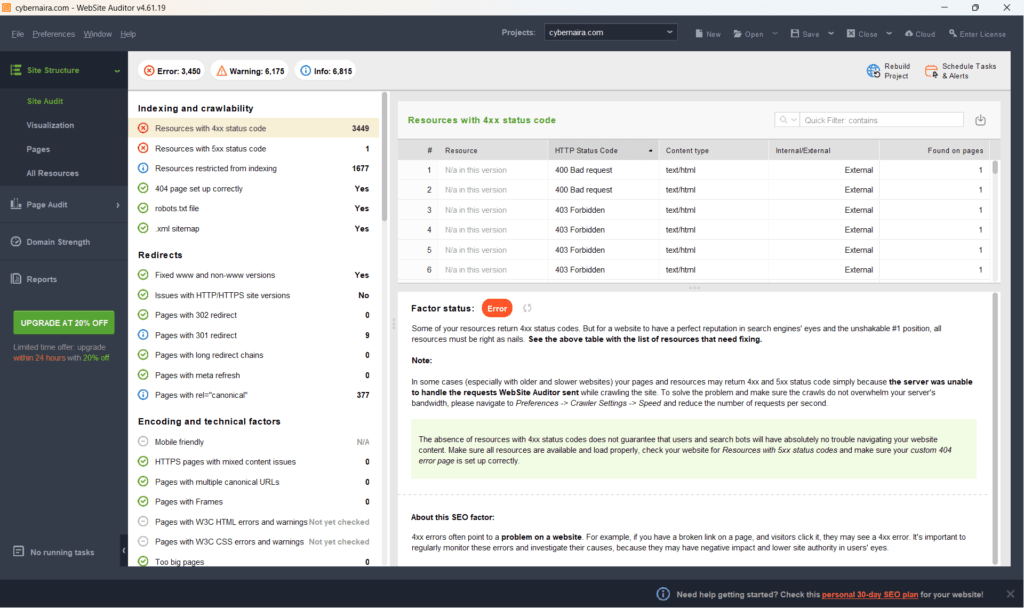
You can crawl up to 500 URLs, analyze on-page elements, review site structure, Page Speed, run content audits, track Google AI overview citation, and get actionable fix recommendations, all at no cost.
The paid license adds white-label SEO reporting, task automation, 20+ keyword research methods, unlimited keyword tracking, and 1 year of historical data, but the free version is more than enough to run a thorough audit.
For comparison: Screaming Frog locks GA4, GSC, and PageSpeed Insights integrations behind its paid plan, but you get these with Website Auditor’s free plan.
Browser DevTools — the tool already in your browser
This one requires no download, no signup, no setup. Press F12 (or right-click > Inspect) in any browser, and you have it.
DevTools is particularly valuable for catching issues that automated crawlers miss, such as JavaScript errors, failed network requests, missing CSS background images, and render-blocking resources.
Open the Console tab to see JS errors and failed resource loads. Open the Network tab to see every request the page makes, and which ones fail.
After any major site change (theme update, plugin install, caching configuration change), run a quick DevTools check on your key pages as a sanity check. You’ll catch issues before they affect real users or Googlebot.
For example, I was able to catch this missing CSS background image using the DevTools Console tab.
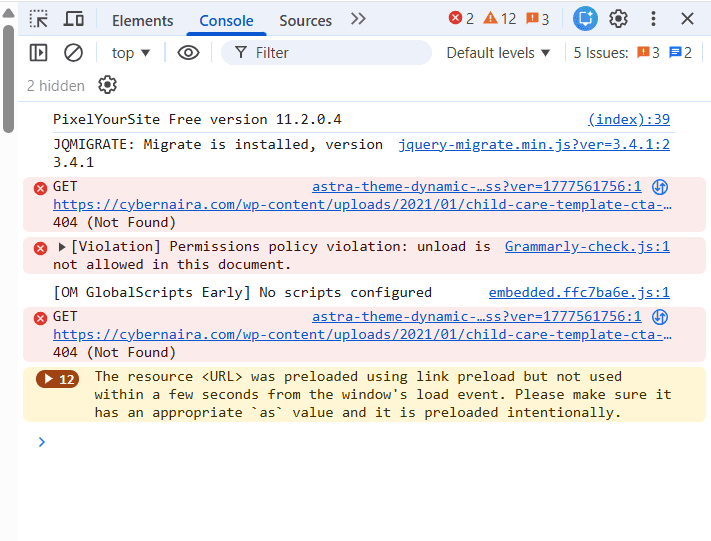
Regularly checking your site in dev tools can help you spot errors quickly before they compound into a major performance bottleneck.
Now, let’s walk through the necessary steps to audit your site for free.
Step-by-Step: How to Do a Free SEO Audit
Step 1: Crawl Your Site and Identify Technical Errors
Start here. Everything else builds on a clean crawl.
Download and install Website Auditor (free), launch it, and enter your site URL to create a new project. The tool will crawl your entire site and produce a comprehensive Site Audit report organized by issue category:
Each category is further sorted by priority: Error, Warning, and Info. Start with Errors — these are the issues actively hurting your site. Work through Warnings next. Info items are low priority and can be addressed later.
If you’re unsure what a specific issue means, click it to open the Factor Status and About This SEO Factor panel. Website Auditor explains each issue in plain language and offers concrete recommendations for fixes.
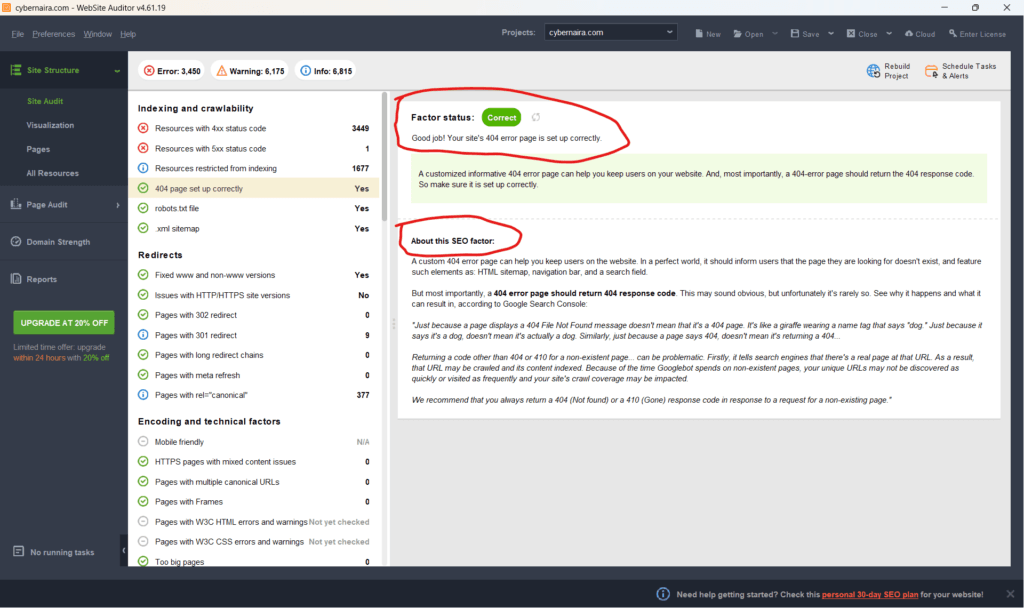
What to prioritize in this stage:
Step 2: Check Indexing and Crawlability in Google Search Console
Website Auditor tells you what’s on your site. Google Search Console tells you what Google actually knows about your site. Use them together.
In GSC, go to Coverage (or Indexing > Pages in the newer interface). Review the page indexing errors and pay close attention to:
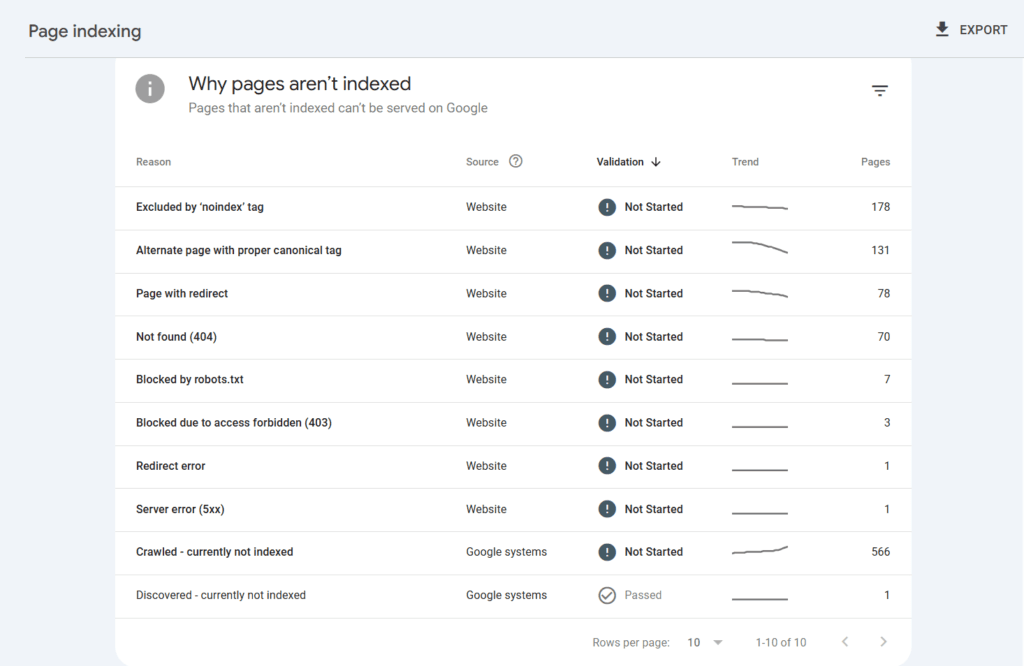
Check these pages and analyze what could be preventing them from being indexed. Some of the errors won’t need your attention; they’re probably intentional, such as those you’ve excluded by the noindex tag or 404 pages that are no longer on the site.
The “View Crawled Page” Deep Dive — Don’t Skip This
I bet you glance at the Search Console Coverage report and move on. The real value is one click deeper.
In GSC’s URL Inspection tool, enter any page URL, run a test, then click “View Crawled Page“. This opens three tabs that most site owners have never looked at, and they contain more diagnostic value than the top-level report.
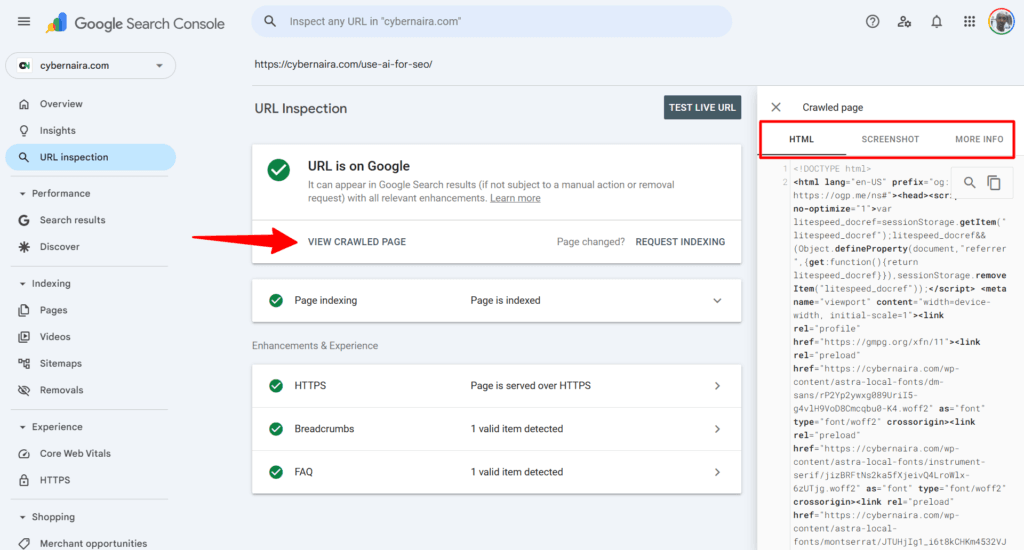
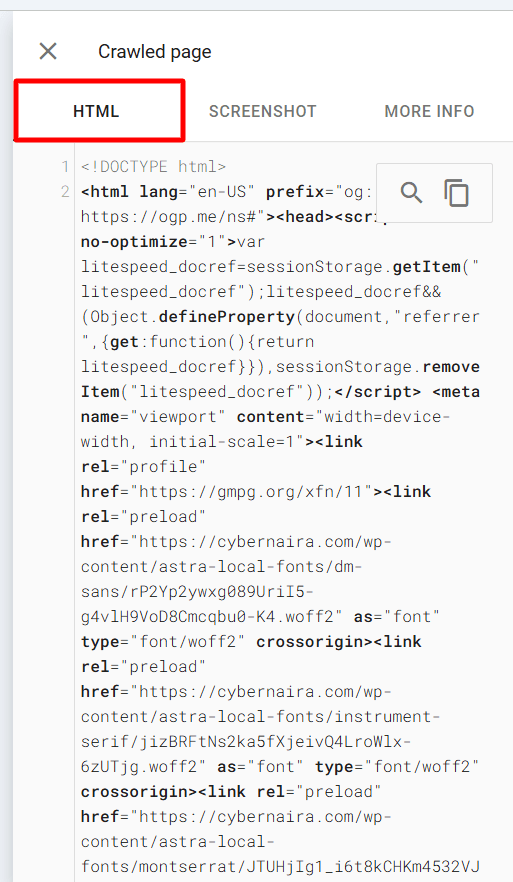
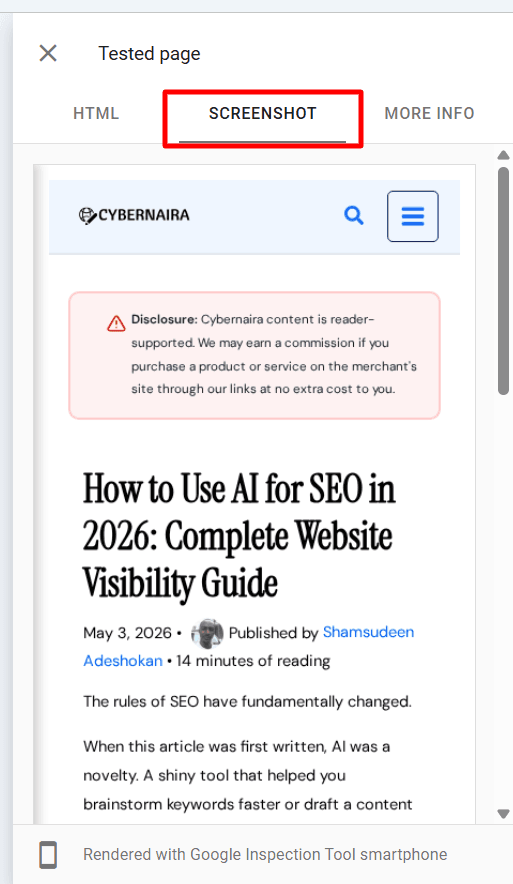
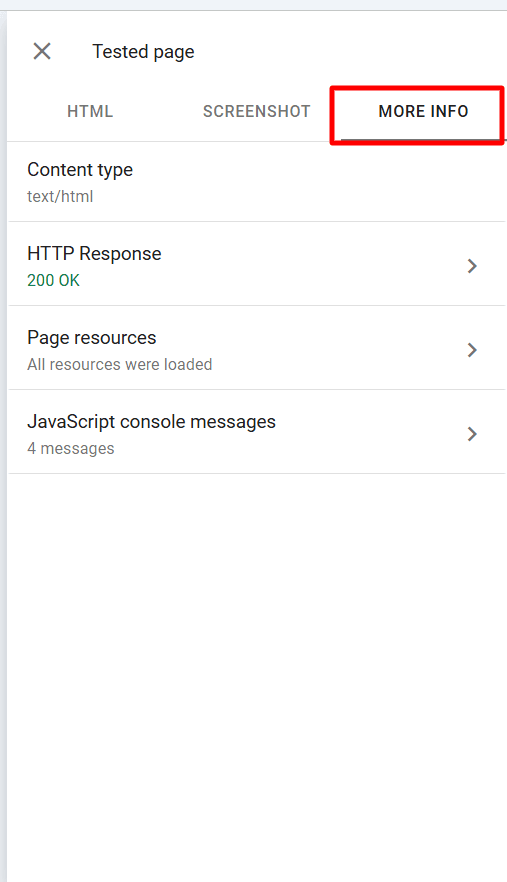
It’s worth running this check on your most important pages — homepage, top-traffic posts, key landing pages — as part of every audit. Errors can sit undetected for a long time simply because this area gets ignored.
NOTE:
The screenshot tab displays the site visually when you use the “Test Live URL” option of the page in GSC.
Step 3: Audit On-Page SEO Elements
On-page SEO is where most of the quick wins live. Website Auditor’s Pages module gives you a full table of every crawled page, including its meta title, meta description, H1, word count, and a range of on-page metrics, all in one view.
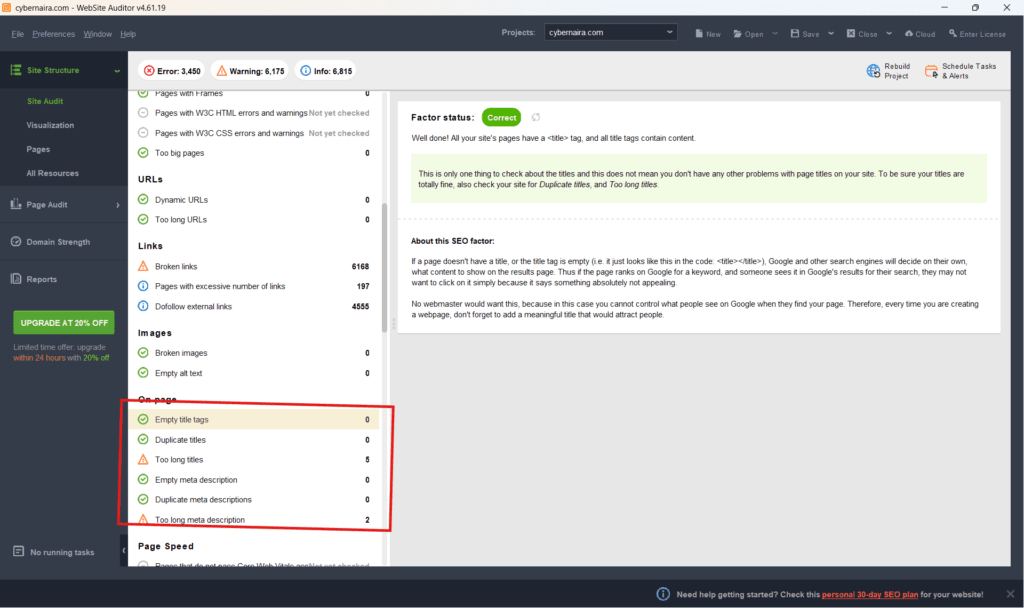
What to check:
For a deeper content analysis, use Website Auditor’s Content Audit module under Page Audit.
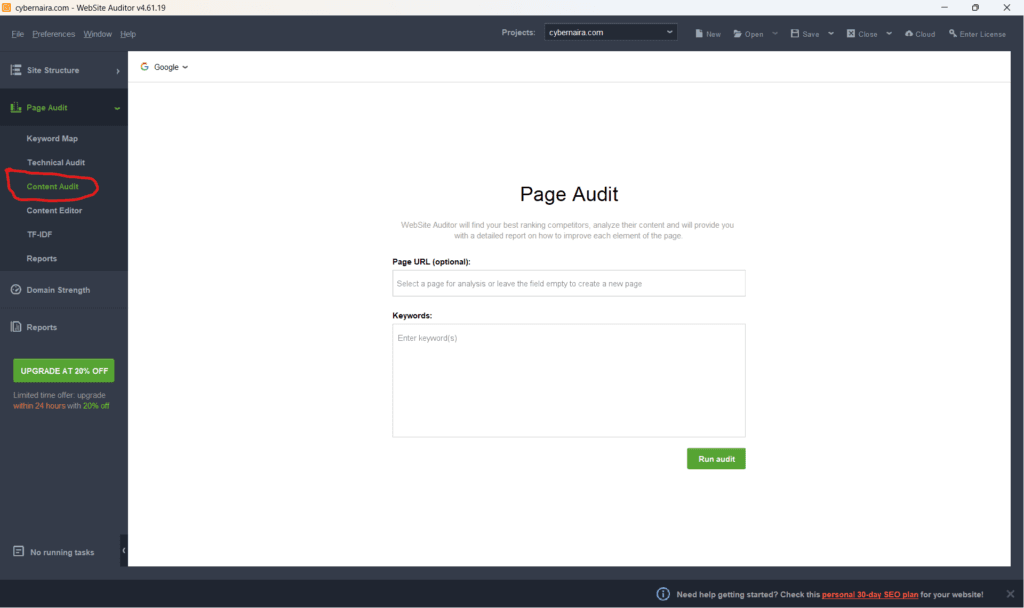
This lets you review individual pages for keyword usage, heading structure, meta tag optimization, image alt text, and structured data implementation — all in one view.
Step 4: Analyze Page Speed and Core Web Vitals
Page speed is a direct ranking factor. Core Web Vitals — LCP, CLS, and INP — are Google’s user experience benchmarks, and they matter for both rankings and bounce rate.
To get the most out of Website Auditor’s speed reports, connect your Google PageSpeed Insights API key first:
NOTE:
SEO Powersuite’s Website Auditor provides a step-by-step guide to get your API key from Google Cloud Console.
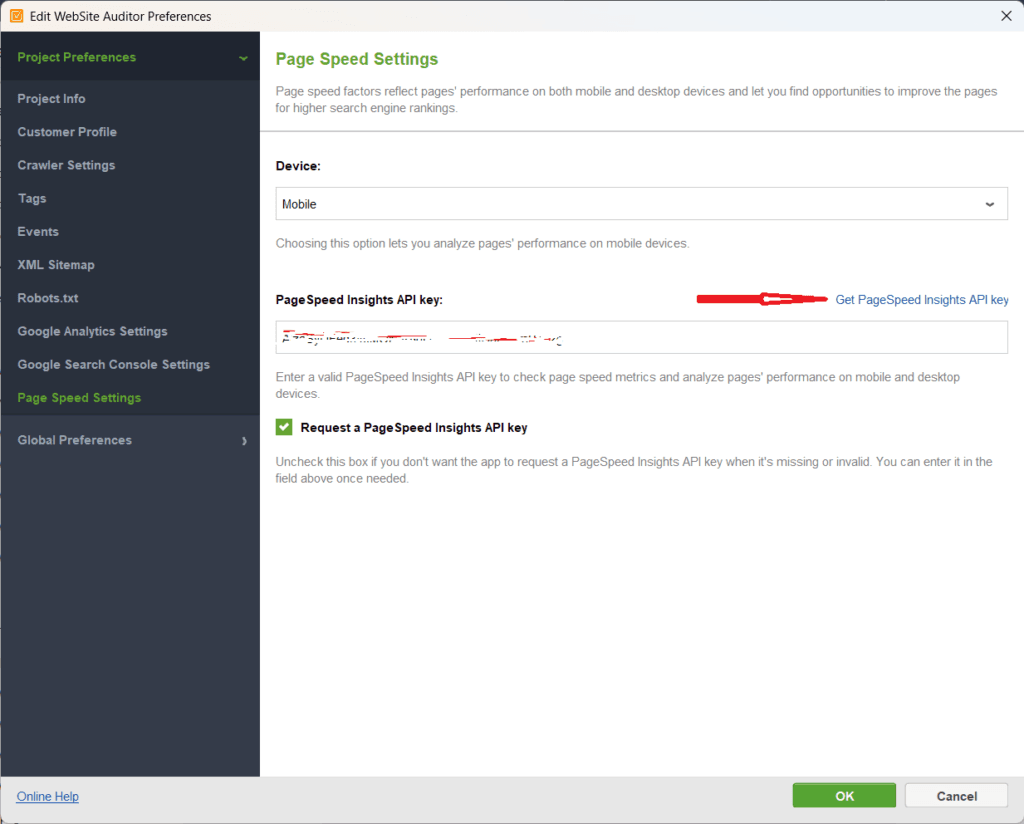
With the API key connected, Website Auditor gives you sitewide page-level speed data — every URL’s performance score, CWV metrics, and specific improvement opportunities — rather than testing pages one at a time in the browser.
Key metrics to review:
Common fixes for speed issues:
Step 5: Review Site Structure and Internal Links
Site structure determines how crawl equity flows through your site and how easily both users and Googlebot can navigate it.
In Website Auditor, go to the Visualization report under Site Structure. This gives you a bird’s-eye view of your entire site: every page, its click depth from the homepage, and its internal link connections.
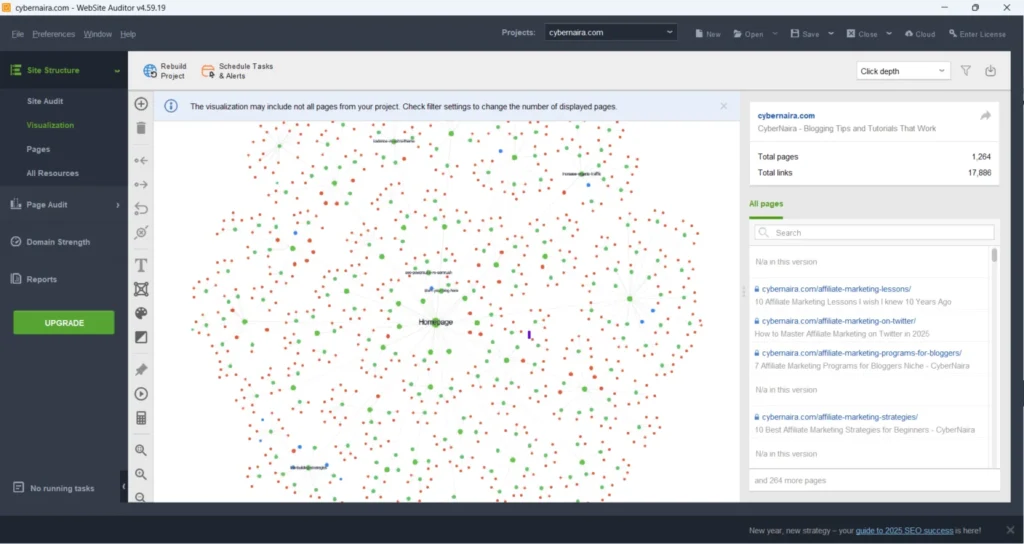
What to look for:
The Visualization report also lets you identify internal linking opportunities directly — find posts that should link to each other but don’t.
Step 6: Check Mobile Friendliness
Google uses mobile-first indexing, meaning it primarily crawls and indexes the mobile version of your site. If your mobile experience is broken, your rankings suffer regardless of how well-optimized your desktop version is.
In Website Auditor, go to Encoding and Technical Factors in the Site Audit report to get a homepage-level mobile check.
For individual pages, use the Technical Audit under Page Audit. This gives you a full breakdown of Core Web Vitals for both mobile and desktop performance scores.
If you’re running a responsive WordPress theme like Astra Pro or Kadence, mobile responsiveness is generally handled at the theme level.
But still verify — a plugin adding non-responsive elements or a custom CSS tweak can break mobile rendering on specific pages without breaking the theme globally.
Cross-check your key pages in GSC’s URL Inspection > Screenshot tab (covered in Step 2) to see exactly how Googlebot renders them on mobile.
Step 7: Spot Content Issues
Content issues are quieter than technical errors but can be equally damaging over time. Two specific problems worth flagging:
Keyword cannibalization: When two or more pages on your site target the same keyword, they compete against each other in search results.
Google has to choose which one to rank, and often it won’t choose the one you’d prefer. Use Website Auditor’s Keyword Map to assign target keywords to specific pages and spot overlaps.
Thin content: Pages with very little unique value: short posts, auto-generated pages, tag and category archives with no real content, or old posts that have become outdated and irrelevant.
These dilute your site’s overall content quality signal.
Options:
Expand them, consolidate them with a 301 redirect to a stronger, more relevant page, or add a noindex tag if they serve no SEO purpose.
Content optimization with TF-IDF: Website Auditor’s TF-IDF module helps you check whether key terms are used at the right frequency in your content — not overused (keyword stuffing) and not underused (topical gaps).
It compares your page against ranking competitors for the target keyword and flags imbalances.
Step 8: Review Backlink Health (What You Can See for Free)
Free backlink analysis has real limitations; there’s no getting around that. But Google Search Console provides a baseline worth reviewing.
In GSC, go to Links > Top Linked Pages and External Links. This shows you which pages on your site earn the most external links and which domains are linking to you.
What to flag:
For a deeper backlink audit, you’ll need a paid tool. But for most small blogs, the GSC Links report gives you enough to work with at the free tier.
Alternatively, use SEO Spyglass. The free version is decent, but the paid version provides more link coverage and in-depth analysis.
After the Audit: What to Fix First
A thorough audit will surface more issues than you can fix in a day. Don’t try to fix everything at once. Instead, prioritize issues by impact and effort.
Fix immediately (quick wins):
Schedule for the next sprint:
Longer-term projects:
After completing fixes, rerun the audit in Website Auditor and recheck flagged URLs in GSC’s URL Inspection tool. Verify that errors are resolved before moving on.
How Often Should You Run a Free SEO Audit?
Small blogs (under 100 posts): Every 3–6 months is sufficient. Your site isn’t changing fast enough to warrant more frequent full audits.
Growing sites (100–350 posts): Monthly audits make sense, especially if you’re publishing regularly and building internal links between new and existing content.
Trigger-based audits — run one immediately after:
Don’t wait for the scheduled audit when something changes. Changes introduce errors. Catch them early.
FAQs
Conclusion
A free SEO audit done consistently beats an expensive audit done once a year and forgotten.
The tools covered here — Website Auditor, Google Search Console, PageSpeed Insights, and Browser DevTools — give you everything you need to keep your site technically sound, properly indexed, and optimized for search.
Start with Website Auditor as your anchor. It covers the most ground in the free tier of any tool available, and the crawl data it produces will guide everything else in your audit process.
Ready to start? Download SEO PowerSuite Website Auditor for free and run your first audit today.