You don’t need to pay for WordPress hosting before you know it’s right for you. The best providers let you test their platform risk-free.
You test full hosting features, actual performance, and support quality before you pay a cent.
Here are the best managed WordPress hosting free trials worth your time.
Some web hosts offer free trials with no credit card required, while others offer a 30-60-day money-back guarantee.
Whichever web host you choose, you’re getting access to test their platform without committing to a non-refundable payment. That’s exactly what you need when you’re trying to figure out if the hosting plan is right for you.
I’ve tested dozens of hosting services across multiple live sites for over a decade, so this isn’t a recycled list. It’s backed by years of hosting experience.
Before we dive in, let’s explore what managed hosting with a free trial actually is
Here is a quick scan if you’re in a hurry.
| Web Host | Free Trial | No Credit Card? | Money-Back | Best For |
|---|---|---|---|---|
| Pressable | No | No | 30-day Guarantee | WordPress/WooCommerce |
| Cloudways | Yes (3 days) | Yes | No refund policy | Flexible payment option |
| Kinsta | 1st Month Free | No | 30-day Guarantee | Scaling, speed & support |
| HostPapa | No | No | 30-day Guarantee | 24/7 expert support |
| Namecheap | Yes, 30 days | Yes | 30-day Guarantee | Best for beginners |
| WP Engine | No | No | 30-day Guarantee | Best for enterprise business |
| Nestify | Yes, 7-days | Yes | 30-day Guarantee | High Performance Hosting |
| Thamara | No | No | 30-day Guarantee | Lifetime hosting deal |
Don’t Have Time to Read? Check Our Editor’s Pick Section
What is Managed WordPress Hosting Free Trial?
A managed WordPress hosting free trial is a promotional offer that allows a potential customer to try the service for a set period, usually days, weeks, or even months, without financial commitment.
During the free trial period, you can test hosting features, free migration services, SSL certificates, optimization tools, and other services that influence purchasing decisions.
You can use this period to test the WordPress hosting services and features and determine if it is worth your investment.
A free trial period is an excellent marketing tactic that lets potential customers test business tools and services, learn their benefits and advantages, see how they can help their business, and make an informed decision.
Suppose you’re new to managed web hosting. In that case, you should consider one of the web hosts listed here to gain valuable insight and experience into how WordPress hosting works, how it can benefit your business, and how it can make you more productive.
Benefits of Managed WordPress Hosting
Managed WordPress hosting offers several benefits; let’s discuss them below.
Expert Level Supports
One of the main advantages of managed hosting providers is the specialized level of support you get.
Instead of generic web hosting customer support, you’re in the company of WordPress experts who offer customized solutions tailored to your unique needs.
These WordPress experts can help you with unique solutions, from choosing the right themes and plugins to troubleshooting on-site errors.
They could also advise you on managing and maintaining your WordPress sites in the future.
Time-Saving
Another advantage of managed hosting services is time savings, which can boost productivity.
Top WordPress hosting solutions with managed hosting features will save you time on website maintenance.
You don’t have to spend time or worry about plugins, WordPress core updates, theme updates, and backups.
Your managed web host handles these automatically in the background, so you can focus on running your business.
Custom Hosting Features
Reliable managed WordPress hosting providers also offer built-in, customized, and optimized features to improve your website’s speed and performance.
With features like built-in caching, a custom CDN (Content delivery network), and server-level optimization, you can run a website that performs better, improves user experience, and supports search engine rankings.
Enhance WordPress Security
WordPress sites are targets for malware, hackers, and vulnerabilities, which can lead to downtime, data breaches, and other security issues.
Managed WordPress web hosts can help you mitigate many of these threats and provide adequate security measures to reduce their effect on your business.
A WordPress web host will provide advanced web security features such as a WAF (Web Application Firewall), malware scanning, automatic updates, and regular backups, ensuring your website runs on the latest PHP version.
These services usually come at no extra cost, depending on the web host, but you can rest assured you’ll get a hosting service that gives you peace of mind, regardless of your web development skills.
1. Pressable
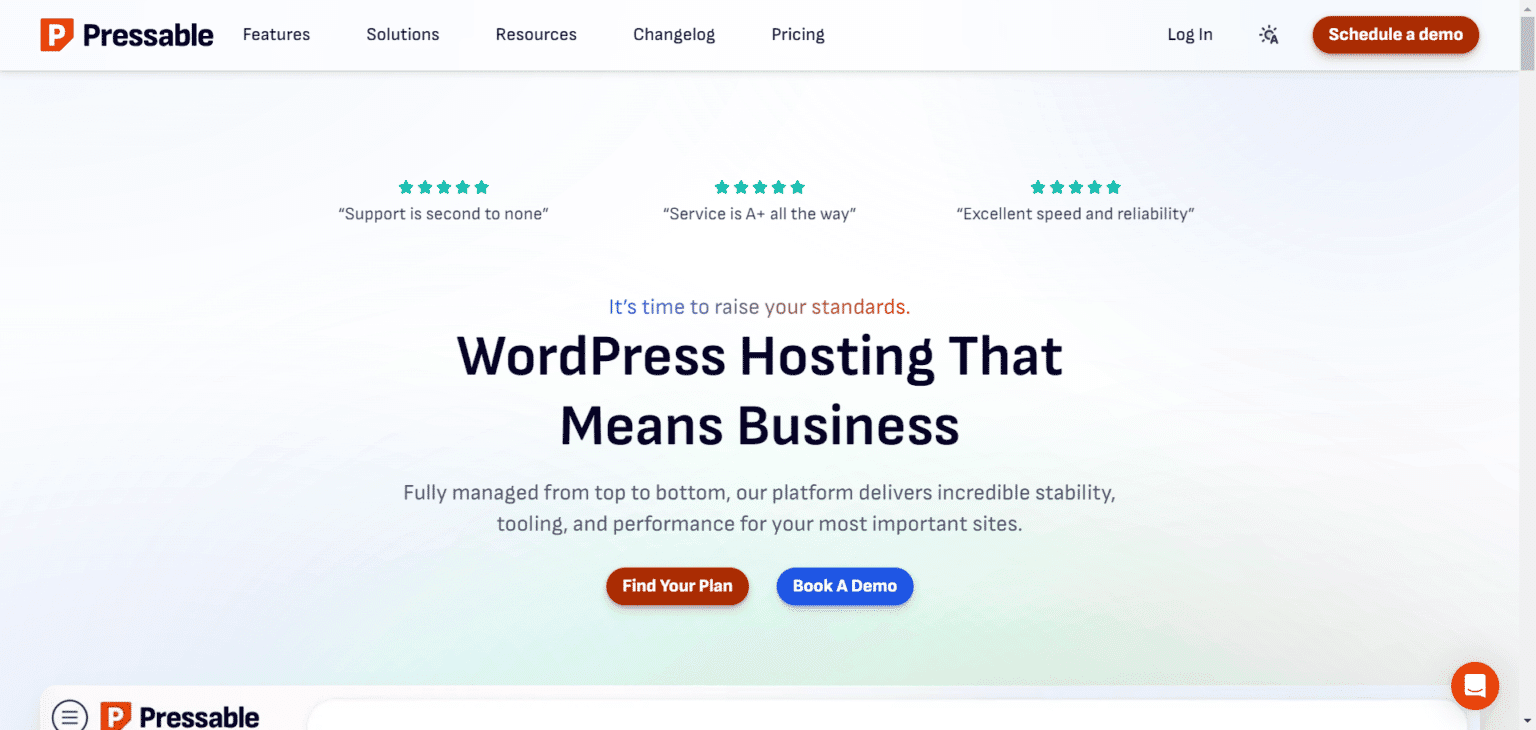
Pressable is a managed WordPress hosting platform backed by Automattic, the company behind WordPress.com and WooCommerce. It’s built for freelancers, agencies, and businesses looking for a hands-off, high-performance hosting experience.
NEED TO LEARN MORE?
Read my standalone review of Pressable to learn more about its infrastructure, performance, security, and support quality. I detailed my six-month hosting experience in this post.
While Pressable doesn’t offer a standard free trial, it comes with a 30-day money-back guarantee on all plans. That means you can try the platform risk-free, and if it doesn’t meet your expectations, you can cancel within the first 30 days and get a full refund, no questions asked.
Pressable focuses on speed, security, and scalability. Their global CDN, Jetpack Security integration, and user-friendly dashboard make it easy to launch and manage WordPress sites.
Developers also have access to staging, Git, Studio Local, and WP-CLI. And if you’re switching from another host, they’ll migrate your site for free and even buy out your current contract if you qualify.
This 30-day window is plenty of time to test performance, customer support, and site management features before committing fully.
Pressable Top Features
Pros of Pressable Free Trial
Cons of Pressable Free Trial
2. Cloudways
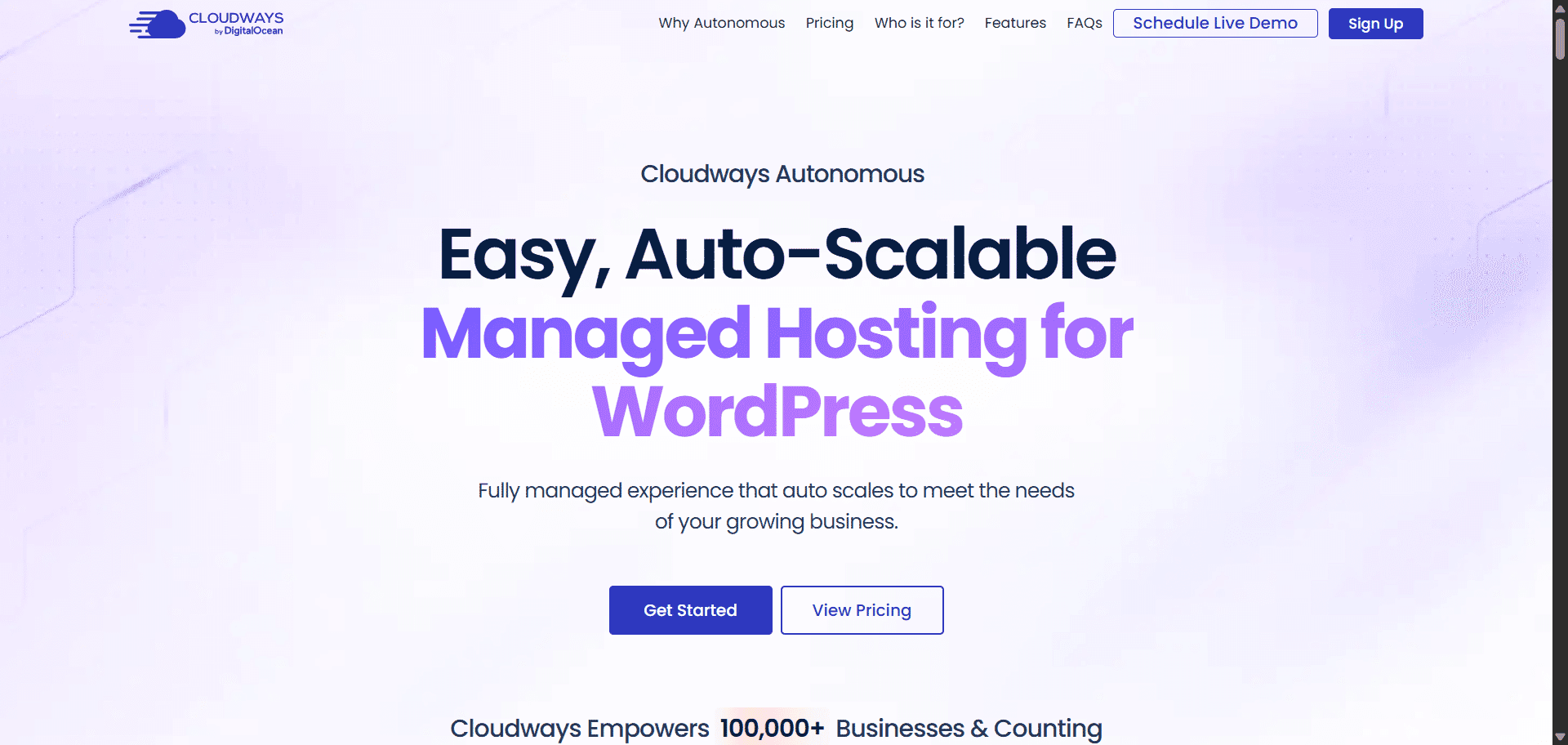
Cloudways Autonomous is Cloudways’ fully managed WordPress hosting for site owners who don’t want to deal with server work but still want serious performance. It’s built to run WordPress sites smoothly, scale automatically, and stay stable even when traffic jumps unexpectedly.
READ THE REVIEW
I stayed with Cloudways for 2 years before moving to Pressable. Learn why I stayed that long and what happened that made me migrate to Pressable, a completely managed hosting solution for WordPress and WooCommerce. Read my Cloudways review.
While Cloudways Autonomous does not offer a traditional free trial like the Cloudways flexible 3-day trial, its billing model makes it easy to test without real risk. Cloudways uses hourly billing instead of charging you upfront for a full month.
That means you pay only for the time your site is active.
If you sign up for the Growth plan ($100 per month) and cancel after 3 days, you won’t be billed the full amount. You’ll pay roughly $10, which covers only those three days of usage.
For many users, this works like a short trial. You can set up your WordPress site, push real traffic, test speed and stability, and cancel if it’s not a good fit.
There’s no pressure to commit for 30 days just to see how the platform performs.
Cloudways Autonomous also handles scaling automatically. You don’t need to monitor traffic or manually upgrade plans. When your site gets busy, resources scale up.
When traffic drops, they scale back down. Performance and security tools that other hosts often charge as add-ons are already included, making the platform even more worthwhile to test.
If you want managed WordPress hosting that’s easy to try, powerful under load, and flexible with billing, Cloudways Autonomous is a solid option, even without a classic free trial.
Cloudways Hosting Features
Pros of Cloudways Free Trial
Cons of Cloudways Free Trial
3. Kinsta

Kinsta is a premium managed WordPress hosting provider known for its lightning-fast performance, developer-friendly features, and reliable Google Cloud infrastructure.
While Kinsta doesn’t offer a traditional free trial, it gives new users the first month free on its entry-level Starter plan (35k plan at $30/month), which essentially lets you try the full service at no upfront cost.
KINSTA REVIEW
In this post, I go in depth on the Kinsta dashboard, APM (Application Performance Monitoring), and real-world performance expectations, especially TTFB (Time to First Byte), so you can get an idea of whether Kinsta is the right hosting for your WordPress site. Read the review here.
This is a great way to experience everything Kinsta offers – speed, support, and dashboard tools – without immediately committing your money.
From automated backups and one-click staging to advanced analytics and security features, Kinsta provides a streamlined experience built for bloggers, businesses, and agencies alike.
Their MyKinsta dashboard is clean and intuitive, making site management easy even for beginners. With data centers worldwide, your website stays fast and stable no matter where your traffic comes from.
And if you’re not satisfied? Kinsta also has a 30-day money-back guarantee, so even if you pay for a larger plan upfront, you’re still protected.
Top Features
Pros of Kinsta Free Trial
Cons of Kinsta Free Trial
4. HostPapa

HostPapa is a Canadian-based web hosting company that has been serving small businesses and entrepreneurs since 2006, powering over 500,000 websites globally.
While HostPapa doesn’t offer a traditional free trial, its 30-day money-back guarantee gives you a full month to put its managed WordPress platform through its paces – completely risk-free. In practical terms, that’s a 30-day free trial.
What makes HostPapa’s managed WordPress offering worth considering for businesses? The answer lies in what’s included by default.
Unlike shared hosting plans that require you to bolt on third-party plugins for caching, backups, and security, HostPapa bundles these essentials directly into its managed WordPress platform.
You get an enterprise-grade CDN powered by Cloudflare, an optimized WordPress installation, real-time malware scanning, daily offsite backups, automated updates, full page caching, a premium global edge network, and a dual-firewall security setup, all without touching a single plugin.
For growing businesses, this matters. Every plugin you don’t need to buy or maintain is time and money saved, and that’s before you factor in the performance gains.
HostPapa’s servers run on NVMe storage and serve websites through 250+ global CDN locations, ensuring fast load times no matter where your visitors are.
And since page speed is tied directly to SEO rankings and conversion rates, the performance infrastructure here is genuinely business-relevant, not just a marketing bullet point.
Plans start at $19.95/month for a single WordPress install with 25GB NVMe storage and up to 100,000 monthly visits, scaling up to the MWP Ultra tier for larger operations.
All plans include free website migration, and every tier comes with 24/7 expert support. The 30-day money-back guarantee means you can evaluate the full product with zero financial risk before committing.
HostPapa Top Features
Pros of HostPapa Free Trial
Cons of HostPapa Free Trial
5. Namecheap
If you’re looking for 30-day managed WordPress hosting with free trial access, look no further. The Namecheap EasyWP hosting is the perfect match.
Namecheap offers a 30-day free trial of its EasyWP cloud WordPress hosting service to new and existing customers.
It only requires a Namecheap account to get started. No credit card. No commitment. You can cancel at any time if you’re not satisfied with the service.
I have been using Namecheap WordPress hosting since April 2020, during the peak of COVID-19. I never regret the decision for a moment.
EasyWP has a built-in three-layer caching system that provides advanced optimization, making your website pages load insanely fast for users.
It is one of the industry’s cheapest managed WordPress hosting providers. The starter plan costs $12.88 per month when you upgrade your account.
You don’t need an extra cache plugin with EasyWP WordPress hosting from Namecheap.
Here are some of the top features worth mentioning.
Namecheap EasyWP Top Features
Pros of Namecheap Free Trial
Cons of NameCheap EasyWP Free Trial
6. WP Engine
WP Engine is a top choice if you’re looking for premium managed WordPress hosting with built-in performance, security, and expert support.
While it doesn’t offer a typical free trial, the 60-day money-back guarantee gives you plenty of time to test everything with zero risk.
If it doesn’t meet your expectations within those two months, you can cancel and get a full refund, no questions asked. That’s as close to a real free trial as most premium hosts get.
HOST COMPARISON
Looking for a WP Engine vs Cloudways comparison post? Read my comprehensive head-to-head review of both web hosts. I compare their hosting infrastructure, support, built-in performance mechanisms, ease of use, target audience, and more.
What makes WP Engine stand out is how much it takes off your plate. You don’t need to worry about updates, backups, or performance tuning; it handles it all.
The platform is optimized for WordPress from the ground up, with features such as built-in server-level caching, threat detection, free premium themes, a CDN, add-ons, one-click staging, and automatic backups.
For agencies, bloggers, and businesses that want speed, security, and a support team that knows WordPress inside out, WP Engine is worth considering. You get to test-drive everything they offer for 60 days, and if it doesn’t work for you, you’re not locked in.
Top WP Engine Features
Pros of WP Engine
Cons of WP Engine
7. Nestify

Nestify offers an affordable WordPress hosting plan powered by the AWS Graviton 2 processor, delivering ultra-fast, secure, cloud-hosted services.
There is a 7-day free trial to test the hosting services, and if you decide to upgrade, you are covered by a 60-day money-back guarantee.
You can access the Nestify WordPress hosting trial offer with no commitment. You don’t need to enter credit card details. You can start using the service now with an email and a username.
The entry-level plan starts at $12/month, with higher-tier plans up to $79/month that offer higher performance and more features.
Larger plans are available for mission-critical sites that need more features and hosting space.
Nestify offers some excellent hosting features you must know about:
Nestify Top Hosting Features.
Pros of Nestify Free Trial
Cons of Nestify Free Trial
8. Thamara Hosting

Thamara doesn’t technically offer a free trial, but it does give you a 30-day money-back guarantee on its hosting plans.
That means you can start with their WordPress hosting, test performance and features, and request a full refund within 30 days if you’re not happy.
This is essentially the same safety net a free trial provides.
Thamara is built around lifetime hosting plans, meaning you pay once and host your site for as long as the platform exists, with no recurring hosting bills.
Thamara offers monthly, annual, and multi-year hosting subscriptions, with discounted rates for multi-year plans.
Its WordPress-focused hosting plans run on the LiteSpeed server stack and include LiteSpeed caching for WordPress, plus enhanced security features such as DDoS attack protection, a Malware scanner, a Web Application Firewall, and SSH access.
It also includes six premium plugins, such as Perfmatters, ShortPixel, Bricks Builder, Rank Math SEO, AI Engine, and MetForm, to help you launch and grow your site without managing separate tools.
Because you can get your money back in the first 30 days, you essentially get a risk-free period to see if Thamara’s speed and features work for your WordPress site before committing long-term, which is why it’s worth including on a list of web hosts with trial-like opportunities.
Thamara Top Hosting Features
Thamara Hosting Pros
Thamara Hosting Cons
All plans include managed WordPress features, performance tools, security protections, and that 30-day refund period, giving you a practical chance to try before you decide.
Editor’s Choice – Top Managed WordPress Hosting
Based on what each web host offers, their free trial packages, ease of use, and overall service delivery, Pressable and Cloudways are the best choices.
Pressable is an excellent WordPress hosting provider if your business needs more hosting resources and budget isn’t a major concern.
With its proprietary WordPress Cloud infrastructure and Edge Cache, Pressable delivers lightning-fast web pages to users worldwide.
Additionally, Pressable hosting reduces the number of WordPress plugins you need to install. You don’t need to worry about caching, security, and website performance plugins.
Pressable includes these features in its managed WordPress hosting solution, so you don’t have to spend extra money on plugins or time configuring settings.
Cloudways is the top choice if you want more flexible pricing or cloud service provider options.
Although its 3-day free trial may be insufficient to fully test your website’s performance under many conditions, Cloudways is undoubtedly a reliable and trusted WordPress hosting provider.
They offer excellent hosting services, a reliable technical support team, and several hosting features required to start, grow, and maintain an online business.
However, if you’re looking for a hands-on hosting experience with powerful built-in features and developer tools, WP Engine is hard to beat.
Editor’s Choice – Best Cheap Managed WordPress Hosting
If you’re a beginner, look no further than the Namecheap WordPress hosting plan.
EasyWP from Namecheap is the best-managed WordPress hosting package for beginners. It’s easy to use, optimized for performance, and includes built-in caching, a free CDN, an SSL Certificate, automatic updates, and more.
The entry-level plan starts at 12.88/month and offers affordable managed WordPress hosting, making it a good fit for beginner marketers.
As your business grows in traffic and audience, EasyWP offers a seamless, scalable hosting plan upgrade without losing traffic or experiencing downtime.
For more information on EasyWP, read our comprehensive guide.
Other Managed WordPress Hosts You Can Try
Other managed WordPress hosting providers offer risk-free money-back guarantee policies you may want to try.
Although these web hosts don’t offer a free trial, their money-back guarantee is a strong incentive to try them.
From a minimum 30-day risk-free period to an incredible 180-day money-back guarantee policy, you have nothing to lose and all to gain.
If you are unsatisfied with the managed WordPress hosting services, you can request a refund under the contract terms.
Here are web hosts with risk-free, money-back guarantee refund policies you can try. They also offer quality hosting services for the price.
However, you will get the best value from these web hosts by subscribing to an annual plan, which offers incredible discounts on your first invoice.
Note: Some of the quoted prices in the table are introductory or promotional WordPress hosting offers, meaning the renewal price will be higher.
| Web Hosts | MBG Period | Entry-Level Price | Website Link |
|---|---|---|---|
| Hostgator | 30-days Risk-Free | $5.95/mon | Visit Link |
| Hostinger | 30-days Risk-Free | $1.99/mon | Visit Link |
| Nexcess | 30-days Risk-Free | $19.95/mon | Visit Link |
| Namecheap | 30-days Risk-Free | $3.18/mon | Visit Link |
FAQ – Free Trial WordPress Hosting
How Much Traffic Can a WordPress-Managed Host Handle?
Managed WordPress hosts can handle any website traffic volume, from thousands to millions of monthly visitors; there is no limit to the amount of traffic you can receive. However, depending on your web host, hosting plan, server specifications, and website size, your host may cap your traffic. You must host your website with a provider that offers seamless, scalable hosting to handle sudden traffic spikes or viral campaigns.
Can I install a custom theme for WordPress-managed Hosting Solutions?
Yes, most managed WordPress hosting providers allow third-party themes and plugins. However, some providers may not allow specific themes, caching, or optimization plugins. This is mainly because your web host has a built-in alternative and is concerned about compatibility issues. If you must use a particular theme or plugin in a managed WordPress hosting environment, contact your web host before purchasing the hosting plan.
What is the difference between WordPress-managed hosting and unmanaged?
The main difference between unmanaged and managed WordPress hosting services lies in the level of support and automated blog maintenance they provide. In a managed WordPress hosting solution, your web host provides automatic updates for WordPress core and plugins, security updates, and backups, and offers performance optimizations.
Managed WordPress hosting and handled many technical and maintenance aspects of running a blog. They also provide professional support from WordPress experts. All of these let you focus on the business side of blogging without worrying about server-side maintenance or technical details.
On the other hand, unmanaged WordPress hosting gives you more control over server-side configuration and maintenance, but it also puts more work on your part. You’re responsible for updating website files, plugins, themes, the WordPress installation, security updates, and server and website optimization.
While you have more control over your blog, you will waste time on maintenance and technical issues. Unmanaged WordPress hosting also isn’t suitable if you have limited web development experience.
Conclusion
A free managed WordPress hosting trial is a good option if you want to try the service without an upfront financial commitment.
It is an industry marketing tactic that has worked for ages; it gives potential customers free access to services and allows merchants to drive more sales.
While WordPress hosting trials are an excellent way to test-drive hosting features and the service, ensure you read the terms and conditions before subscribing.
The trial may have limitations, such as excluded features, traffic and resource limits, etc.
The free trial will help you make better hosting decisions and choose the right WordPress host and hosting package.