
AI website builders used to mean one thing: pick a template, swap the text, done.
That’s changed. The category has shifted toward vibe coding, where you describe what you want in plain language, an AI agent plans it out as a task list, and it builds an actual working site, sometimes with real backends, logins, and dashboards, not just static pages.
I’ve built sites on WordPress and other CMS, and tested several of the AI builders leading this shift. None of them replace a developer outright, but some have moved well past “smarter template” into genuinely building working apps from a prompt.
This article breaks down nine best AI website builders across that spectrum: what each does well, where it still needs your input, and what it costs.
What to Look for in an AI Website Builder
Among the things I learned about AI website creation platforms is that they vary in their levels of success, intelligence, and expertise.
Some no-code AI website builders are more powerful and advanced than others.
If you give the same prompt to different AI website design tools to build your site, the outcome will vary significantly.
Some acclaimed AI website builders are just a frontend for Prompt, connected to OpenAI’s API, and use white-label WordPress theme development services.
In reality, this process involves editing a standard template, uploading stock images, and adding AI-generated content. The outcome will be good, but maybe not quite what you’re looking for.
A natural language processing tool that claims to build websites shouldn’t just be an AI; it should be a website developer that leverages AI.
This way, you’ll get the best of both worlds – the speed of AI and the skill and experience of a web developer.
So, what makes the best AI website builder?
Build Custom Site
For an automated website design tool to truly be worth its cost, it should be able to create unique site layouts, which is difficult with template-based themes.
One reason to use AI to design websites is to create unique, high-quality designs at a lower cost. The design process should feel more like working with a human developer to create something uncommon.
Build a Professional Website With Ease.
When we discuss AI, the AI-generated site design should reflect concepts ahead of their time, not a design concept left behind in the late 2000s.
Also, while the AI site builders generate stunning designs, the process should be as seamless as possible.
Performance and SEO
There’s something that makes WordPress themes such as Astra, Themeisle, Divi, and Kadence so popular: lightweight design and strong SEO.
AI shouldn’t focus solely on design speed and customization; instead, it should build a site that supports SEO. Basic design practices such as proper use of H tags, clear navigation menus, clean code, schema, and an uncluttered style should be a priority.
NOTE:
To learn more about expectations, limitations, and how to approach implementing SEO with your AI site-building tool, read my audit of 20 AI vibe-coded sites and SEO.
Easy to Customize
The whole idea of using an AI-powered website builder to create a fully functional site centres on simplicity, speed, and an effortless design process.
The first draft of a complete AI site generation should be customizable, straightforward to edit, and allow you to change layouts and design elements without having to navigate to find them.
There’s no point in spending countless hours modifying AI outputs when you can build the site yourself in less time.
Integration
Some AI site builders directly integrate with the WordPress customizer, making it easier to design your site within WordPress.
However, I have used a few standalone AI website-builder platforms that require you to export your AI-generated sites to your hosting server.
Whatever the process, seamless integration is crucial.
Best AI to Create a Website
As I test other machine-learning website-builder tools, I will update this list to document my findings and experiences. So, expect the list to change from time to time.
For now, here is my top choice.
1. Nicepage
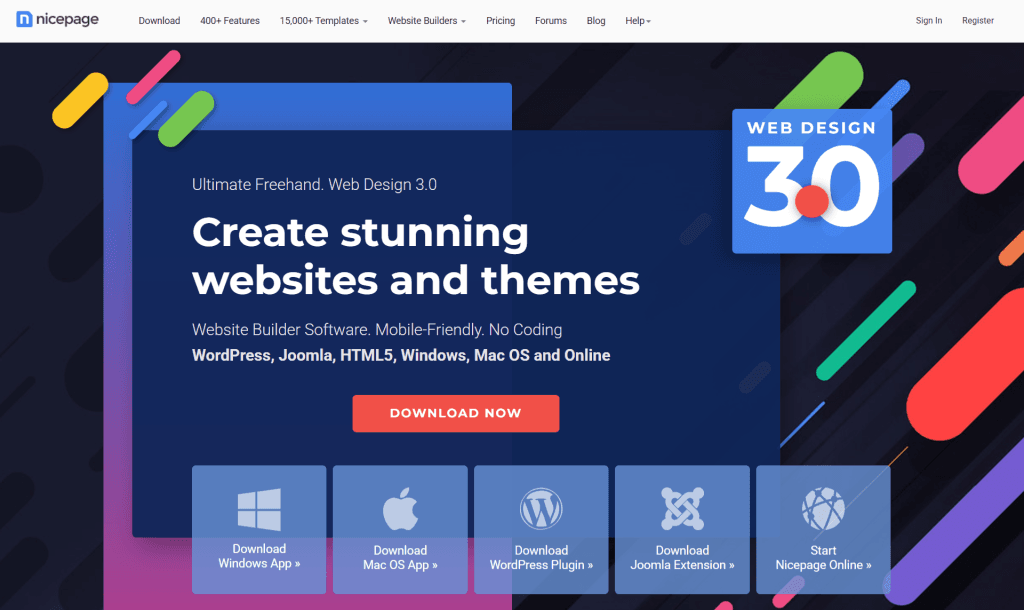
Nicepage is an AI-powered website builder and theme generator developed by Nicepage. Unlike tools that work only within WordPress, Nicepage is platform-agnostic.
You can use it with WordPress, Joomla, or even export static HTML websites, which is a huge win if you prefer to own your files.
To build a website with Nicepage, you start by choosing your platform and website type. From there, the AI helps generate layouts, page sections, and full designs based on your industry, preferences, and content goals.
This isn’t a “click once and accept whatever AI throws at you” kind of builder. Nicepage sits in a sweet spot between automation and control. The AI gives you a strong starting point, but you’re always in charge of refining layouts, spacing, colors, typography, and section structure.
What really stands out is Nicepage’s visual drag-and-drop editor. It feels closer to a professional design tool than a basic website builder. You can customize headers, hero sections, galleries, forms, and footers with pixel-level precision, all without touching code.
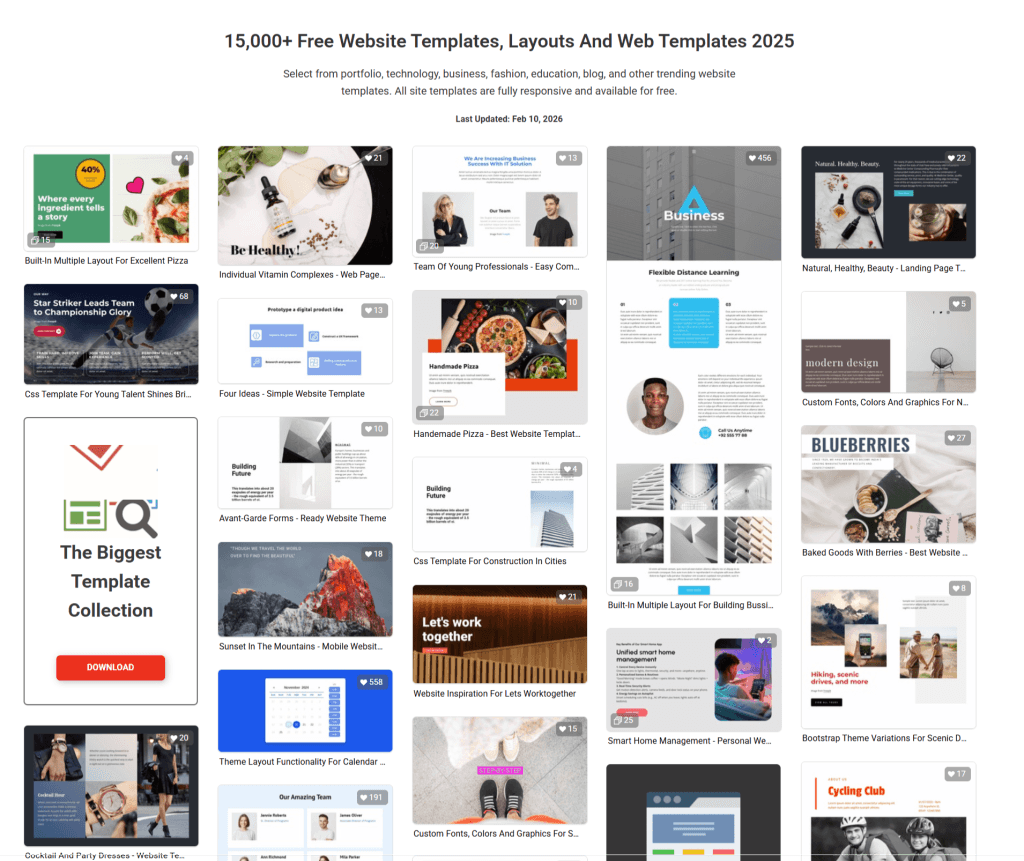
Nicepage includes a large library of pre-designed templates and blocks. These aren’t cookie-cutter designs either. Layouts vary widely across industries, business sites, portfolios, blogs, SaaS pages, landing pages, and online stores, and each feels distinct.
Another thing I like is how Nicepage handles responsive design. Instead of hoping your site looks good on mobile, you can explicitly design for desktop, tablet, and phone views. That level of control is something many AI builders gloss over.
If you’re building an eCommerce site, Nicepage integrates smoothly with WooCommerce for WordPress. You can visually design product pages, category layouts, and checkout-related sections without being locked into a rigid theme structure.
Nicepage also works well as a theme builder, not just a website generator. You can create reusable headers, footers, and templates and apply them across your site, perfect if you’re planning something larger than a one-page project.
In terms of workflow, Nicepage supports local editing, staging, and exporting. You can design offline, test before publishing, and then deploy when you’re ready. That alone makes it attractive to developers, designers, and agencies.
Some standout Nicepage features include:
Overall, Nicepage feels less like an AI website builder with a “magic button”. It is more like a serious AI-powered design companion.
If ZipWP is perfect for speed and automation, Nicepage shines when you want creative control without sacrificing efficiency.
2. ZipWP
My feelings for ZipWP are love at first sight. It was like, this is the AI website builder I’d been waiting to try.
ZipWP is one of the AI-powered web development tools from Brainstorm Force, the company behind the Astra theme, SureTrigger, SureCart, SureFeedback, and the Spectra page builder.
To build a site with ZipWP, you need to provide some information about your business, niche, industry, target audience, and more.
This isn’t like prompting AI to generate a generic website design; ZipWP actually builds a site that matches your niche, interests, and color and designs layouts with relevant pages, images, and content.
More than a template editor, ZipWP works with the Astra theme, Starter templates, and Spectra page builder to create professional, unique website designs.
With this combination, ZipWP lets you customize design features such as color palette, typography, layouts, images, and the footer. You can do these during the design process. So, you have a site that matches your imagination.
You can see that from the collection of AI sites it generates. The site design, layouts, visuals, and sections vary by template.
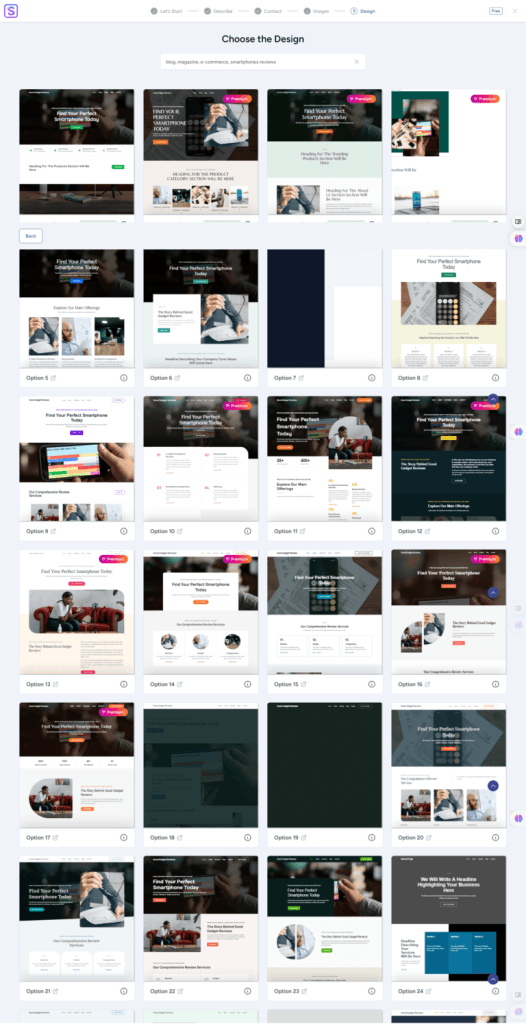
Also, ZipWP considers whether you’re building an e-commerce site, a portfolio, a business website, or a personal blog. ZipWP might recommend installing additional plugins, such as SureCart and SureTrigger, depending on your project.
These plugins add eCommerce and automation functionality to your site.
Another advantage of using ZipWP’s automated website design tool is that you can create your site in a staging environment. On the ZipWP website, you can create a blank WordPress site with admin access or generate a complete site using ZipWP AI.
When you are ready to launch the site, use the export/import feature to move the complete staging AI site to your hosting server.
ZipWP’s standout features include 1,000 AI credits for free users, staging sites, SSH/SFTP access, site cloning, PHP version control, and more.
Check the ZipWP website for details on features and subscriptions.
I have reviewed ZipWP in this post, where I go into more detail and explain the concepts more clearly.
3. B12 AI

B12, a vibe-coding AI site builder, takes a different approach than most builders on this list.
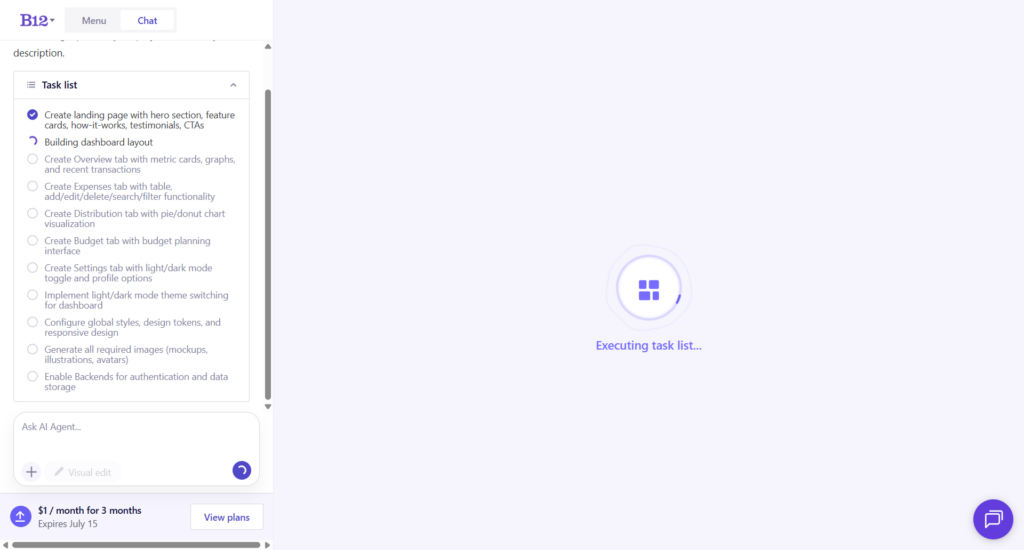
Instead of picking a template and filling in blanks, you describe what you’re building in a sentence or two. Something like “an expense tracking app with a dashboard, budget planner, and dark mode,” and B12’s AI Agent breaks that down into an actual task list: create the landing page, build the dashboard, add the expenses tab, wire up the budget planner, generate the images, enable the backend.
You can watch it check off each task as it works, which is a more transparent process than the “wait and hope” approach some AI builders use.
Once the first draft is live, editing happens in two ways. You can chat with the AI Agent directly, and every edit it makes is logged in an “AI edits” panel, with a restore option to roll back a change.
Or you can flip on Visual Edit and click any element on the page (a heading, a button, a section) to adjust its font, weight, size, alignment, code, and content directly from a side panel, similar to editing in a page builder like Elementor or Spectra, except it’s talking to the AI Agent underneath rather than static settings.
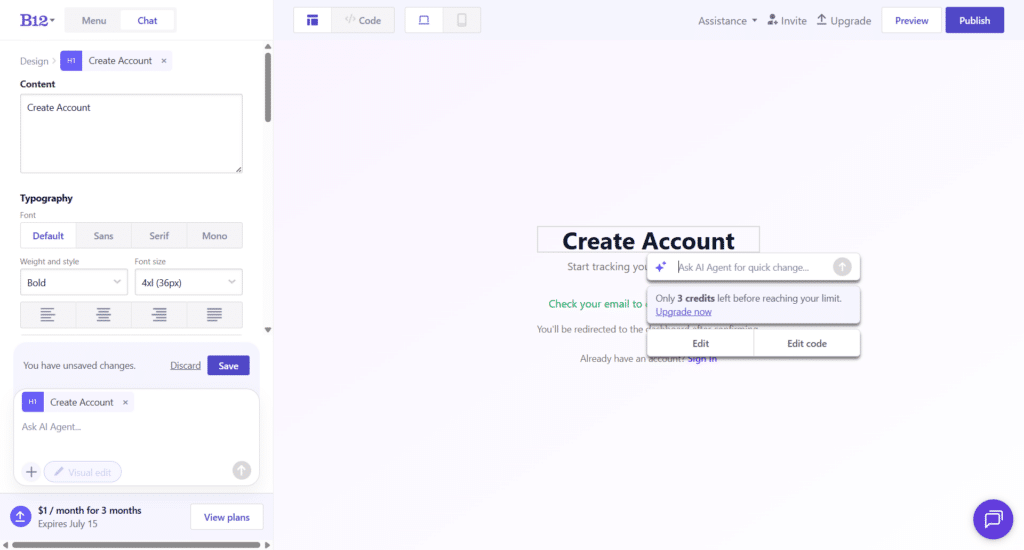
For anyone who wants to look under the hood, B12 AI also has a Code view. It exposes the actual file structure of your site (in my case, an Astro project with a components folder, layouts, pages, and a Supabase integration for the backend), so if you or a developer wants to hand-edit a file directly, that option is available.
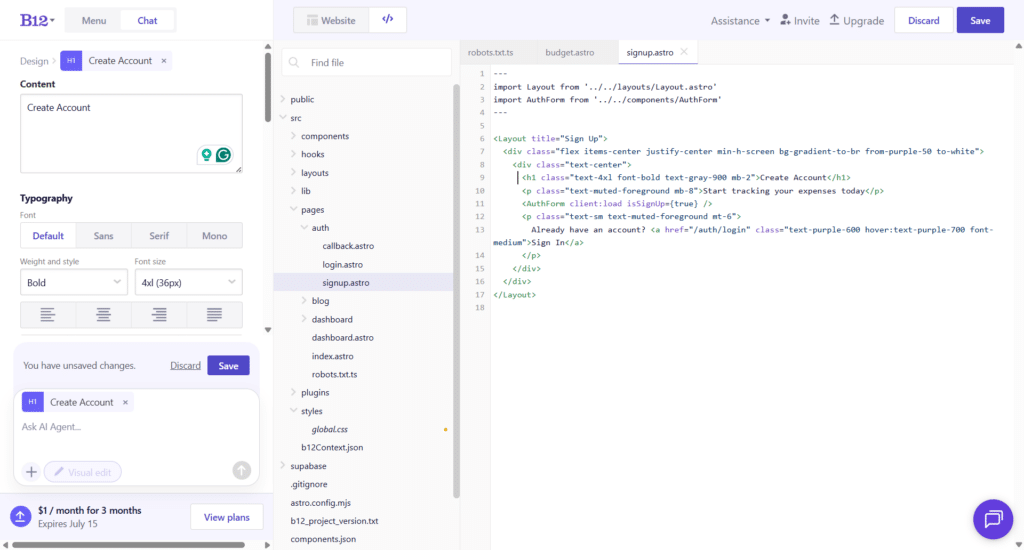
Not many AI website builders let you drop into raw code like this while still offering a no-code visual layer on top.
Unlike WordPress-based builders like ZipWP or Kadence AI, B12 AI is a fully standalone platform.
Your site runs on B12’s AI infrastructure, which simplifies hosting but ties you to B12’s AI ecosystem rather than letting you own a portable WordPress site.
B12 also isn’t just an AI page generator. Commerce, client intake forms, a contact manager, email marketing, and analytics all run natively on the platform under your own branding. So, a service business can go from “just a website” to actually taking client bookings, issuing invoices, and accepting payments without bolting on five separate tools.
On the integrations side, B12 connects with roughly 30 third-party apps out of the box, covering calendars (Calendly, Google Calendar), forms (Typeform, Jotform, Google Forms), chat (Drift, WhatsApp), eCommerce (Shopify, Ecwid), reviews (Yotpo, Kudobuzz), translation (Weglot, ConveyThis), and more, plus the option to drop in custom HTML/JavaScript for anything not natively supported.
The other thing that sets B12 AI apart: if you’d rather not touch the AI builder at all, you can hire a B12-vetted designer, copywriter, or SEO specialist through its Expert Marketplace to refine or fully build the site for you.
That’s a genuinely different tier of service from most AI website builders, which either give you a DIY tool or nothing.
Some standout B12 AI features include:
B12 AI offers a free tier (a B12-branded subdomain with limited AI credits) alongside paid plans that unlock a custom domain, additional AI credits, and the client-facing tools mentioned above.
If you want the full pricing breakdown, including the “Experts do it for you” plans where B12’s team builds the site for you, I’ve covered that in detail here.
4. Design.com
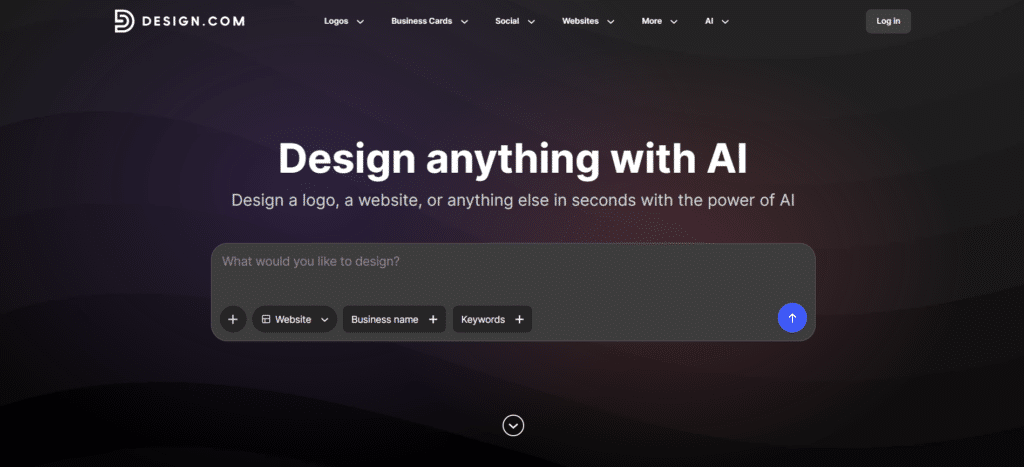
If you want a website that already looks like a real, established brand the moment the AI finishes generating it, Design.com is the one tool on this list that actually delivers that.
Most builders I tested generate a layout and leave the branding to you. Design.com works the other way around. You enter your business name and industry, and the AI website builder produces a complete website with your logo, colors, and fonts already applied across every page.
Not placeholder branding you have to hunt down and replace. Actual, consistent visual identity from the first draft, without touching a single setting yourself.
The drag-and-drop editor is clean and beginner-friendly, and the template library covers a wide range of industries. What surprised me is that every template is free to browse, customize, and publish without a paid plan. Most tools reserve their best designs for subscribers. Design.com does not.
What really sets it apart from everything else on this list is how far it extends beyond the website. Every asset you create on the platform- business cards, social media graphics, flyers, and presentations- all automatically use the same brand colors, fonts, and logo as your site. For small business owners who want their entire visual identity in one place, such a connected ecosystem is genuinely hard to find at this price point.
It is browser-based only, so there is no desktop app. It is also better suited for small to mid-sized business sites than complex developer-driven projects. But for the audience it is built for, those are not real limitations.
Some standout Design.com features include:
Paid plans start at $4/month (billed annually) and include unlimited pages, a custom domain, full editor access, and 24/7 customer support.
5. BrandCrowd
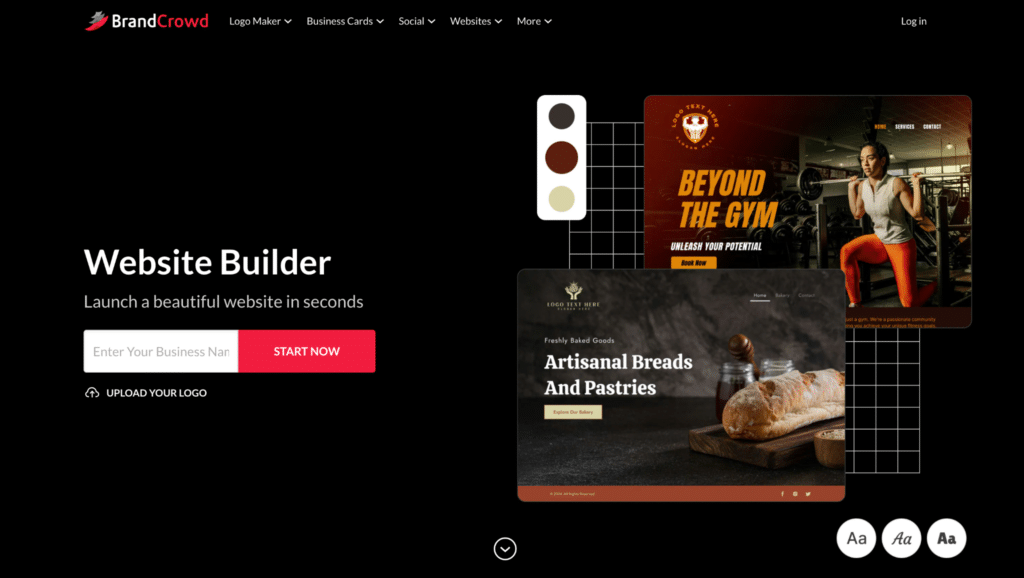
BrandCrowd takes a different angle. Its website builder is designed specifically for entrepreneurs creating their brand and website simultaneously, handling both in a single, connected workflow without ever needing to switch platforms.
You enter your business name and industry, and the platform generates ready-to-edit website layouts. Any logos or brand assets you have already created in BrandCrowd automatically apply to your site. No importing files, no copy-pasting hex codes, no juggling between tabs. Your branding just carries across.
The visual editor requires no coding and cleanly handles image uploads, video embedding, contact forms, and social media link integration. Every template is mobile-optimized by default, and the full template library is free to browse, customize, and publish. For entrepreneurs launching something new on a tight budget, that removes a real barrier to getting started.
BrandCrowd also connects with 50+ additional design tools for business cards, social posts, and flyers, all visually consistent with your website. If you are the kind of person who wants your logo, website, and marketing materials to look like they came from the same brand from day one, BrandCrowd makes that happen from a single starting point, with minimal fuss.
Like Design.com, it is browser-based only and better suited for straightforward business sites than content-heavy builds. But for entrepreneurs building a brand from scratch, it handles the whole process more smoothly than anything else I tested at this price point.
Some standout BrandCrowd features include:
Paid plans start at $6/month billed annually and include unlimited pages, a custom domain, full editor access, payment acceptance, and 24/7 customer support.
6. Kadence AI
The last time I tested the Kadence no-code website builder, it didn’t impress me much. The AI-generated site doesn’t match the quality of the classic Kadence theme.
However, while researching this post on the best AI website builder for beginners and agencies, I tried the Kadence AI website design tool on a clean WordPress installation.
This time, the AI-generated sites were more polished and refined, with varied layouts, designs, and aesthetics. Still, some of the template graphics look like something built in 2009.

If you want to use Kadence AI to build your site, get the Essential bundle plan. This plan gives you access to Kadence Theme Pro and Kadence Block Pro, Pro templates, and custom fonts.
With this combination, you get stunning AI-powered site templates and advanced control for further customization.
Unlike ZipWP, Kadence AI works directly in WordPress, uses the Kadence theme, and doesn’t require exporting your site to a hosting server.
Plus, you get 250 AI credits for content generation. Kadence AI uses these credits to generate your website copy during the design process.
Overall, Kadence AI is a solid AI website builder for beginners and those looking to quickly design a website over the weekend and launch it on Monday morning, with limited emphasis on unique design.
Check the full review and my experience building a site with the Kadence AI site design tool.
7. Replit
When I first tried Replit’s AI website builder, I honestly expected something pretty technical – maybe even intimidating. Replit is best known for its coding environment. But this tool? It completely flips the script.
Instead of dragging blocks or picking from stiff templates, you just type in what kind of site you want. Something like: “A sleek personal portfolio with a contact form, three sections, and a bold hero image.”
And in seconds, Replit spins up a working, live site that looks modern and actually functions. Not just placeholders, but a site with real code, real structure, and professional layouts.
Here is something I’m working on inside Replit at the time of writing.
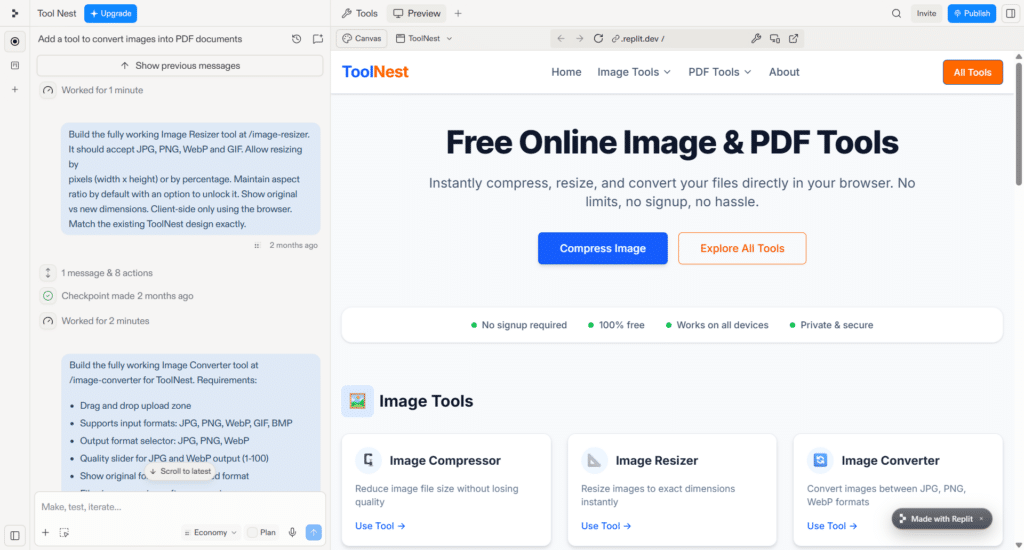
One thing that caught my attention was how easy it is to tweak the site. You just click on an element – a button, heading, image, anything- and describe the change you want. There’s no sidebar full of settings or tabs to dig through. It’s shockingly fast and kind of addictive.
Replit’s builder also works from your phone, which I thought was a gimmick until I actually used it. You can build and publish a site right from your couch or while you’re waiting in line at the coffee shop.
That’s not something I’ve seen with tools like ZipWP or Kadence AI.
And while it’s 100% no-code, Replit still gives you access to the code if you want it. So if you’re someone who likes a bit more control, or if you have a developer on your team, you can go deeper and customize anything under the hood.
Replit is ideal for quick projects, startup launches, or even client work. You can connect a custom domain, deploy instantly, and iterate as much as you want without messing with hosting or WordPress.
It’s like having a personal AI web developer on call 24/7.
It doesn’t replace traditional site builders for everyone, but if you want speed, flexibility, and a better experience than dragging blocks around, Replit might surprise you as it did me.
8. SeedProd AI Website Builder
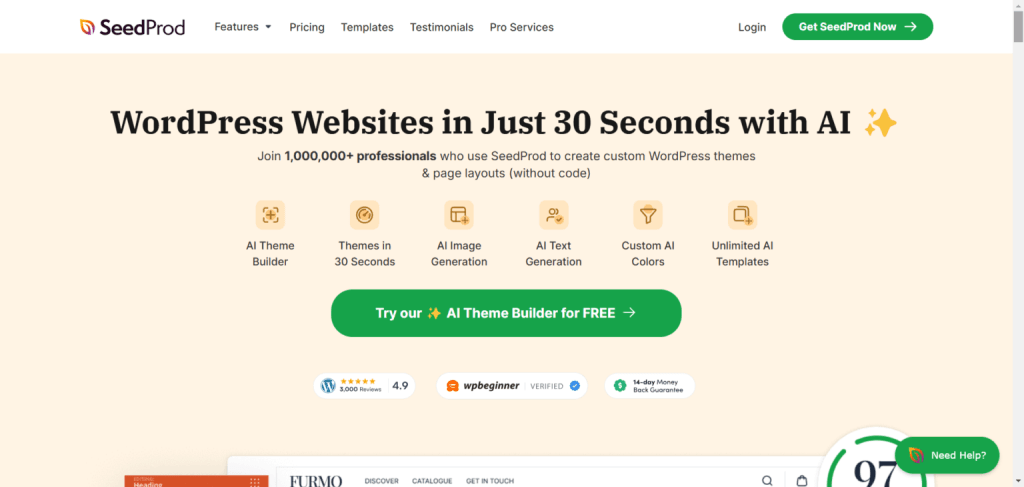
SeedProd is a popular WordPress theme and page builder plugin. It is well known for its powerful, advanced, conversion-focused drag-and-drop landing-page builder.
When I first heard about their AI website builder, I was excited to try it.
It works similarly to ZipWP: you build your site on the SeedProd AI site-creation platform, then export and import it into your WordPress site.
This process makes creating the AI site more convenient and ideal.
But does SeedProd compare to ZipWP? I don’t think so.
The SeedProd AI website builder is still in development, and I think the developers are working to address the product’s rough edges.
Though SeedProd generates an AI site in under 20 seconds, the design, graphics, and layout are out of place in today’s modern, user-centric digital world.
The site looks outdated; it doesn’t meet the demands and expectations of today’s Internet users.
SeedProd AI website builder may be a good option for beginners or those looking to create a simple hobby website.
If you require a more professional business website, consider getting a SeedProd paid license and using the theme or page builder templates for your project.
9. Jimdo

Jimdo is another excellent website builder that uses AI to accelerate design and customization. Its drag-and-drop page editor makes it easier for beginners to create stunning website designs with AI assistance.
Like most AI website builders, Jimdo asks for relevant details about your business, industry, mission, and design choices. Within a few seconds, your auto-generated AI site has relevant pages, including policy and cookie information pages.
One of the things I love about Jimdo is the ease of customization. You can easily add block sections by just pointing your mouse to where you need to include the element.
For this example, let’s add an element to the top of the page, right under the first header section.
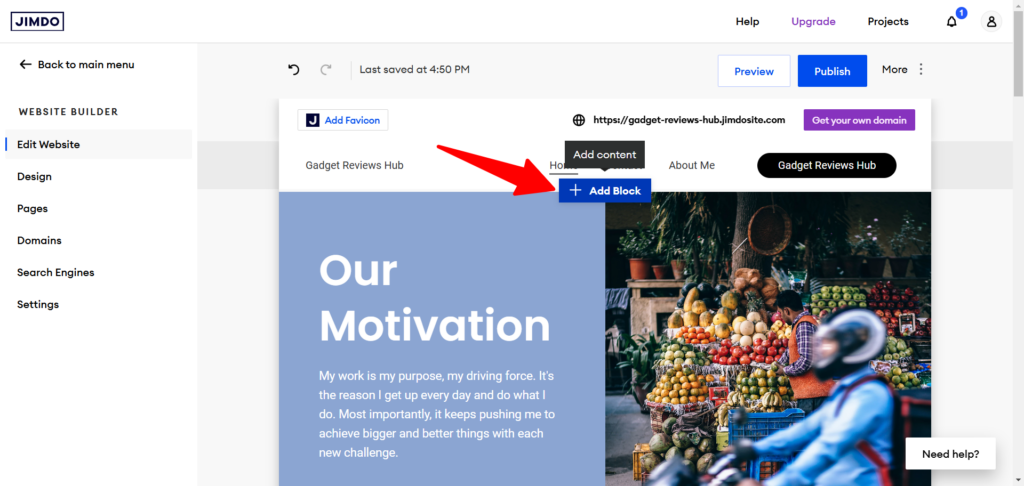
Pointing my computer mouse to the area revealed the + Add Block option. Then I click it to open the Block options on the left.

From here, I can add any block to the design by clicking on it.
Customizing your Jimdo AI site is effortless. You can click on any element to access its controls and options.
Jimdo offers more advanced features, such as Google Analytics integration, an eCommerce site, a 404 page, a pop-up cookie banner, and the option to connect your Jimdo site to a custom domain.
The overall user experience is pleasing, and Jimdo provides a solid foundation for quickly deploying web pages.
Editor’s Pick
Building a website with AI shouldn’t mean settling for a generic template. The right tool depends less on which builder is “best” and more on what you’re trying to build, so here’s how I’d match each one to a specific scenario.
Best overall: ZipWP
If you want a WordPress site that looks like your brand from the first draft, not a template you have to fight with, ZipWP is the one to reach for.
It works with Astra, Starter Templates, and Spectra to generate layouts, copy, and images tailored to your niche, rather than handing you a generic layout and calling it done. This is the pick for anyone who wants a professional site with minor editing before launch, not a multi-week project.
Best for vibe coding and full-stack builds: B12 AI
When a website alone isn’t enough, and you need real functionality such as client intake forms, invoicing, or a booking system, B12 AI is built for that. Describe what you want in a sentence, and its AI Agent breaks the project into a visible task list and builds it out, backend included.
It’s also the only tool here with an Expert Marketplace, so if you’d rather hand the whole thing to a human designer or copywriter without leaving the platform, that option exists. Choose B12 AI if you’re building more than a static page and want the flexibility to bring in real help later.
Best for entrepreneurs building a brand from scratch: BrandCrowd
If your logo, business cards, and website don’t exist yet and you want them all to look like they came from the same brand on day one, BrandCrowd handles that better than anything else on this list.
Enter your business name and industry, and it carries your brand assets across the site automatically, no importing files or matching hex codes by hand. It’s the right call for someone launching a new business who wants a cohesive identity without juggling five separate tools.
Best for simple personal or hobby sites: Kadence AI
Kadence AI isn’t the pick for a business or client project, but for a personal site or hobby project you want live over a weekend, it gets the job done with minimal fuss.
It works directly within WordPress with the Kadence theme, so there’s no exporting or staging involved, and the 250 free AI credits are enough to generate your site copy at no extra cost.
If you’re not chasing a unique design and just want something functional fast, this is the low-effort option.