
Landing pages are one of the most effective lead-generation tools. A well-designed, SEO-optimized, high-converting landing page is critical to increasing conversions.
Landing pages have many use cases, from lead capture to product sales, webinars, homepages, and CTAs; you can do a lot with them.
Still, you don’t need an expensive or complicated landing page builder.
Several easy-to-use free landing page builders allow you to create responsive web pages without touching a single line of code. You don’t need to be tech-savvy or an internet guru to build a beautiful lead generation page.
After reading through this post, you will learn the following:
So, let’s dive in …
What is a Landing Page Builder
Landing page builders are software applications specifically developed to make it easy for anyone to create custom landing pages without coding or technical skills.
Typical landing page software includes a user interface with drag-and-drop functionality, prebuilt templates, and visual design elements that you can easily arrange on the page.
This drag-and-drop feature allows adding elements such as buttons, images, blocks, text, colors, etc., to the page. You can move, drag, rearrange, or modify elements by adjusting their settings in a customizer panel.
Instead of coding a landing page from scratch, you can start with prebuilt templates and have a landing page ready in minutes.
However, landing page software and creators vary; some features set them apart.
The best landing page creator for you depends on several factors; here are the features you should look for when choosing the right landing page software.
How to Choose The Best Landing Page Builder
The advice in this section will help you make the right choice, save money, and choose the best landing page software for your specific needs.
Depending on your goals, you may need a landing page to create squeeze pages, sales pages, product pages, or even an opt-in page; most landing page design software supports these features.
Conversely, you can use WordPress web design services if you don’t want DIY landing page software. This can be expensive, though, but you might get a high-quality landing page design.
So, what makes a good landing page tool?
Ease of use
One of the first features to look for is the ease of use. You don’t want a landing page builder that requires a tedious learning curve.
After all, a no-code landing page builder should simplify the process, make it easy to create pages, save time, and help you achieve more.
It is not worth your time if you spend an entire day learning how to use the landing page software. You might want to look into other options or alternatives.
Mobile Responsiveness
Approximately 7.33 billion mobile users worldwide, and many of these users are Internet users. Some of them may visit your site.
If your landing pages are not mobile-friendly, you will lose these users for good to your competitors.
You do not need to redesign your landing page for mobile users. A good landing page tool creates responsive pages that adapt to the user’s devices, irrespective of screen size.
Whether it is a tablet, smartphone, or desktop/laptop computer, your web pages will adjust to each device’s demand accordingly.
Optimized Templates
Templates are another feature to look for in landing page software.
Templates help you get started fast, build quickly, design in minutes, and launch a ready-to-go landing page without the stress.
The best landing page builders come with hundreds of prebuilt, intuitive templates that are fully customizable, SEO- and mobile-optimized, and built for high conversion rates.
Many landing page software creators have high-converting free templates designed for different niches.
For example, here are free lead and sale page templates in GetResponse, which you can use for different use cases or designs from scratch.
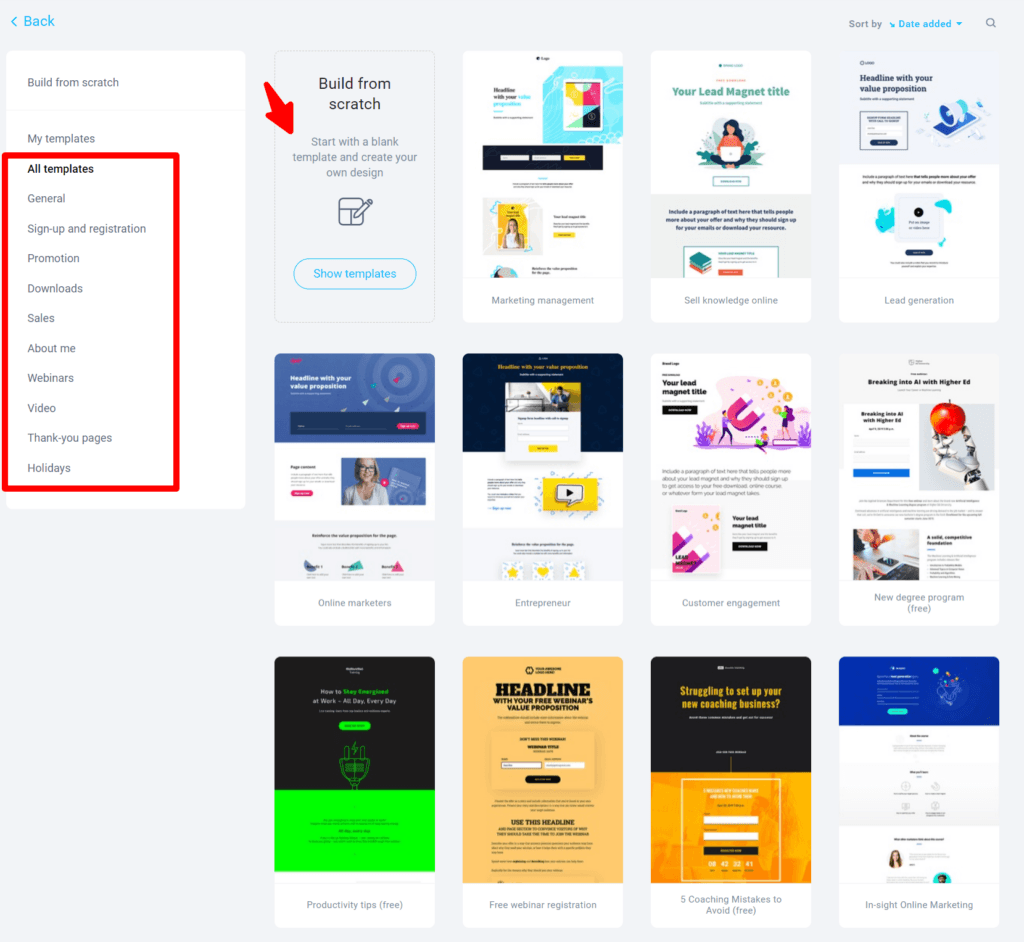
Always check the design library to ensure your landing page software provider has suitable, beautiful, and sufficient templates.
Supports
No matter how good it is, services and products will eventually break, need improvements and updates, or require help resolving issues.
You want a page builder tool developer to be there when you require support, and it should be timely and helpful. Support is something you must never overlook or ignore when subscribing to a service or product.
An excellent way to test the effectiveness of a business’s customer care service is to engage them before purchasing.
Watch for key customer service features like response time, how easy it is to start a conversation, how helpful the representative is, availability, contact channels, etc.
If things don’t add up, it could signal poor business ethics or weak customer service.
At the minimum, there should be support via ticket, phone, live chat, a knowledge base, and possibly a dedicated account manager for enterprise customers.
Third-party Integration
Running an online business requires many tools and services; it’s hard to find a single tool that does everything under one roof. How I wish it existed.
For the most part, you need a CRM (Customer relationship management software) or lead nurturing tool integrated into your landing page software.
Many of these tools are available today. Still, if your landing page builder doesn’t integrate seamlessly with third-party tools, managing leads through more sophisticated, purpose-built email marketing software will be challenging.
Make sure your landing page builder integrates with other tools in several ways.
6 Top Landing Page Builders
Now that you know what a landing page builder is and how to determine a good one, let’s compare the best landing page software you can try today.
I listed many tools on this page, from simple page builder software to more advanced top-rated landing page platforms and high-converting, SEO-optimized sales funnels.
Even for WordPress-specific landing page plugins, you have many options.
As you read through the list, these landing page builders are mobile-responsive, GDPR compliant, optimized for maximum conversion, and provide best-in-class protection against bots and spammers invading your contact forms.
Let’s get to it.
1. Elementor
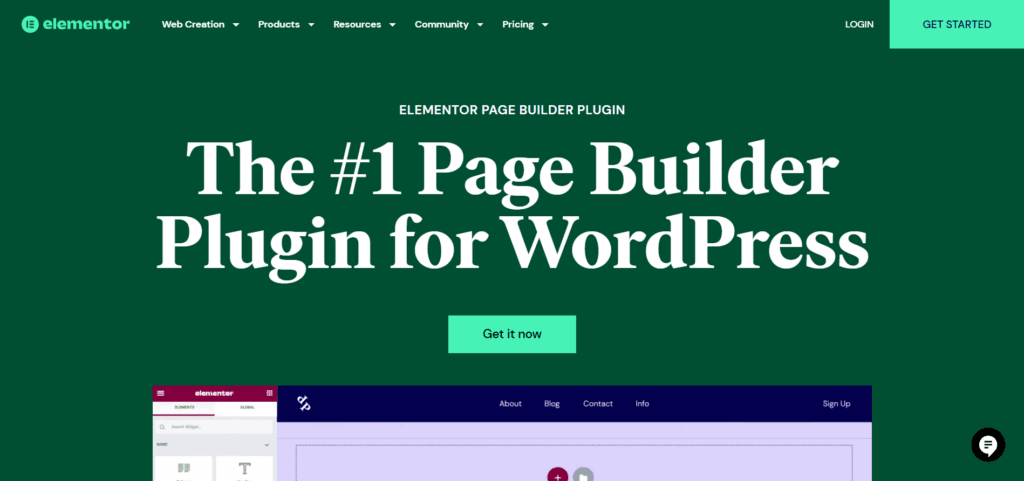
Elementor is one of the best landing page builder plugins for WordPress themes. And a favorite web development plugin among web designers, developers, agencies, and marketers.
It offers more than 300 templates optimized for fast-loading, responsive design, and high conversion rates.
One design advantage of Elementor is its seamless integration with many popular WordPress themes. You can build incredible website designs with your default theme using the Elementor landing page templates.
And not just landing pages, Elementor now has a powerful AI website builder that puts your website development in your hands. There’s virtually nothing you can’t do with your website.
If you want complete control of your website design, Elementor AI offers endless possibilities. Check the video below to learn more about Elementor AI.
Elementor Top Features
Elementor Pricing.
Elementor has no free trial, but it offers a 30-day money-back guarantee. So you have nothing to worry about if the Elementor landing page builder is not for you. No questions asked, you will get your money back.
The Pro plan starts at $59/yr and includes one pro website. However, when subscribing to the website builder plan, you get 14-day trial access to Elementor AI.

2. SeedProd
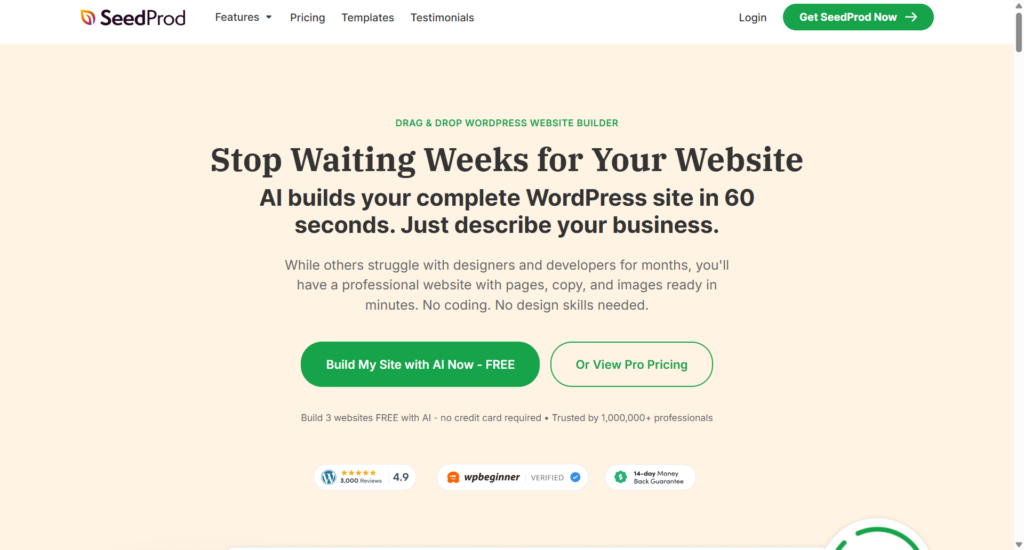
SeedProd is a WordPress website builder and landing page creator plugin. It uses a drag-and-drop editor, a user-friendly interface, and hundreds of design elements to create beautiful web pages.
It is one of the best free landing page builders for WordPress users.
SeedProd advantages include the Full Site Editing capability and the ability to create custom headers, footers, sidebars, archives pages, and responsive WooCommerce pages without coding.
You can create custom layouts, calls to action, WordPress maintenance or coming soon pages, custom 404 pages, thank you pages, and lots more. SeedProd is a complete drag-and-drop website builder and landing page plugin.
As a WordPress theme builder plugin, SeedProd integrates with popular page builder software like Elementor, Beaver Builder, Gutenberg, Divi, Visual Composer, Thrive Architect, and Brizy.
SeedProd Top Features
SeedProd Pricing.
SeedProd offers a Lite version of its plugin, which you can use for free but with limited features and tools. Download the Lite version here.
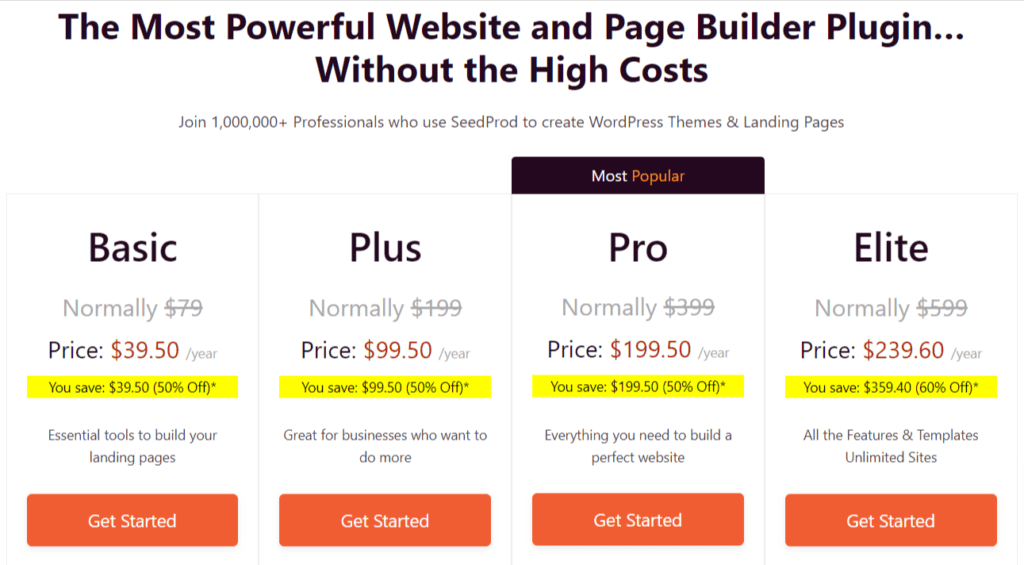
SeedProd Pro has four standard pricing options; there is no trial period, but you get a no-questions-asked 14-day money-back guarantee if it’s not what you want.
Check the price below.
3. GetResponse
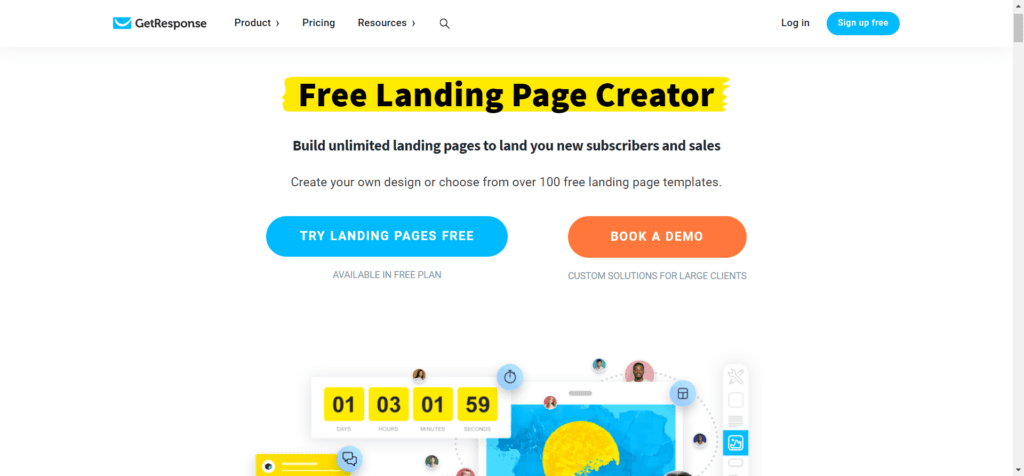
GetResponse isn’t a typical landing page builder software but an all-in-one email campaign, automation, and marketing solution provider. It is a powerful free squeeze page builder for people looking for an easier way to capture leads.
However, if you want everything in one place, like having the ability to create optimized lead pages within your email marketing tool, GetResponse makes a perfect choice.
As part of its offerings, GetResponse provides a library of high-converting landing page templates that automatically integrate with its email marketing software.
You can customize every part of the landing pages with the drag-and-drop editor to fit your marketing requirements. You can easily add buttons, images, countdown timers, videos, webinars, e-commerce stores, products, etc.
After subscribers complete the signup form, they can view a preview and see a thank-you page.
This is an ideal option for those who want a more straightforward way to create landing pages with minimal effort to collect leads via GetResponse web forms.
If you’re already a GetResponse customer, you may need to look into this option before going with other page builder tools on this list.
GetResponse Landing Page Top Features.
GetResponse Pricing
The GetResponse landing page templates are available to free users, but with limited access to premium features.
If you want to unlock more GetResponse features and access, consider subscribing to the Pro plan, which starts at $15.58 or $19, depending on annual or monthly billing.
You also get access to its website builder, which lets you create stunning web pages with a drag-and-drop visual editor.
4. Venturz
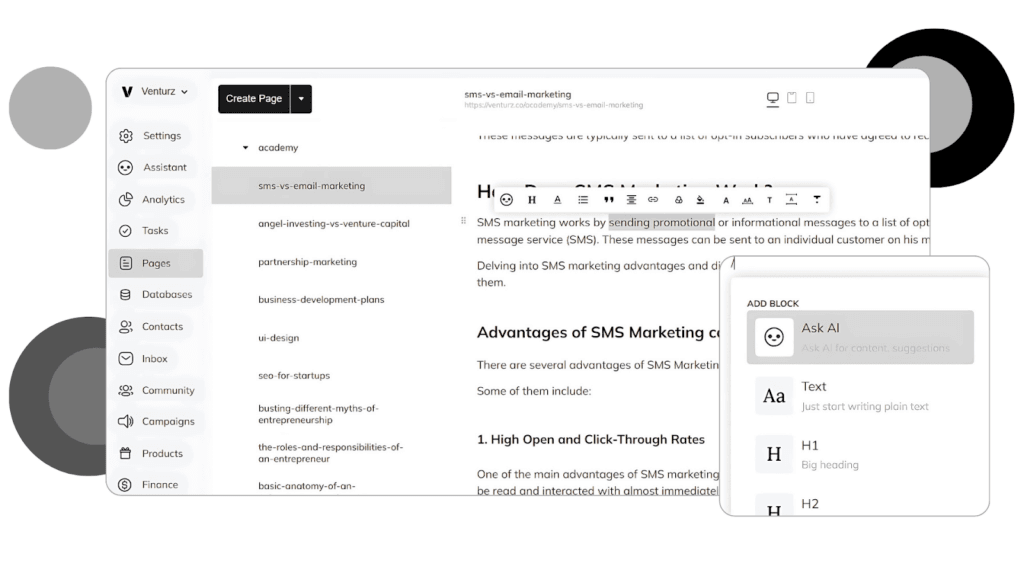
Venturz is a versatile landing page builder designed for startups and businesses, helping them create high-converting pages with ease. Its user-friendly interface and robust features make it ideal for beginners and experienced marketers alike.
Venturz offers two primary page-building options: the Drag-and-Drop Builder and the AI Website Builder.
The Drag-and-Drop Builder offers full design freedom, letting you customize every detail effortlessly. You can also add custom code for advanced functionality when needed.
The AI-Assisted Builder accelerates page creation by generating optimized designs and content based on your inputs. In just a few steps, you can have a ready-to-use landing page tailored to your campaign goals.
Venturz features a diverse collection of website templates, covering various industries and styles, to help you get started quickly.
Venturz Top Features
Venturz Pricing
5. Leadpages
Leadpages is one of the best landing page and website builders worth the investment.
It is not just about creating great landing pages; you can do much with Leadpages.
From selling products and integrating Stripe payments to creating checkout pages, real-time tracking, and unlimited split testing, you can build an online presence with Leadpages. It is a powerful marketing tool that lets you achieve more by working less.
Leadpages integrates seamlessly with many apps and services, including Hotjar, Google Analytics, CRMs, Website features, live chat, email marketing, automation tools, Zapier, payment processors and more.
The Leadpages Conversion guidance technology accesses your landing pages for high conversion, suggests improvements, and guides you to improve them.
Leadpages Top Features.
Leadpages Pricing
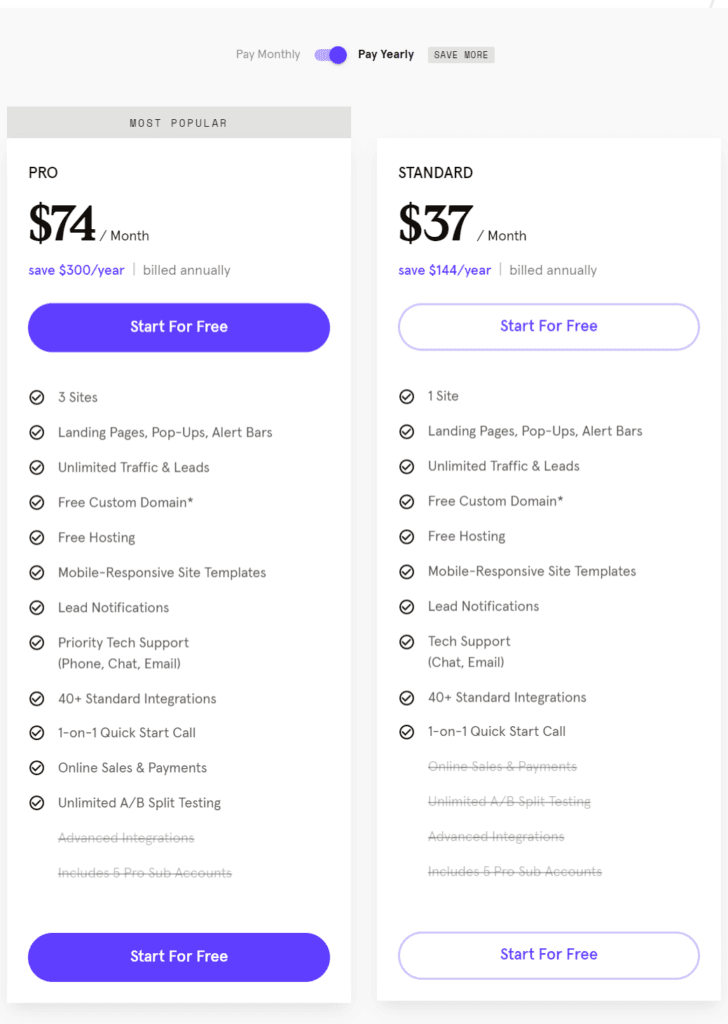
Leadpages offers a 14-day free trial, which you can access by entering your payment details. You won’t be charged during the trial period, and you can cancel anytime before the 14 days expire.
The standard pricing plan starts at $74/yr; see the image below for more details.
6. Unbounce
Unbounce is a powerful landing page AI builder with advanced features that let you create stunning marketing pages and turn visitors into leads. It is an all-in-one landing page tool that lets you create, write copy, and optimize your campaign for SEO.
You can create landing or conversion pages in Unbounce using the Classic and the AI Smart Builder.
The Classic Builder gives you more control and customization, letting you tweak every part of your landing pages by adding custom CSS and JavaScript.
The Smart Builder is an AI-powered landing page generator that lets you build incredibly fast, access pre-optimized templates, and answer a few questions. The AI generates relevant landing pages in seconds.
When you create landing pages with Unbounce Smart Builder, you can generate instant marketing copy and optimize with smart traffic that automatically sends visitors to the right landing page based on several factors.
One of Unbounce’s best features is its A/B testing and smart targeting tools.
You can create multiple landing page variations, A/B test each one, and choose the one that delivers the highest ROI. You can choose from hundreds of high-converting landing page templates, pop-ups, popunders, sticky bars, headers, etc.
Unbounce is an excellent marketing and lead-generation tool for businesses across many industries.
However, if you’re just starting, Unbounce isn’t ideal for beginners, especially if you’re not earning enough to cover the cost.
Unbounce Top Features
Unbounce Pricing
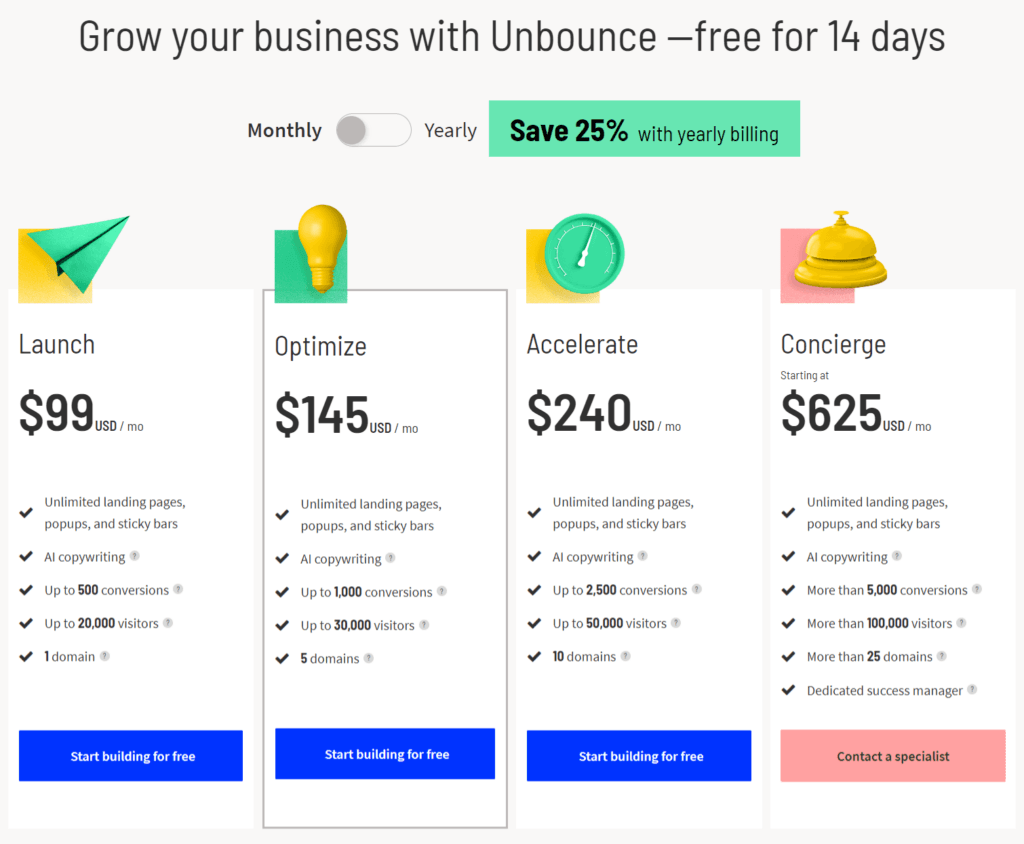
Unbounce is on the high side for its pricing; the entry plan starts at $99 or $74 when billed monthly or annually.
But you get unlimited landing pages, up to 500 monthly user conversions, and features that make running your business less stressful and improve efficiency.
You can try Unbounce with a 14-day free trial. No credit card is required.
Here is the complete pricing plan.
Editor’s Pick – Best Landing Page Builder
Although this list includes only five landing page makers, which is less exhaustive than other lists you may find online, the best landing page builders are Unbounce and Elementor.
Unbounce and Elementor are two popular landing page builders that let you build any conversion page design with minimal effort.
This software offers compelling features, including advanced audience targeting, split-testing methods, AI technology, and full control over your design projects.
However, if you’re a WordPress user on a tight budget, SeedProd is the best WordPress page builder plugin. No alternatives come close in features or ease of use.
GetResponse is suitable if you need something more straightforward that doesn’t require advanced tools, targeting options, and design, and you want to integrate with the GetResponse email marketing software.
FAQ – Free Landing Page Builders
Do you have questions about the free landing page builder for lead generation? If you spot something I missed above, check the FAQ section to see if I answered it here.
Why do you need a landing page builder?
Landing page builders are essential for creating high-converting standalone pages without coding or starting from scratch. Most landing page builders often use drag-and-drop editors, prebuilt responsive templates, and customization elements. These features allow anyone without coding knowledge to create professional landing page designs in minutes. You need landing pages for lead generation, sales pages, offer pages, powerful CTAs, and many other conversion pages.
Where can I create a free landing page?
Several landing page builder developers offer free versions of their premium products or a trial offer, which you can access with or without a credit card. You can use the free plan if you’re not ready to invest in a premium tool like Elementor and Unbounce Smart Copy. For WordPress users, the SeedProd Lite version is the best free landing page builder plugin for beginners with limited feature needs.
Is Elementor a landing page builder?
Yes, Elementor is both a landing page and website builder. You can build landing and website pages with Elementor’s drag-and-drop page builder. It is a powerful WordPress landing page plugin for creating and customizing different layouts, adding elements, creating website pages, and more. Elementor now has an AI-powered website builder that lets you customize every part and component of website pages.
Do professional web designers use Elementor?
Elementor is one of the page builders professional web designers and agencies use because of its advanced features and ease of use. Some web development professionals prefer to code from scratch, but many find Elementor worth the investment, saving time and building incredible web pages faster.
Conclusion
You don’t need to be a developer to build a website today. Whether it is a landing page or custom website pages, you can create branded pages with these landing page builders.
However, if you’re expanding to a full website soon, you need a DIY website builder like WordPress. A CMS built to handle more complex website needs is better for building an online presence.
Do you like this post? You can help us spread the word by sharing it with your followers on social media.