

With over 60,000+ plugins in the WordPress repository, choosing the best WordPress plugins for blogs is difficult. Even an advanced WordPress user can sometimes find getting the right plugin features overwhelming.
This is 2026, and WordPress has evolved over the years; new features, purposes, and advanced functionalities are being added.
You’ll often read from WordPress beginners asking which are the best WordPress plugins or themes.
However, for someone who has been blogging on the WordPress platform since 2012, it is safe to say I have tested over a hundred WordPress plugins so far. WordPress has also evolved from a blogging platform into full-fledged eCommerce software.
WordPress plugins for your blog will help you grow faster, scale quickly, minimize stress, and improve your business.
WordPress Plugins for Bloggers
So, from experience, here is a list of must-have WordPress plugins for blogs in 2026. Some are premium plugins, and some have free and pro versions.
Review the list and read the plugin features, details, and functions to find the best fit for your blog and business needs.
1. WP Rocket

Undoubtedly, it is the number one WordPress caching plugin for severe bloggers and businesses.
Top marketers like Neil Patel, Ana Couto, and Michiel Heijmans (COO at Yoast) used WP Rocket, trusted by Fortune 500 companies, as their number-one caching plugin for speed and performance optimization.
Business websites like WP Engine, Yoast, Elegance Themes, and BigCommerce trust WP Rocket and recommend it as the one WordPress Cache plugin to their customers.
Unlike many other WordPress caching plugins with a complex setup, WP Rocket is 80% enabled. It automatically deploys caching features like page cache, Gzip compression, cache pre-loading, etc.
Additional features like image lazy load, CDN services, CSS, and Javascript minification can further boost page speed by activating these features.
WP Rocket is one of the mush-have WordPress plugins for blogs in 2026 and beyond. You can read a more thorough review of WP Rocket in this post.
2. MonsterInsights
With over 2 million active installs, MonsterInsights is the #1 Google Analytics WordPress plugin.
MonsterInsights connects your Google Analytics account to your WordPress blog, allowing you to see how users find and interact with your website.
Many bloggers often forget to log in to their Google Analytics accounts frequently; connecting your blog with MonsterInsights allows you to analyze your GA data in your WordPress dashboard.

3. Order Import Export
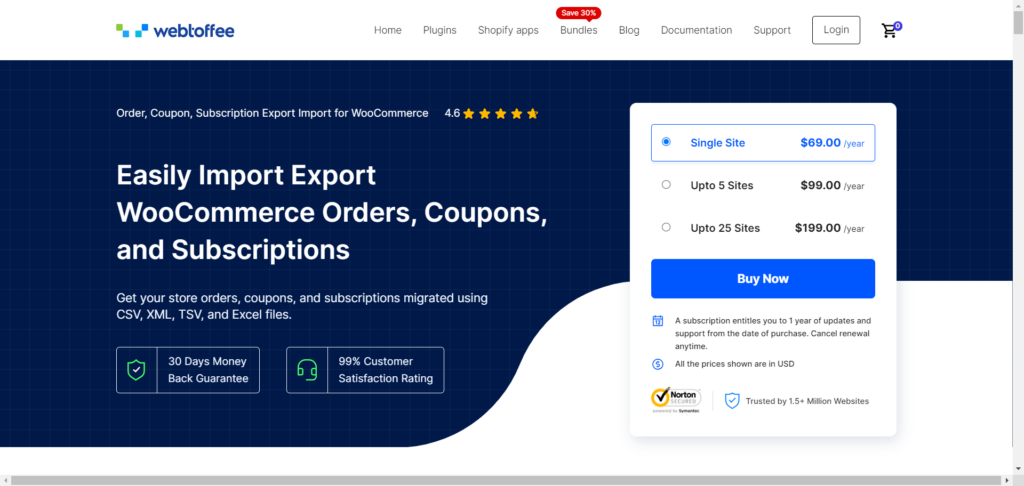
The Order Export Import for WooCommerce plugin is a reliable tool for store owners looking to handle data migration efficiently. This plugin allows you to easily transfer orders, coupons, and subscriptions using CSV, XML, TSV, and Excel formats.
Multiple import and export methods offer added flexibility, providing quick tasks and more detailed operations. The plugin also supports bulk updates, allowing you to modify existing data during import-export.
Additionally, the plugin facilitates the import or export of custom metadata, ensuring that all relevant information beyond the standard fields is transferred accurately. Its compatibility with third-party plugins adds an extra layer of convenience.
Furthermore, you can schedule automated import and export using FTP/SFTP profiles, limiting manual intervention.
4. Optin Monster

Optin Monster is the lead generation WordPress plugin of choice for many marketers.
It allows you to convert website visitors into subscribers, and with Optin Monster, you can build email subscribers quickly.
Optin Monster is a feature-rich software. It comes with pre-made high-converting customized email forms with the help of its drag-and-drop builder.
Optin Monster is an awesome lead-capturing WordPress plugin for serious business owners looking to build their email leads faster. It helps eCommerce sites convert abandoned shopping cart visitors into email subscribers.
With its regularly added marketing features, Optin Monster now has mobile-exit intent for mobile marketing. You can read more about mobile-exit intent on the Optin monster blog.

5. SeedProd
You dream of a BIG website launch, but your blog is not ready yet. Instead of letting visitors see an uncompleted or half-backed website, please give them a beautiful homepage design.
SeedProd is the ideal coming-soon or under-construction WordPress maintenance mode plugin. This plugin helps you collect email subscribers by integrating it with your email marketing software.
So, even if your website is not ready yet, you can quickly build your email list and have an audience ready before launching your website.
SeedProd has handy features such as social media integration, a countdown timer, email marketing integration, and ready-made templates.
It helps to keep your blog homepage beautiful and functional while working in the back end to build your website pages and design.

6. WPForms
Many WordPress contact forms plugins exist today, but WPForms is one to try. With over 3 million active installs, WPForms is your ideal contact form builder.
WPForms is a drag-and-drop form builder that allows you to create beautiful email, contact, payment, online order, survey, and poll forms.
The plugin has both free (WPForm Lite Version) and paid options. Like any other pro-version plugin, the pro version offers more helpful form features.
The free plugin is ideal for a simple contact form builder; you must upgrade to the pro version for more advanced form features.
WPForms works with popular email marketing and payment services, so you can quickly build beautiful forms for your favorite email or payment services.
The video below provides an overview of how helpful WPForms are to businesses. You can also check out my review of WPForms Pro here.
7. Yoast SEO
While WordPress is SEO-friendly straight out of the box, Yoast SEO helps you get more out of your WordPress SEO efforts.
With over 5 million active installations, Yoast SEO is probably one of the must-have WordPress plugins for blogs in 2026. It is regularly updated to meet today’s SEO best practices and WordPress.
Yoast SEO optimizes your on-page SEO; the plugin checks for on-page SEO content signals like keyword usage, internal link suggestions, title, meta description, article readability, etc. It guides you towards writing better search engine-friendly content that your human visitors will find helpful.
Yoast SEO is a feature-rich WordPress SEO plugin that makes generating and submitting a sitemap painless. It also adds meta tags to your website and connects it to Google.
It makes 301 redirects easy to create, optimizing your content for social media shares, etc. With the Yoast configuration setup wizard, getting it working takes seconds.

8. Jetpack
If you run a WordPress blog, you need JetPack.
JetPack is one of the must-have WordPress plugins for bloggers. It is brought to you by the same guys who gave you WordPress: Automattic.
If JetPack is installed on your blog, you can reduce the number of plugins installed. JetPack has valuable features that let you do away with other related plugins. So you don’t have to install two plugins where one will do.
Like many of the plugins listed here, JetPack is a feature-rich WordPress plugin.
It comes with auto-updates plugin features, tight-air site security, image optimization, lazy load and optimization, downtime monitoring, site scan, and backup, brute force attack protection, auto-publish, sharing, traffic stats, related posts, site speed, etc.
All these features combined in JetPack help save the installation of other related plugins. JetPack is the first plugin your WordPress site needs.

9. Stackable – Gutenberg Blocks.
Before this plugin, I was using the Atomic Block – Gutenberg editor.
But since I discovered the Stackable-Gutenberg block, I fell in love instantly. It has more fantastic block editor features than the Atomic Block editors had.
Stackable -Gutenberg blocks have a setting panel that makes customizing each block editor more fun and provides more styling options.
The free version gives you 83 block designs, while the premium version gives you access to all 315 block designs.
You can customize each block to your theme colors, style, settings, etc. The Stackable – Gutenberg Block has many functional blocks to play with; here is a list you can check out:
- Advanced Columns & Grid Block
- Advanced Heading Block
- Advanced Text Block
- Feature Grid Block
- Image Box Block
- Icon List Block
- Card Block
- Count Up Block
- Pricing Box Block
- Team Members Block
- Number Box Block
- Button Block
- Divider Block
- Container Block
- Latest Posts Block
- Accordion Block
- Feature Block
- Call to Action Block
- Header Block
- Video Popup Block
- Testimonial Block
- Notification Block
- Expand / Show More Block
- Blockquote Block
- Spacer Block
- Separator Block
Stackable is a handy page builder WordPress plugin every blogger should try. Watch the 3-minute video below to see what It can do for your WordPress blog.
10. Official Facebook Pixel Plugin

If you’re running or planning to run ads on Facebook, the Facebook Pixel code is one thing you should never ignore.
With your website’s Facebook Pixel code and Conversion API set up, you can capture users’ actions, such as view count, leads, add-to-cart, purchase events, submitted forms, etc.
This information will help you better understand your site users’ behaviour and interests and create more targeted and relevant Facebook ads in the future.
You need to add the Facebook Pixel code to your website.
Of course, you can manually copy/paste your Facebook Pixel code into the header section of your web pages, but not many bloggers are code-savvy. Messing up with codes is not uncommon for beginner bloggers.
Facebook’s plugin integration makes adding your Facebook Pixel and the Conversion API script to your WordPress blog easy. I use the Facebook Pixel WordPress integration plugin on CyberNaira.
It also has built-in support for these WordPress plugins:
- Contact Form 7
- WPForms
- MailChimp for WordPress
- Ninja Forms
- Easy Digital Downloads
- Caldera Forms
- Formidable Forms
- Gravity Forms
- WP eCommerce
- WooCommerce
11. Hubbub – Formerly Grow By Mediavine
There are lots of social sharing buttons for WordPress posts/pages. And I have tested and used many of them, including Sumo, Shareaholic, AddThis, etc.
I have found that many of these plugins add extra loads to your hosting server, increasing the loading speed by milliseconds.
Hubbub is the best social sharing button I have used recently. It does not bloat your server like many other social sharing buttons—a very lightweight social sharing plugin.
I use the Hubbub (Grow By Medavine) social sharing button on CyberNaira.
The free version of Grow is ideal for most blogs. I use it on this one.
It comes with before-and-after content and social sharing button placement. The sidebar is floating. The social share count, including Twitter, is editable. There is also an editable label button for more engagement.
If you want more features, the pro version is good to consider. It comes with more added features such as:
- More social sharing networks
- Pop us Social sharing buttons
- Customize social sharing button colors.
- Import and export settings option.
- Google Analytics UTM tracking.
- Mobile sticky social sharing buttons.
- Shortcode for social sharing button
- Social Media Follow buttons
- Most Shared Post Widget.
12. WP Sticky Sidebar
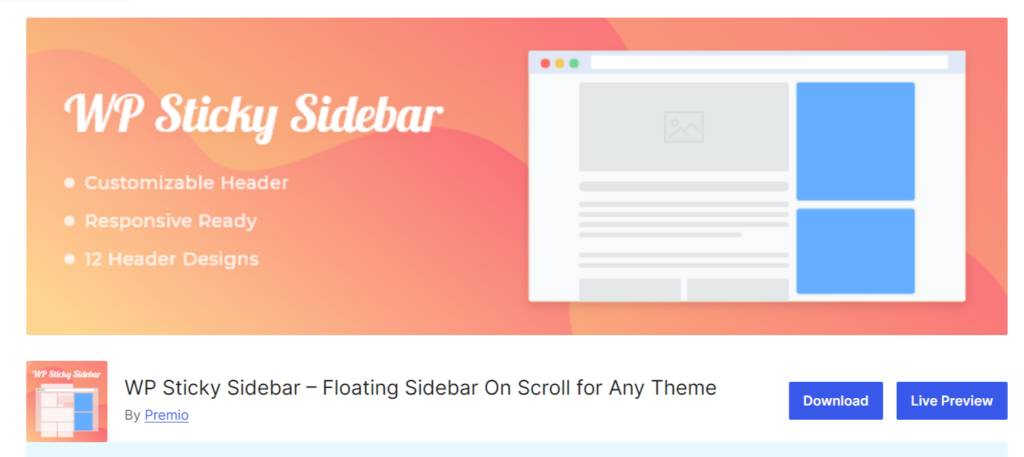
WP Sticky Sidebar is the ideal WordPress plugin for making that vital sidebar element sticky on the scroll. If you have many elements on your WordPress blog sidebar but need one to be sticky, this plugin is what you need.
I use it to make the sidebar opt-in form on this blog sticky. As you scroll up or down, you can see that the sign-up form is on the page.
This is good for bringing the attention of your blog users to an essential element on the sidebar. WP’s sticky sidebar makes it visible, so it never gets unseen.
The plugin uses the CSS class ID of the sidebar element to identify what to make sticky. So you need to fill in this filled-in plugin setting page. You can get the element class ID by searching your website page source code in the browser.
The plugin works immediately if your theme uses the secondary” id for the sidebar menu.
It has both free and paid versions.
The pro version features mobile/desktop disable options, CSS styling for the sticky sidebar, and post/page disable or enable options.
13. Revive Old Post

Revive Old Post is another fantastic WordPress plugin for content promotion. The plugin lets you automatically republish old published posts to your social media accounts, keeping your account active and driving traffic back to your website.
The user-friendly interface lets you connect your social media accounts with just a few clicks. You then define a schedule for sharing your old content, ensuring a steady stream of posts without overwhelming your followers.
It offers granular control over what gets shared. You can choose a specific age range for posts, exclude certain categories or tags, and even customize the format of your social media messages to match your brand voice.
Revive Old Posts goes beyond simple automation; it allows you to inject fresh life into your old content by including variations in your social media posts. This prevents repetitive sharing and keeps your audience engaged.
The plugin also integrates seamlessly with popular social media and Google Analytics tools, allowing you to track the performance of your revived posts and see what resonates most with your audience.
It is a valuable tool for bloggers and website owners who want to maximize the impact of their content. It’s a time-saver that automates social media sharing while offering features to personalize your posts and track their effectiveness.
Revive Old Post has some noteworthy features, such as:
- Choose from five URL shortener services to use for your social shares.
- Automatically share posts on publish; it works for scheduled posts, too.
- Add hashtags from tags or categories to social shares.
- Connect Facebook, Twitter, LinkedIn, Tumblr, GMB, and VK.
- You can share any post types – Post, Pages, Images, Woocommerce, Projets, or Recipe.
- Track click performance in Google Analytics and your URL shorteners services.
- Customize the content or message of the Revive Old post to share.
It has a free plugin version offering limited features (Facebook and Twitter connection only). The Pro plugin offers full control, customization, and advanced features like LinkedIn and Tumblr connection, custom UTM tracking, and include/exclude taxonomies, etc
Bonus – Best WordPress Plugin
14. WP Hive Extension
WP Hive isn’t a WordPress plugin per se but a simple Google Chrome extension. This extension prevents your website from installing poorly coded WordPress plugins.
When active on your Google Chrome browser, the plugin works on the WordPress.org website.
When you attempt to install a plugin on the official WordPress plugin’s directory, WP Hive runs a quick background plugin test for PHP compatibility, speed impact, JS error, memory usage, etc. It also compares the plugin to others in the same category.
All tests are done via a test script that runs on a virtual private server (VPS) with 8 cores and 8GB RAM, hosted on Google Cloud VM instances, with one site/plugin per instance.
The plugin test site is hosted on an Apache/2 server and runs PHP 8.1.12 on the latest 6.5.3 WordPress Core version.
Here is a plugin I’m searching for on WordPress, and WP Hive reveals more insight about the plugin’s health, performance, frequency of updates, and script.

To deeply examine the plugin’s performance details, click the More Insights or the Compared Plugin button. This will take you to the WP Hive website, where you can explore more plugin details and insights.
If you scroll down to the plugin performance test section on the WP Hive website, you will find a comprehensive report that will help you learn and decide if the plugin is worth installing.

WP Hive also reports errors in the plugin, especially those related to the script. When you scroll down the page, you will see the list of errors.

Conclusion…
Now that you have a list of must-have WordPress plugins for blogs, you can choose the one that best suits your needs.
You don’t have to install all the plugins mentioned here. Pick and install only the best plugins that align with your WordPress blog functionalities.
If you enjoy reading this post, please share it with your followers.



Most of plugin I am using, I am using some alternates of given plugins is this ok?
For example light cache speed instead of wp rocket.
Waiting for reply
Sure Vijay,
It is okay to use some of these plugins alternatives. As far as they give you what you want. That’s the key.
Thanks, Vijay.
Such a significant instructive blog!! I should state that all the WordPress plugins are helpful for blogs. Thank you for sharing this article.
Thanks Rushabh,
Glad you find the WordPress plugins useful.
A nice post. Thanks for sharing a wonderful list of WordPress plugins. It is really very useful list. Keep posting such good works.
Thanks glad you like it.
I use Yoast SEO for publishing all of my articles on my website! Great WordPress plugin!
Thanks Bily,
Glad to read you also use Yoast SEO plugin. Thanks.
Great post! I will surely use WordPress plugins for my blogs about led products. Keep posting!
Glad you find the post helpful, thanks.
Hey SHAMSUDEEN ,
Excellent and well-written post. I truly appreciate your efforts and hard work.
You have done a fantastic work here and suggested the helpful plugins for wordpress user. You have elaborated each plugin very nicely along with all the crucial information that is true enough to educate the readers.
Your listed plugins are so important and they must be used by every wordpress user.
After going through this post i really got helpful ideas and have also boosted my knowledge upto some limit.
Eventually thanks for sharing your knowledge and such a helpful post.
Hi, Aadarsh,
Thanks for finding the list of WordPress plugins useful. Nice to read you find the list very helpful, and glad you learn something new here today.
This article is really quality from the content to the part of the image you share, I thank you and respect you, hope you continue to share a lot for everyone to see.