If you’re looking for a comprehensive and affordable SEO toolkit, you’ve encountered SEO Powersuite.
SEO PowerSuite is a powerful software package designed to simplify search engine optimization. It offers tools for everything from keyword research to backlink analysis.
But before committing to a paid plan, you might want to know if there’s a way to test it first.
Unfortunately, the standard 14-day free trial for the SEO Powersuite professional license is no longer available. Likewise, the 14-day personalized demo for the SEO Powersuite Enterprise license is unavailable.
However, you can still explore its features with the free download version, which is a good fit for testing essential features without commitment or a time limit.
Here’s what you need to know to get started with the free trial of the SEO Powersuite software.
Overview of SEO PowerSuite Software
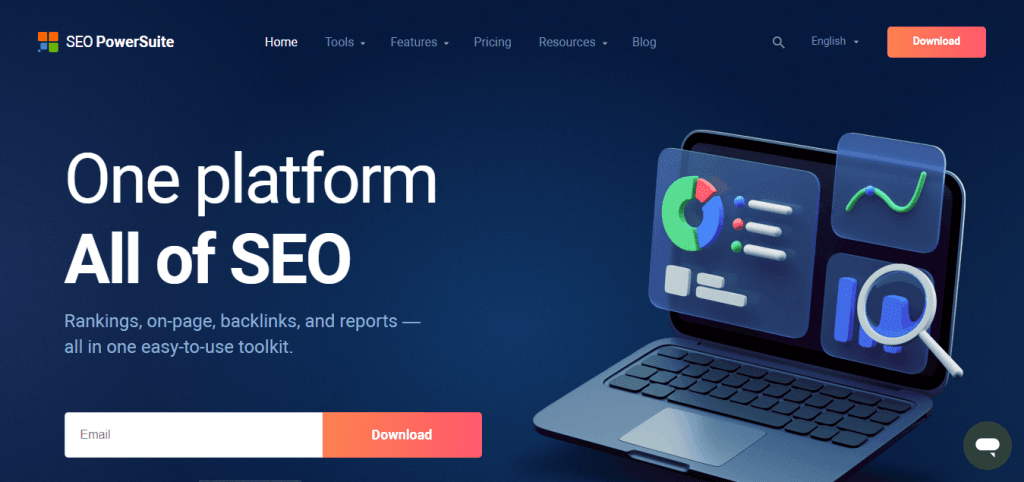
SEO PowerSuite is a comprehensive toolkit designed to optimize your websites for more organic search visibility. The software is a one-stop solution for most SEO needs, offering a range of features that cover various aspects of search optimization.
With SEO PowerSuite, you can improve your site’s rankings, fix on-page technical issues, evaluate link penalty risk, and run powerful keyword research.
The software integrates with Google Search Console and Google Analytics to generate additional SEO reports and support data-driven business growth decisions.
SEO Powersuite’s free plan lets you use the software without time limitations but with feature restrictions.
The paid license unlocks more access and features, including tracking unlimited keywords, no crawl or audit limits, monitoring up to 40 competitor domains per project, and analyzing unlimited backlinks.
Whether you’re an SEO consultant, a small business owner, or part of a larger marketing team, SEO PowerSuite provides the tools you need to enhance your online business presence and achieve your SEO goals.
What’s Inside SEO PowerSuite Free Trial?
The free trial of SEO Powersuite contains the bundle kits, which include four independent SEO toolkits:
These SEO software work together to give you a complete picture of your website’s SEO performance and opportunities for growth.
Key Features of SEO PowerSuite
SEO PowerSuite offers a wide range of features, making it an essential tool for SEO professionals and website owners. Some of the key features include:
How to Access SEO PowerSuite Software for Free
As mentioned earlier, SEO PowerSuite no longer offers a 14-day free trial. However, you can still explore its features through the free license download. Here’s how:
Visit the SEO PowerSuite download page from this link. Next, sign up, download the bundle package, and install the software on your computer
The free version allows unlimited evaluation but has limitations, including restricted data access, a limit of 500 tracked keywords, and the inability to save projects.
But you can crawl and audit up to 500 URLs, analyze 1,100 backlinks, research unlimited keywords, and do competitive analysis for any website.
With the free license download, you can effectively assess whether SEO PowerSuite meets your SEO needs before purchasing. This free trial allows you to test the software’s capabilities without limitations.
However, if you purchase a license after the trial, you can take advantage of the SEO PowerSuite discount and save significantly.
What to Explore During the Trial
Here are some features you should focus on while testing SEO PowerSuite during your free trial period.
These SEO tools are easy to use and provide actionable insights to improve your website’s SEO and marketing efforts.
Technical Requirements and Compatibility
SEO PowerSuite is a desktop application compatible with Windows, Linux, and macOS. It requires at least 4GB of RAM, at least 600MB of application storage, and a 64-bit processor.
SEO PowerSuite is also available in 9 languages, making it accessible worldwide. This ensures that no matter what system you use, you can leverage the power of SEO PowerSuite to enhance your website’s SEO performance.
Check the official details page for more information on the operating system requirements for SEO Powersuite.
Why Use SEO PowerSuite’s Free Trial?
Trying SEO PowerSuite through its free version or 14-day demo trial is a great way to evaluate its core features, functionality, and overall value for your SEO needs.
Here’s why giving it a test run is worthwhile:
1. No Upfront Cost
The free version and 14-day trial demo of SEO PowerSuite let you explore the platform without any financial commitment.
2. Practical Insights
The trial period isn’t just about exploring the interface; it lets you run SEO campaigns to see results.
3. Hands-On Experience
Using the free trial lets you test the usability and integration of SEO PowerSuite tools into your workflow.
4. SEO Tools Feature Exploration
The trial version allows you to explore key SEO features such as:
5. Decision-Making Confidence
By the end of the free plan trial, you’ll thoroughly understand whether SEO PowerSuite fits your needs.
SEO PowerSuite’s free trial gives you a risk-free, hands-on opportunity to evaluate its four tools, analyze your SEO needs, and decide on their suitability.
Customer Support and Resources
SEO PowerSuite offers a range of customer support and resources to help users get the most out of its core features. These include:
Overall, SEO PowerSuite is a powerful and comprehensive toolkit with a wide range of features to help you optimize your websites for greater SERP visibility.
With its user-friendly interface, robust features, and excellent customer support, it is an essential tool for any SEO professional or website owner looking to improve their online presence.
Conclusion
While the publicly available 14-day Enterprise free trial of SEO PowerSuite is no longer available, the free download version remains accessible.
If you’re serious about improving your website’s SEO, trying out this software is a smart move.
The first step is to download the free version to obtain a license for the free edition. It’s a risk-free way to see how SEO PowerSuite can help your website rank higher and perform better in search engines.