

Kinsta has built a strong reputation for top-tier performance, rock-solid security, and responsive expert support.
These premium qualities often come with a premium price tag, so they aren’t cheap.
To evaluate whether the investment fits your website’s needs and budget, you need to understand Kinsta pricing and features.
This article breaks down Kinsta’s plans, explores resource allocations, clarifies potential extra costs, and helps you decide whether Kinsta fits your online presence.
NOTE:
Still unsure whether Kinsta is the right fit? Check my Kinsta review, where I break down its core features, pros, and cons, and whether it’s truly worth it.
Understanding Kinsta’s Core Pricing Model
Kinsta structures its hosting plans into three main categories, designed to support different scales of WordPress usage: Single-Site Plans, Multiple-Site Plans, and Agency Plans.
Each category is built on robust infrastructure and a comprehensive suite of features that are standard across the board, regardless of the plan you choose.
At the heart of Kinsta’s promise is its infrastructure, powered exclusively by a high-performance cloud hosting stack. This means your website benefits from fast virtual machines, ensuring quick data transfer and high processing power.
Every plan includes essential services, such as free site migrations, handled by Kinsta’s support team, ensuring a smooth transition without headaches.
You also get free SSL certificates, vital for website security and search engine rankings, with wildcard support for subdomains.
A significant benefit is the integrated Content Delivery Network (CDN) powered by Cloudflare Enterprise, boasting over 260 points of presence globally.
This network speeds up content delivery to your visitors, no matter their location.
For development and testing, one-click staging environments are standard, allowing you to make changes without affecting your live site.
Daily automatic backups provide peace of mind, so you know your data is consistently protected.
The intuitive MyKinsta dashboard streamlines site management with tools for analytics and caching control.
Support is a cornerstone of Kinsta’s offering, with 24/7 expert assistance available via live chat, ensuring you always have professional help when you need it.
Kinsta also proactively monitors your site’s uptime every three minutes and uses enterprise-grade security measures, including firewalls, DDoS protection, and free malware removal services.
The main difference between the tiers within these categories is resource scaling: the number of WordPress installs you can host, the monthly visits your site can handle, the allocated storage space, and the CDN bandwidth provided.
Kinsta also offers a discount for annual billing, making it a more economical choice for long-term commitments than monthly payments.
Kinsta Plan-Specific Resources and Features
To fully understand Kinsta’s pricing, look at the specific hosting resources each plan offers.
This detailed breakdown helps you match a plan to your website’s particular requirements, avoiding both under-provisioning and overpaying for resources you don’t need.
Kinsta Single-Site Plans and Price
Kinsta’s Single Site plans are tailored for individuals or businesses managing a single WordPress website.
Plans vary in price and resource allocation, making them suitable for everything from a high-traffic personal blog to a growing eCommerce store.
Here’s a detailed breakdown of how resources scale within the Single Site hosting category, including prices.
Editor’s Note on Kinsta Single Site Plan
Kinsta Single Site plans are ideal for small businesses or websites with limited traffic that only need to manage one site on their Kinsta hosting plan.
The main differences between these plans are storage size, backup retention days, Kinsta CDN bandwidth allocation, and the monthly visit limit. Aside from the 35k plan, which offers no multisite support, no account manager, and isn’t suitable for an eCommerce site, all other plans offer similar features and access.
The main limitation to keep in mind, especially for sites heavy on high-resolution images or video, is storage capacity, which is generous for most but may require an upgrade or external storage for truly massive media libraries.
The Single 750k plan, which is the higher-tier plan in the Single Site category, is capped at 15GB of Storage. This might be insufficient if you upload large resources. You can hit this limit quickly.
If you need more storage and still want to stay on the Single Site plan, consider the Enterprise plan.
Kinsta Multiple-Site Plans and Price
Designed for users who operate two or more WordPress installations, these plans are ideal for managing several niche websites, a portfolio of client sites, or different versions of a product’s online presence.
Here’s a breakdown of Kinsta’s Multiple-Site plans and resource scale:
Editor’s Note on Kinsta MultiSite Plan
MultiSite plans suit businesses that need to host multiple WordPress sites under a single hosting account subscription. They allow 2 to 60+ website installations.
Beyond the number of WordPress installs, bandwidth, number of visits, storage space, and backup retention days also differ significantly across multisite plans.
For instance, WP 20 and WP 40 keep your backups for 20 days, compared with 14 days in other plans. If you need longer retention, like 30 days, the Enterprise plan offers that plus 100 GB+ storage.
One drawback I see with the multisite plan is the storage capacity. Kinsta could offer more storage for the price compared with similar hosts.
However, you can buy more disk space if you need it for $20 (20GB/increment per month) spread across all your Kinsta sites.
The multisite plan also allows site cloning, which might come in handy for developers or when you need to quickly create a replica of your live site.
Agency Plans
Kinsta’s agency plans are a specialized offering for web agencies, freelancers, and design studios managing many client websites.

These plans are built for agency needs, with features that streamline workflows and improve client service.
Starting at around $284 per month when billed annually, Agency Plans offer a robust hosting environment with higher resource limits and unique benefits.
These include free hosting for client sites during the migration process, which is invaluable for agencies because it lets you stage and test new client sites without incurring immediate costs.
Agencies also benefit from free hosting for their own agency website, a subtle but appreciated perk. Kinsta further supports agencies by listing them in the agency directory, providing a potential avenue for new client acquisition.
To maintain professional branding, the WordPress admin experience is unbranded, ensuring clients see only their agency’s identity.
These higher tiers represent a substantial investment, but they are justified by the specialized tools and dedicated support that meet the demands of a high-volume agency operation.
Kinsta Overage Charges and Add-ons
While Kinsta’s plans are quite generous with resource allocations, it’s important to understand what happens if your website unexpectedly exceeds its limits, and what optional add-ons are available to enhance your service.
Transparency around these potential extra hosting costs is crucial for accurate budget planning.
Kinsta’s overage policy is straightforward. If your site goes beyond the monthly limits for visits, SSD disk space, or CDN bandwidth, you will incur additional charges.
You receive email notifications when your usage reaches 80% and 100% of your plan’s cap, giving you time to react or consider an upgrade.
Kinsta also monitors for extreme overages.
If the cost of your overages approaches or exceeds the cost of your current hosting plan, or hits $500 (whichever is less), Kinsta may require immediate payment or a plan upgrade. In such cases, site access might be limited until the situation is resolved.
This policy ensures fair usage and prevents resource abuse, particularly for sites that experience sudden, massive traffic spikes.
Beyond overages, Kinsta offers several optional add-ons that can extend your site’s capabilities or provide additional services:
These add-ons provide flexibility, letting you tailor your hosting environment to your site’s evolving needs, though they will, of course, increase your overall monthly expenditure.
Kinsta’s Performance and Support
A deep dive into Kinsta’s pricing would be incomplete without examining the value drivers behind it: unparalleled performance and highly regarded support.
These are often the main reasons businesses choose Kinsta, and they are critical to justifying the investment.
Performance
Kinsta’s commitment to performance is evident in every aspect of its architecture.
By using high-performance stacks and its Premium Tier network, Kinsta ensures your website’s data travels the fastest available routes, minimizing latency and maximizing speed.
This foundation is further optimized with server-level caching powered by Nginx, MariaDB for databases and support for the latest PHP versions, including PHP 8.3, which offers significant performance improvements over older versions.
A key differentiator is Kinsta’s Edge Caching. This feature caches your website’s static assets and HTML at Cloudflare’s global network of over 260 data centers, closer to your visitors.
The result is lightning-fast content delivery, dramatically reducing Time to First Byte (TTFB) and overall page load times. This is especially beneficial for global audiences, as a visitor in Tokyo will load your site from a nearby data center, not from a server halfway across the world.
For businesses where site speed directly impacts conversions and user experience – think e-commerce stores, news portals, or SaaS applications – Kinsta’s performance optimizations are not just features; they are revenue drivers.
Kinsta’s Application Performance Monitoring (APM) tool helps you identify and resolve hosting performance bottlenecks within your WordPress site, a valuable tool for developers and site administrators.
Support
Kinsta’s 24/7/365 expert live chat support is frequently cited as one of its strongest assets. Unlike many hosting providers that route support inquiries through multiple tiers of technicians, Kinsta operates a single-tier support model.
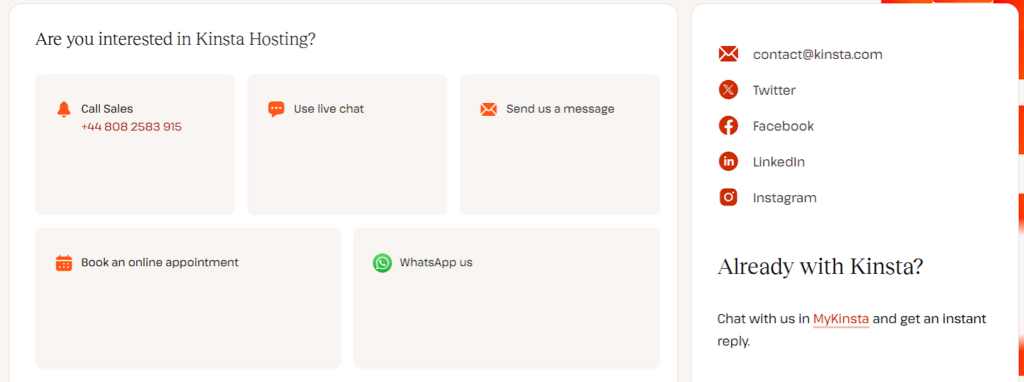
This means that when you open a chat, you are immediately connected with a skilled support engineer who possesses deep expertise in WordPress, server management, and the intricacies of the Kinsta platform.
This eliminates the frustration of being passed between departments and helps ensure faster, more accurate resolutions.
The average response times are impressively low, often within minutes, making Kinsta’s support highly responsive.
Beyond reactive problem-solving, Kinsta also offers proactive site monitoring. Kinsta’s support team constantly watches (480 times daily) for issues that might affect your site’s health or performance, often identifying and resolving problems before you even become aware of them.
The included free malware removal service further illustrates Kinsta’s commitment to security and maintaining a healthy hosting environment for its customers.
For businesses where uptime and quick problem resolution matter, Kinsta’s support system mitigates risk and provides invaluable peace of mind.
Comparing Kinsta vs. Alternatives
Understanding Kinsta’s pricing also requires a look at how it stacks up against other popular managed WordPress hosting providers on the market.
While direct feature-for-feature comparisons can be complex because of varying resource allocations and specialized offerings, we can highlight where Kinsta differentiates itself and where alternatives may offer different value propositions.
Web host providers like WP Engine, Liquid Web, Pressable, SiteGround, Cloudways, and Nexcess are frequent competitors in the managed WordPress space.
WP Engine, for instance, offers a similar premium experience with strong performance and developer tools, often at a comparable price point for similar resource levels. Cloudways Autonomous is another competitive product that offers robust hosting infrastructure and tools for advanced web development needs.
However, Kinsta often stands out by relying exclusively on its premium cloud network, which some WordPress experts argue offers a performance edge.
Kinsta’s integrated Cloudflare Enterprise CDN is also a significant value-add, as many competitors might offer a basic CDN or require users to integrate their own.
Cloudways offers a more hybrid approach where you can choose your underlying cloud provider (Google Cloud, AWS, DigitalOcean, etc.) and pay for server resources more directly.
This can sometimes lower costs for smaller sites if managed carefully, but it also puts more responsibility on the user for server configuration and maintenance.
Kinsta, on the other hand, provides a fully managed experience that removes server management complexity, which is a major win if you want to focus solely on your WordPress site.
SiteGround, while offering managed WordPress hosting, typically sits at a lower price point, especially for its entry-level plans.
However, these plans often come with lower resource limits and may not offer the same enterprise-grade infrastructure or dedicated support model found at Kinsta.
For a very small personal blog with limited traffic, SiteGround could be a more budget-friendly option. But for a growing business where performance, scalability, and expert support matter, Kinsta’s higher investment typically translates into better infrastructure and service.
When making a decision, consider these specific criteria:
Ultimately, the choice depends on your specific priorities. Kinsta generally excels where high performance, robust security, and seamless support are non-negotiable.
You can read more about Kinsta vs Cloudways or Kinsta vs Pressable to see how each web host compares and fits your mission.
Who is Kinsta Pricing Best Suited For?
With its comprehensive feature set, top-tier infrastructure, and premium support, Kinsta’s pricing structure best fits certain users and businesses.
It’s not necessarily the ideal solution for every WordPress website, but it delivers exceptional value for those who truly need what it offers.
Kinsta is perfectly suited for:
On the other hand, Kinsta might not be the most economical choice for:
The investment in Kinsta often pays off by significantly reducing operational headaches, improving site performance, and providing access to expert assistance when needed.
For many businesses, the long-term benefits of a high-performing, secure, and well-supported website far outweigh the higher upfront cost.
Conclusion: Is Kinsta Worth the Price?
After thoroughly examining Kinsta pricing, its plan categories, resource allocations, potential overage costs, and the value drivers behind its performance and support, a clear picture emerges. Kinsta is positioned as a premium managed WordPress hosting provider, and its pricing reflects that standing.
It’s not a beginner-friendly web host, but it rarely aims to be. Instead, Kinsta focuses on delivering enterprise-grade infrastructure, a comprehensive suite of features, and an expert support team to keep your WordPress website operating at its peak.
For businesses, developers, and agencies where website performance, unwavering reliability, robust security, and access to knowledgeable support are critical, Kinsta represents a sound investment.
The balance between cost and the premium services provided is well-justified if your online presence directly impacts your success. The time saved on troubleshooting, the peace of mind from proactive monitoring, and the tangible benefits of a lightning-fast website often translate into significant returns.