
The VEED Black Friday sale is live. Use code BLACKFRIDAY30 to take 30% off any annual plan, or 30% off your first month on a monthly plan. The offer runs from November 24 to December 2, 2026.
This isn’t the same VEED most people remember. VEED started as a simple browser-based video editor.
Today it positions itself as an AI video creation platform, and its biggest addition is VEED AI, an AI video agent. You bring an idea or your raw footage, describe the video you want, and the agent builds it.
That changes what this discount buys you. You are no longer just paying less for a timeline editor. You are paying less for a tool that can do much of the editing for you.
Deal at a glance
What Is VEED AI, the AI Video Agent?
VEED AI is an AI assistant that edits and creates videos from plain-language instructions. No timeline to manage and nothing to install.
Here is how it works in practice:
- Start with footage or an idea: Upload clips, images, audio or a logo. Or start with nothing and describe the video you want.
- Answer a few questions: The agent may ask about your brand, style or length. It then shows its plan and builds the video. It handles trimming, reframing, subtitles, hook text and logo placement. It can also generate B-roll, music and sound effects where needed.
- Refine it in the same chat: Ask for a stronger hook, a shorter cut or a different end card. Every result is saved as its own version, so you can go back to an earlier cut. When you are happy, download the MP4.
A few details stand out to me:
If you have been postponing video because editing eats your time, this is the most relevant part of the sale. It is a good way to see whether an AI agent fits your workflow before you commit to a year.
Other Reasons VEED Is More Than an Editor Now
VEED AI is the headline, but the platform around it has grown too.
AI video generation
VEED’s AI video tools generate scenes, voices, avatars and images from a prompt. Its model lineup includes VEED’s own Fabric 1.0, along with third-party models such as Sora 2, Veo 3.1 and Kling 3.0. You can turn a script or image into video without filming anything.
AI avatars and voice cloning
You can build an AI avatar from a single photo and clone your own voice from a short sample. Then write a script and let the avatar present it. This works well for faceless video content and for creators who want to publish regularly without reshooting.
Subtitles, dubbing and translation
All paid plans include unlimited subtitle generation, subject to a fair use limit of 50 hours per month. Translation and dubbing are billed by the minute and count against your plan’s allowance. The video translator lets the same video reach audiences in other languages.
Brand Kit
Brand Kit applies your colors, fonts and logos automatically, so every video looks consistent without manual formatting.
Everyday editing tools
The classic tools are still there: trimming, text overlays, background removal, noise reduction, eye contact correction, a teleprompter and a screen recorder. It all runs in your browser, so you can work from any device with an internet connection.
How to Claim the VEED Black Friday Deal
The discount is a code, not a separate plan. Here is how to use it.
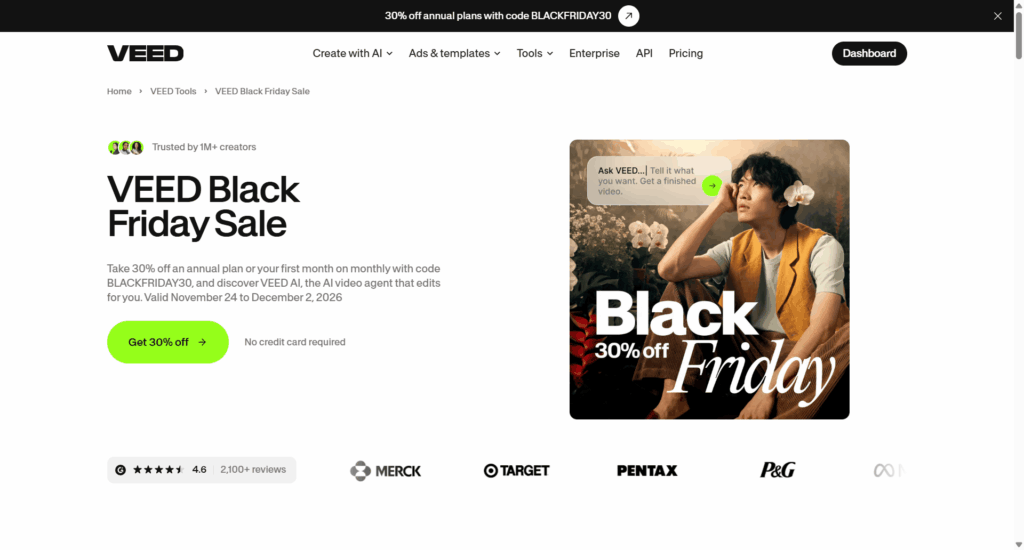
- Go to VEED. Use this link to open VEED, then open the pricing page.
- Pick a plan and billing cycle. Choose annual to apply the 30% discount to the whole year. Choose monthly to apply it to your first month only. Any paid plan works except Enterprise.
- Enter BLACKFRIDAY30 at checkout. Paste it into the discount code field before you pay. The total should update to show the reduced price.
- Start creating. Your plan is active once payment goes through. Open VEED AI, upload your footage or describe your idea, and start building.
You do not need a credit card to start exploring VEED. You only need one when you upgrade.
Important rules:
The code works once per subscription. It cannot be combined with another VEED discount or an existing sales deal. If you already have a discount on your account, compare the two before checking out.
Annual or Monthly: Which Black Friday Option Should You Pick?
Both options use the same code and the same 30% rate. The difference is how long the discount lasts.
One thing to know about AI credits. Each paid plan includes a set amount of AI credits that refreshes when your subscription renews.
Unused credits do not carry over. If you plan to use VEED AI and AI generation heavily, check the credit allowance on the VEED pricing page before you choose a plan. You can move to a higher plan or add more credits later if you need them.
Who Should Get This Deal?
VEED is a good fit if you:
You may want to skip it if you need frame-level control, heavy motion graphics or advanced color grading. A desktop editor is better for that kind of work. VEED is built for speed, not for feature-length film production.
VEED Alternatives to Consider
If VEED does not fit, these tools cover different needs. Compare their own Black Friday offers before you decide. You can also browse more AI tool Black Friday deals and my roundup of the best AI video editors.
VEED stands out when you want one place to generate, edit, subtitle and brand your videos, with an AI agent that can do the heavy lifting.
Frequently Asked Questions
Final Verdict
The 2026 VEED Black Friday deal is worth a look if video is part of your content or marketing plan. At 30% off, the real value is access to VEED AI. An agent that cuts, reframes, subtitles, brands and even generates footage from a prompt can save hours on every video.
If you publish video year-round, the annual plan gives the strongest savings. If you just want to test the AI agent first, the monthly option keeps your risk low.