Online forms have several uses, from collecting customer feedback, surveys, contact pages, and registrations to advanced uses like collecting marketing data. Businesses have different needs when using online forms.
Forms are excellent marketing tools that most businesses require to complete different marketing tasks and goals.
However, creating forms has a problem: Just as their uses differ, the tools required to develop them differ in features and functions. That leaves us with the big question: Which is the best online form builder for your marketing needs?
There are no clear-cut answers; it depends on several marketing factors and needs. Therefore, it is difficult to say whether this is the best online form creator for you.
However, here is a list of checklists to look for in a contact form builder to help you make the right decision.
Choosing The Best Form Builder Apps
Making the right choice isn’t as easy as picking and working with a form app builder. There are several features to consider before deciding to buy form builder software.
At least, you need an online form maker that lets you add the required form fields, makes it easy for users to fill it out, and allows you to collect responses to store them securely.
Some form builder apps have template designs that eliminate creating from scratch, making it effortless to build any form design and use case.
Based on these facts and others, here are the features and things to look for in each online form builder tool.
- Supports – Support is one of the first criteria I look for in a product. If the company or brand behind the products/services does not offer helpful support or essential communication channels in the case of an emergency, it could be a sign of poor overall services.
- Templates – One of the purposes of buying an online web form builder is to save time, build quickly, and create beautiful designs. If the applications do not offer built-in pre-design form templates, getting your form set up could be time-consuming, especially if you don’t know how to code.
- Integrations – You can use many advanced email and CRM tools to collect, store, and manage contacts in your business. Your form builder should provide seamless integration with other productivity, marketing, and contact management tools.
- Customization – Branding and design customization are essential in today’s business world. You need a form builder that allows you to create consistent branding for every form you build with it.
- Analytics – Collecting form responses isn’t enough. You need a form builder to collect and access form data for in-depth analysis and evaluations.
- Ease of Use – You don’t want to spend a whole day reading through dozens of help documents so that you know how to use the app. The form builder should be easy enough to use, a drag-and-drop editor, and easy to use.
- Available Features – The best online form builder should have the required features that make it worth the investment for your needs. Go through the website pages and look for the features before deciding.
Here are essential features and aspects to consider when choosing online form builder software.
Best Online Form Builder
I have used many online web form builders for different use cases for the past decade.
During this period, I have had many experiences with how the forms builder works, what features matter, and what sets them apart.
This list comprises the best online form builders, regardless of price, from simple contact form builders to more advanced online form generators for building complex web forms.
So, if you’re looking for a free form builder, check out WPForms lite version or Google Forms. These are free online form builders suitable for basic needs.
The WPForms pro version is more advanced and offers feature-rich tools for creating different forms. With WPForms, you can make an online store form, a payment processor, a survey, a registration, a Q&A, etc.
Now, let’s dive deep into the list.
1. WPForms
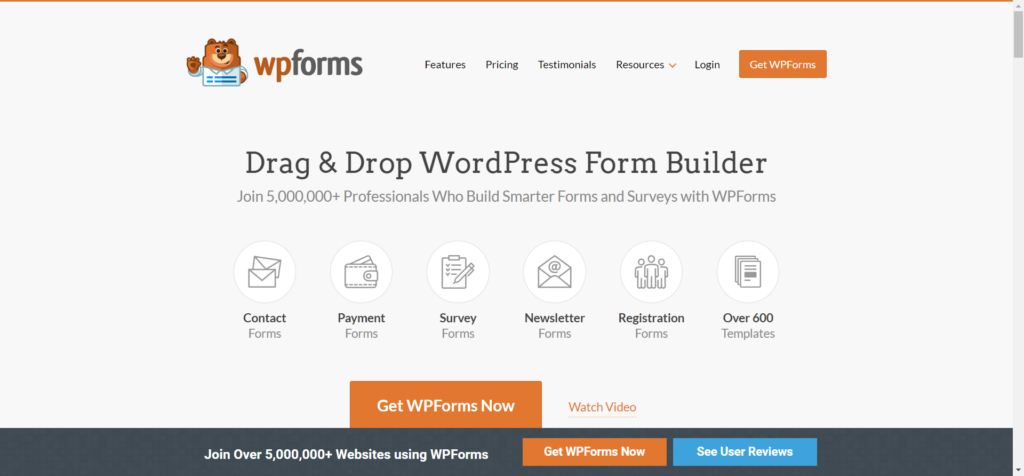
If you use WordPress, WPForms is the best online form builder, and nothing comes close.
WPforms offers many customization possibilities, features, and tools to create any online web form in any industry. Plus, it is constantly updated, and more features are added to it to align the software with business demands.
Apart from creating different contact forms, WPForms offers an intuitive drag-and-drop form editor, making it easy for anyone to build complex web forms in minutes.
You can also integrate hundreds of third-party tools and services to extend its features and functions. When you collect leads through WPForms, you can automatically export them to your CRM or email marketing tools.
The WPForms free version allows free integration with ConstantContacts, a free email marketing service provider. However, to integrate with other email marketing and CRM services like Getresponse, HubSpot, Brevo, Mailchimp, and Aweber, you must subscribe to the Pro, Plus, or Elite license.
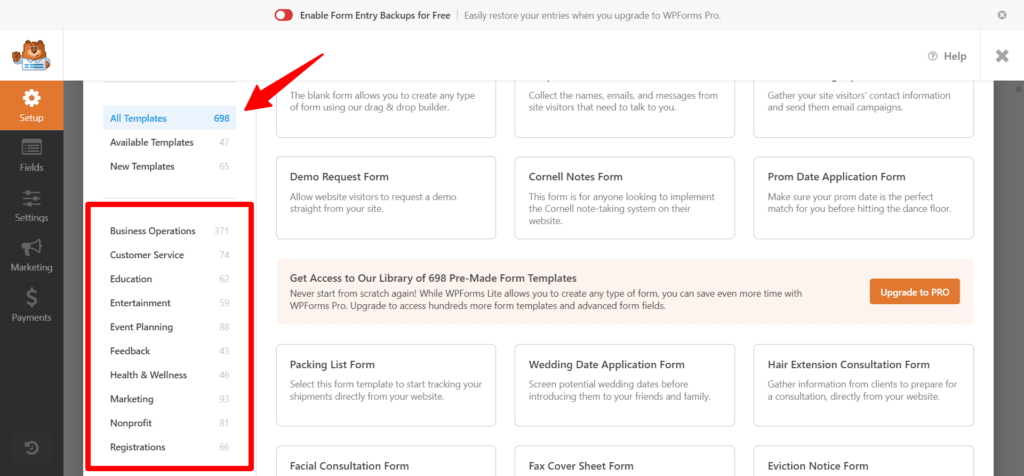
Currently, there are over 600 built-in form templates for different use cases. So, you can build any form without stress.
WPForms also allows you to integrate its forms with payment processors like PayPal, Stripe, Authorize.net, and more. But once again, you must be on the Pro or Elite plan to access the WPForms payments add-on features.
You can create conversational forms, add forms display conditions, reCAPTCHA, multi-step forms, create forms abandonment to increase your eCommerce store sales, and more. You could also allow users to partially fill out web forms and complete them at their convenience.
In WPForms, you can collect many users’ data through form submissions like geolocation; this add-on lets you know more about the locations of people who submit your online forms.
WPForms is a powerful online form builder with many helpful and advanced features that you won’t find in many of its competitors. Read my extensive review for a more comprehensive look at WPForms’ features and use cases.
You can also check out its full features on the company’s website.
WPForms Pricing.
WPForms offers a free plan that you can download and start using today. However, it offers limited features and limited access to advanced features.
You must subscribe to a paid plan to unlock form features like conditional logic, form entries, payment add-ons, more integrations, automation tools, marketing tools, and more.
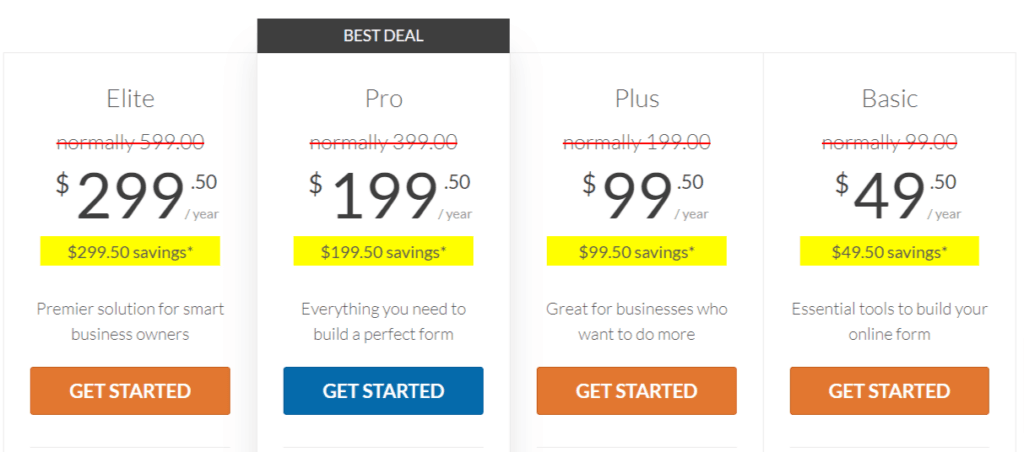
Here is the complete WPForms pricing with up to a 50% discount on your first purchase.
2. Gravity Forms
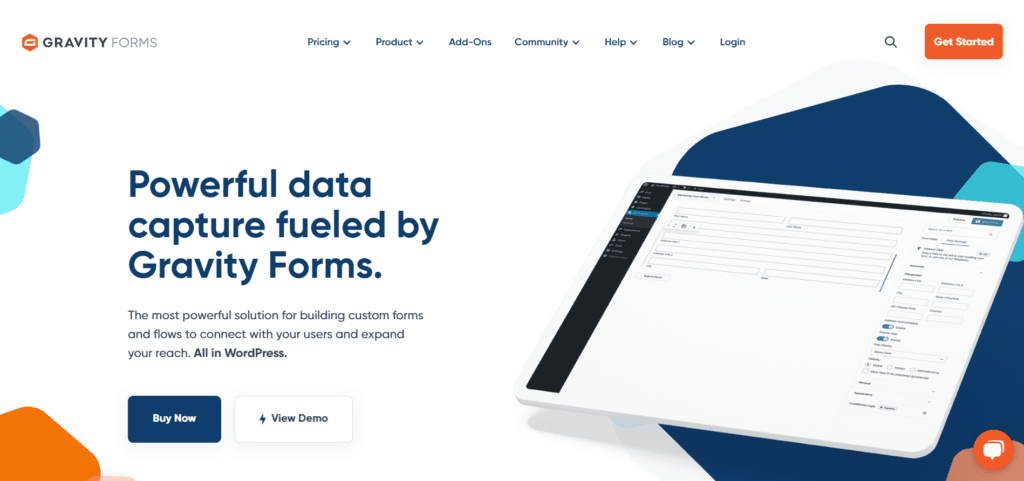
There is no free version of Gravity Forms, but you can register for a 14-day free demo to use the software and determine if it is worth the investment. If you decide to upgrade, there’s a 30-day money-back guarantee.
Gravity Forms is a powerful online form creator for advanced users who need to create complex web forms with automation and take complete control of design elements.
It offers a broader range of add-ons and turnkey template designs, allowing anyone to build complex online forms without coding.
Gravity Forms offers developer-friendly tools for form building, form data collection, and eCommerce features.
If you’re a developer, Gravity Forms allows you to bring your imagination to life with an add-on feature that lets you do more with it. With the add-on framework, you can build a feature that automatically executes after form submission.
Gravity Forms is GDPR enabled, integrates with Akisimet or Honeypot anti-spam, and uses Google reCAPTCHA v2 or v3. All forms created with Gravity Forms are WCAG 2.0 AA accessibility and compliance enabled so everyone can interact with your web forms regardless of physical disability.
You can check the complete Gravity Forms features on this page.
And if you’re still deciding between Gravity Forms or WPForms, read our showdown of these two powerful WordPress form plugins.
GravifyForms Pricing
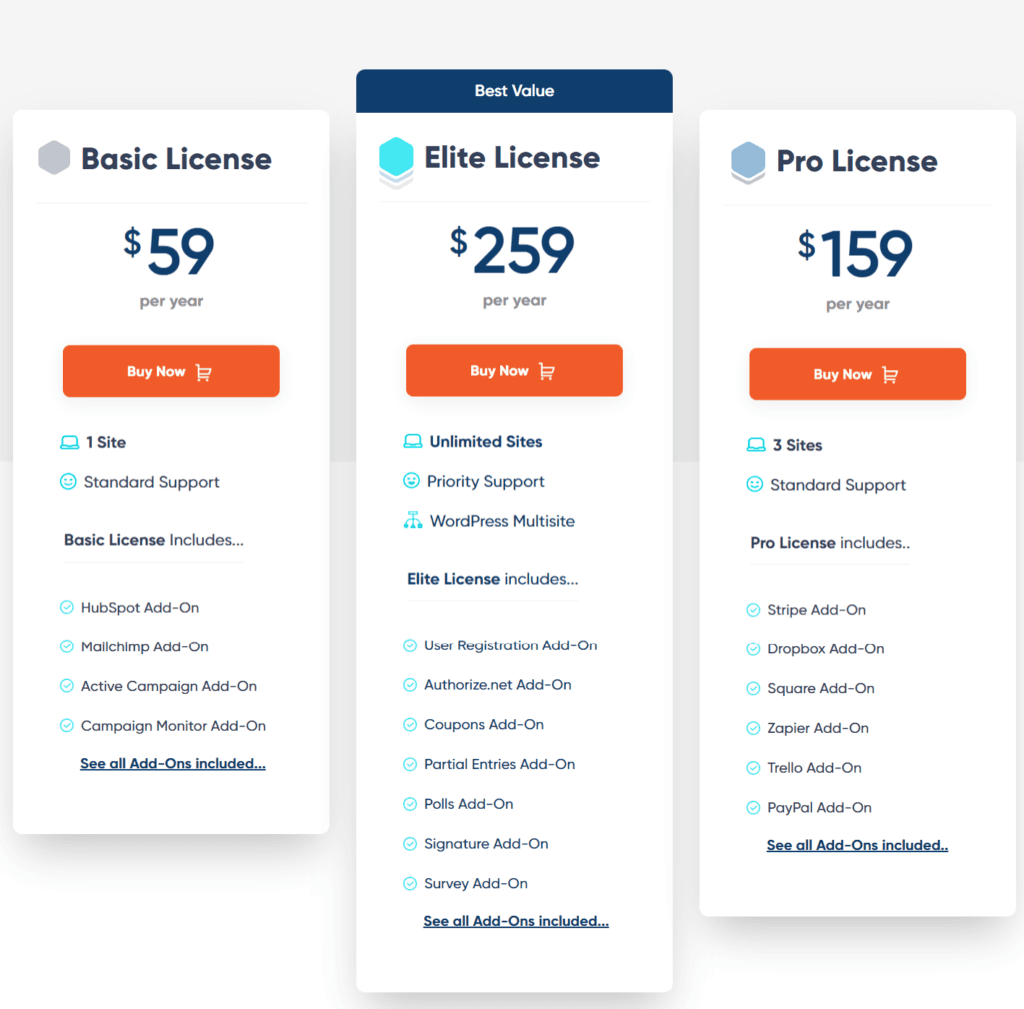
Gravity Forms offers three standard plans that offer different values for the money. The basic plan allows you to install Gravity Forms on one website.
The Pro plan allows up to 3 websites, and the Elite plan will enable you to use your Gravity Forms License on unlimited websites.
The Basic license costs $59, the Pro license costs $159, and the Elite plan is sold at $259; all plans are renewed annually.
3. Formidable Form
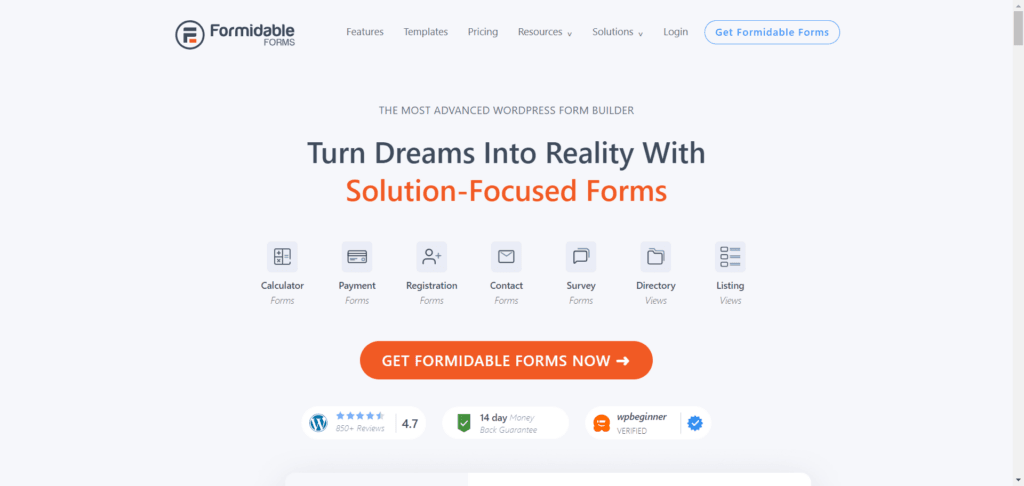
Formidable Forms is another WordPress form builder plugin that allows you to create different web forms without coding. Its drag-and-drop form builder editor, 300+ premade form templates, and intuitive interface allow anyone, even beginners, to build online forms without much effort.
From calculator form, survey, health and wellness, signature, dynamic field form, and AI form to payment, you can create whatever web form you imagine with the Formidable Form plugin.
One of its highlight features is the Formidable Views, which allow you to display form data in different view formats and in real time.
This feature can display customer appointments, poll results, records, etc. The data can be viewed, searched, and accessed on the front of a WordPress blog. The good part is that you can show the data in different layout views, such as grid, calendar, table, classic, map, and premade solutions from templates.
In addition, Formidable Form lets you receive form entries via SMS. You need to connect to Twilo to make this work. Users can also edit their form data on the front end without admin access if need be.
Regarding 3rd party integration, Formidable Form allows a direct connection with API webhooks, Hubspot CRM, WPLM Multilingual form (form translations), Zapier, Google Sheets, and email marketing service providers.
You can process and collect payments using Cash App, Affirm, iDeal, PayPal, Stripe, Authorize.NET, Klarna, ACH, etc.
Formidable Form Pricing.
Formidable Form offers a freemium version of its Pro plugin. The free version allows access to limited features and templates. If you require more advanced and complex forms, you’ll need to purchase the Pro plugin.
The basic plan costs $39.50 for the first-year subscription. This plan gives you access to 65+ ready-made form templates and 1 site license.
The next tier plan is the Plus license, which gives you access to 100+ templates and Formidable Views and can be used on up to 3 WordPress sites. The Formidable Form Plus license costs $99.50.
Suppose you need access to over 225 templates, like the Calculator form templates, User Registration form, Survey and Quizee, Payments gateway integrations, Digital Signature, and more. In that case, you must get the Business License, which costs $199.50.
Lastly, the Elite License gives you full access to the Formidable Form features – everything in the business plan, including all form templates and integration with CRM like Hubspot, Salesforce, AI form credits, WordPress Multisites, and Whitelabeling for agencies.
You also get Elite Support services, integration with Woocommerce, use on unlimited WordPress sites, and a 50% discounted first-year license price of $299.50.
Note:
The above prices are for the first-year 50% discount introductory license price. Renewal costs will be paid at full price.
4. Ninja Forms
Ninja Forms offers an unconditional 14-day money-back guarantee, allowing you to test the WordPress online form builder plugin without fear.
Like Gravity Forms and WPForms, Ninja Forms is a WordPress drag-and-drop form builder plugin that offers template design and add-on features to build custom forms quickly.
The plugins offer features that allow small businesses to build and manage form entries effortlessly.
You have features and add-ons to integrate with email marketing solutions, accept online payments, increase productivity and team collaborations, and customize forms with webhooks and APIs.
This feature allows developers to fine-tune further and play with Ninja Forms for development purposes.
One of the pros of Ninja Forms is the creation of unlimited forms in most of its plans. Ninja Forms does not restrict the number of forms you can create. You can create and send unlimited forms with the Basic or Elite license.
Ninja Forms offers features and tools for creating GDPR forms that make it easy for users to request access to their data. Thus, you don’t have to worry about getting private data or complaints from people within the European privacy law.
NinjaForms Pricing
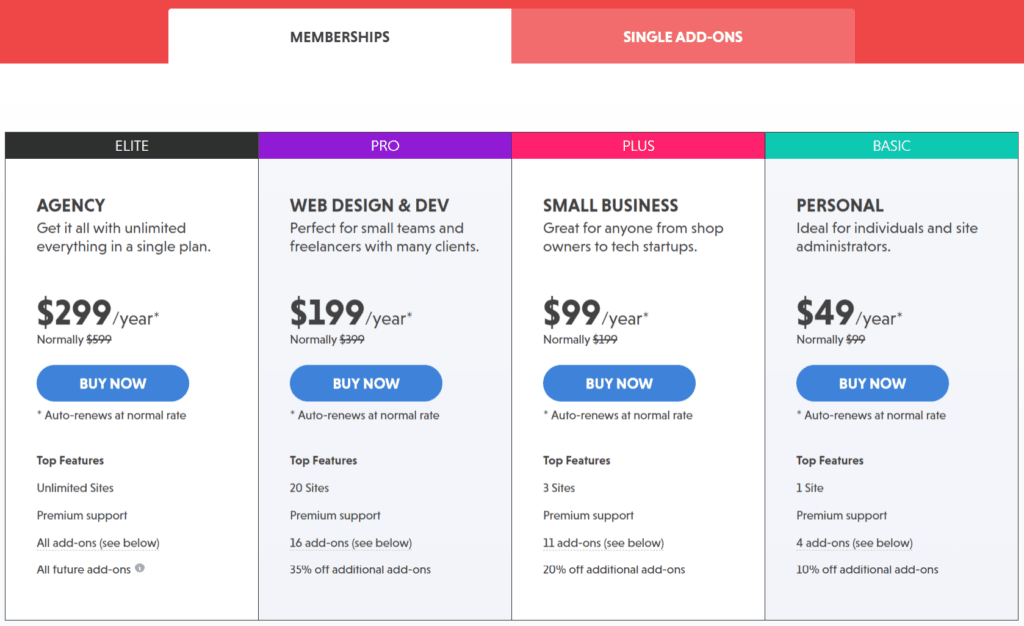
You can pick from four standard licenses. The Basic license, which allows the Ninja Form plugin to be used on one website, costs $49 for a first-year purchase.
The Plus license costs $99 (3 websites allowed). The Pro license, ideal for developers and designers, costs $199 for annual billing.
The Ninja Forms Agency license, which gives you everything in other licenses, unlimited website usage, and premium support, costs $299 for the first year.
Note: All prices above are displayed at a 50% discount. You will pay the full price if you renew your license at the expiration time.
Check the image below for more information on Ninja Forms’ pricing, discounts, and renewable prices.
5. Google Forms

Google Forms is free and an easy way to create web forms quickly.
Unlike many web form software, Google Forms presents an intuitive and uncluttered interface that allows you to prepare your forms in minutes. It’s simple and offers beginner-friendly ways to build contact forms for small businesses.
Even if you have never built a form, you won’t find it challenging to create a web form in Google Forms.
It doesn’t have all the bells and whistles like other online contact form builders on this list, but it offers the essential form needs you would expect.
You can customize many aspects of your forms, including the header, fonts, fields, and other basic features.
After creating Google Forms, you can share the link with anyone and embed the HTML on your site or via any web page. You can collect responses and see them in a list of data or individually, and even export them to a Google Spreadsheet where you can further analyze the data.
The only requirement to use Google Forms is a Google account, which you can open by creating a Gmail account. If you are already a Gmail user, you have access to Google Forms.
Google Forms is suitable for simple contact form design and needs for beginners, and it is one of the best free online form builders.
Google Forms Pricing
Google Forms is free for all Google account users. However, if you have a Google Workspace premium account, you can access more features to customize and extend the forms features.
6. Typeform
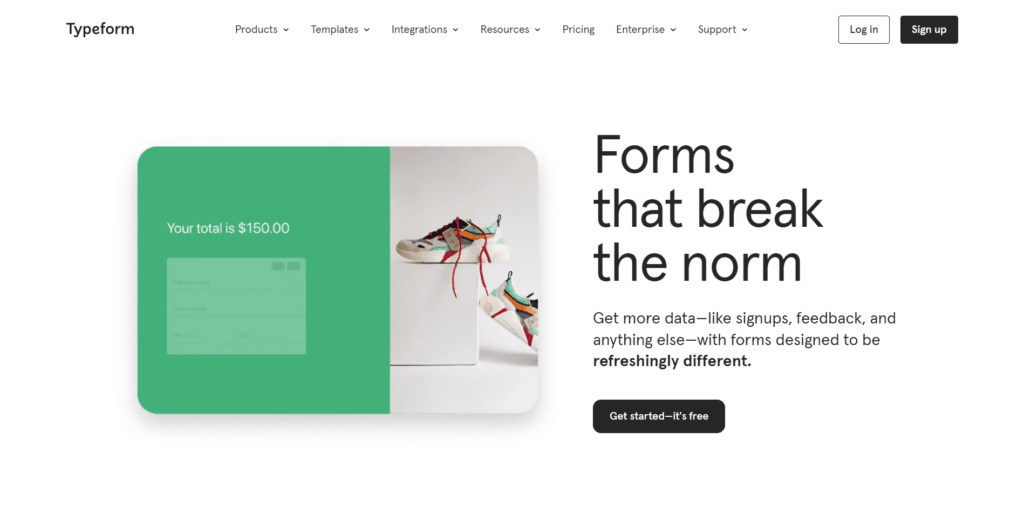
Typeform is one of the top online form builders you can trust. It is used by big industry brands like Apple, Nike, AirBnb, Hermes, and more.
It is one of the most powerful web form creators for building dynamic web forms that adapt to user needs.
However, Typeform may be more suitable for advanced users and marketers who rely heavily on form needs. It is not suitable for beginners with limited form and feature needs.
First, it is more pricey than most of its competitors listed on this page. It offers advanced features, capabilities, and template designs that you won’t find in many online form builders.
Typeform is great for creating conversational forms, which display one question or form card at a time. The user experience is second to none.
Typeform has templates for creating many form types, including Quizzes, Giveaways, Research, Polls, Order Forms, Requests, Feedback, and more. You can even import templates from external sources.
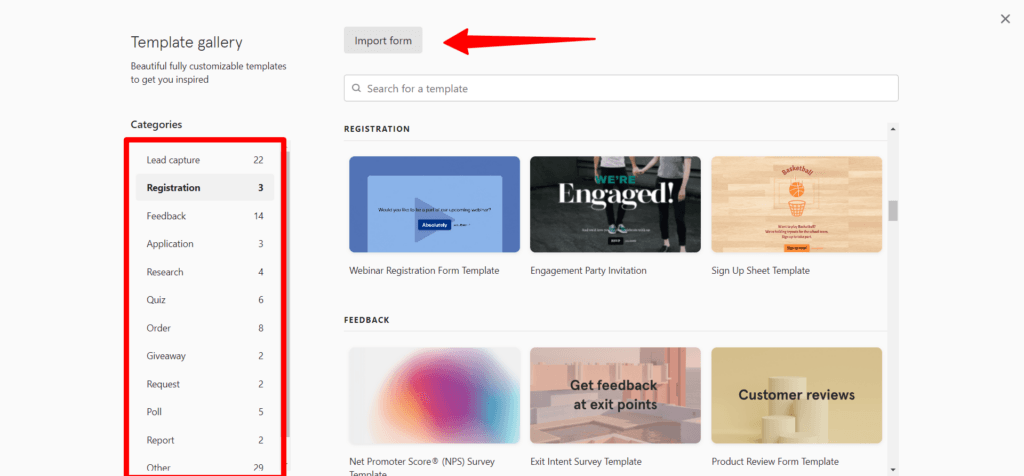
Typeform has an easy-to-use and uncluttered forms editor, over 100 form templates, and 50+ design theme elements to make your forms look great, elegant, and stylish. You can customize the look and feel of your web form by making changes to fonts, form icons, color, layouts, and form alignments.
You can distribute your forms via email and social media, embed them on your website, or use a QR code. These options are great for omnichannel marketers who collect feedback or leads.
Typeform’s powerful analytics feature lets you monitor, share, and analyze form submission data with team members or gain deep insight into how people interact with and fill out your forms.
You can tag form submissions, which allows you to organize entries based on interest or categories, assign tasks to form submissions that need attention, and even add brand kits.
Adding brand kits to the Typeform platform allows consistent branding with your website design and image. This will positively affect your followers and allow for consistent brand recognition.
Typeform integrates with many tools for:
- CRM – Hubspot CRM, Contentful, etc.
- Marketing automation – Zapier, Pabbly Connect, Hubspot, Chili Piper, etc.
- Customer support – Desk, MonkeyLearn, Zoho desk, Twilo, Trustpilot, etc
- Lead generation – Mailchimp, Getresponse, Facebook, Target, Mention, etc.
- Payments and eCommerce – Square, Stripe, Tremendous, etc.
- Productivity Tools – Canva, ActionDesk, Microsoft Team, Google Sheets, etc.
- File management – Google Docs, Knack, Dropbox, PostgreSQL, etc.
- Developer tools – WordPress, Cloudflare, Github, Freshdesk, etc.
- Sales – Cleaver Ads, SalesForce, Neto, Nimble, Sendgrid, Shopify, etc.
- Marketing Automation – Buffer, Unbounce, noCRM.io, Drip, etc.
TypeForm Pricing.
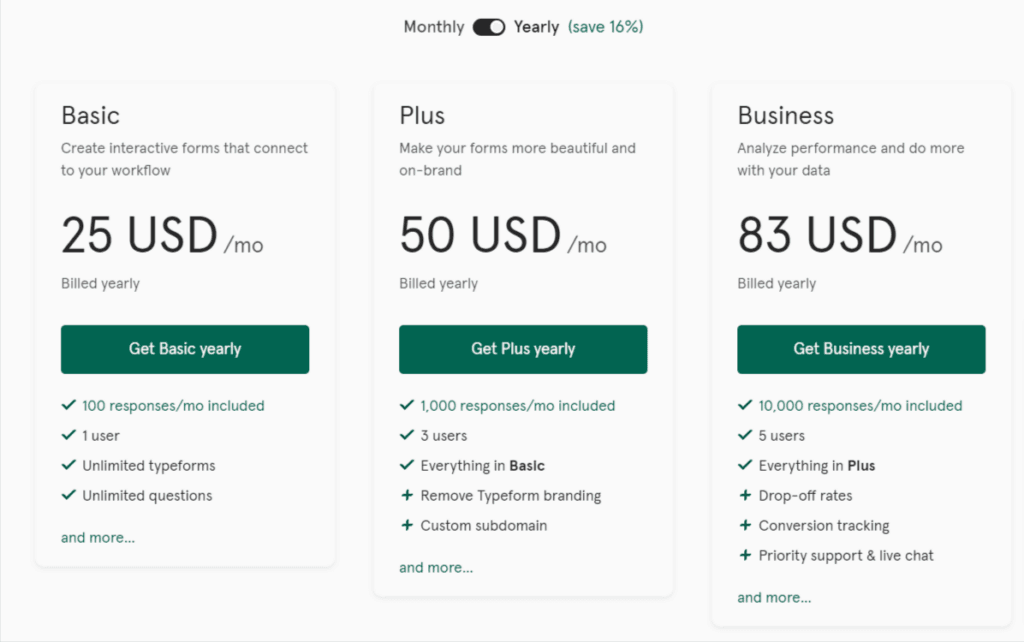
Typeform basic plan costs $25 or $29 monthly, depending on monthly or annual billing. The Plus and Business plans cost $50 and $83 monthly, assuming you subscribe to a 12-month plan.
There is a free plan that allows you to use unlimited Typeforms and templates. You can add calculators, hidden fields, and logic jumps and integrate it with Slack, HubSpot, Mailchimp, and others.
However, it is limited to ten form responses per month.
You can test paid features in your free plan, but you won’t be able to share the form or collect users’ responses unless you subscribe fully to the paid plan.
Conclusion
The best online form builder depends on your needs, budget, and business model.
Pick one or two from the above list, explore the features, add-ons, and price range, and check if they fit your requirements.
I’m sure there’s a form builder app out there that meets your needs, regardless of your present technical skills, business size, budget, or form requirements.