

WPForm is one of the most popular WordPress form builders plugins, closing at over 6 million users and counting. No doubt, it is a top choice among WordPress users.
However, things don’t always go as expected or planned – there are instances where WPForms might not be the right form builder choice for you. Which option would you recommend?
This article will explore the importance of selecting the right form builder, outline key factors to consider, and provide in-depth comparisons of popular WPForms alternatives.
By the end of this guide, you’ll be equipped to make an informed decision and select the perfect form builder for your specific needs.
5 Key Factors to Consider When Choosing a WPForms Alternative
With a plethora of form builder options available, selecting the right tool is crucial for optimizing user experience, maximizing conversions, and achieving overall business goals.
A poorly designed or inefficient form can deter potential customers, hinder data collection, and damage your website’s reputation.
Conversely, a well-crafted form can streamline processes, generate valuable insights, improve form submission, and contribute to your website’s success.
Here are some crucial factors or features to consider when shopping for a suitable WordPress form builder, including alternatives to WPForms.
1. Essential Features
A robust form builder should offer a drag-and-drop interface for intuitive form creation, extensive customization options to align with your website’s design and seamless integration with other essential tools in your business.
For many use cases, the ability to create dynamic forms through conditional logic, manage complex processes with multi-step forms, and accept file uploads is crucial.
Additionally, built-in spam protection is essential to maintain form integrity and compliance with user privacy laws.
These features and more are what make WPForms a popular choice among small business owners.
So, any alternative WordPress form builder you’d hope for must have the necessary features to help you build powerful web forms effortlessly.
2. Pricing and Plans
Evaluate the cost-effectiveness of different pricing plans, ensuring they align with your marketing budget and offer the necessary features.
Before committing, consider the platform’s scalability to accommodate future growth and whether free plans or trials are available to test its capabilities.
However, don’t make your final judgment on pricing alone, as this can sometimes be a misleading factor. Cheaper might mean inefficient form builder software in some scenarios or, worse, offering limited functionalities compared to WPForms.
If the alternative form builder is cheaper than WPForms, comparing their feature sets is necessary to weigh the potential tradeoffs. Evaluate your needs critically to ensure you’re getting what you pay for.
3. Ease of Use and User Interface
Some of the benefits of WPForms are the ease of use, hundreds of templates, and its beginner-friendly form editor. Even if it’s your first time, you can build web forms quickly without needing help.
Therefore, a user-friendly interface with clear navigation, form templates, and intuitive design is essential for efficient form creation and the choice of the best alternative form builder to WPForms.
Comprehensive documentation and support resources can significantly impact your learning curve. To ensure an optimal user experience across devices, you should prioritize platforms that offer mobile-responsive forms.
Also, consider your technical capabilities versus the form builder’s ease of use. Some form builder tools are more suitable for beginners and offer more flexibility than others.
This is important if you’re handling the form creation instead of a more technical person in your organization or an agency.
4. Customer Support and Documentation
Reliable customer support channels, such as email, live chat, or phone support, are crucial for timely assistance.
A comprehensive knowledge base and informative tutorials can empower you to troubleshoot issues independently.
An active community forum can also be a valuable resource for seeking advice and sharing experiences with other users.
If you’re unsure about the quality of support, consider engaging the support rep to inquire about their services and products. During the engagement, take notes of red flags like longer waiting time, unhelpful information, inefficient support staff, etc.
5. Additional Features
Consider features that can enhance your form’s functionality and effectiveness. Marketing automation and integration can streamline lead nurturing, while analytics provide valuable insights into form performance.
Depending on your specific needs, you might prioritize features like A/B testing capabilities that allow you to optimize form conversion and robust security measures to protect user data.
Other notable features to consider include conditional logic, conversational-style forms, form entries, templates, payment options (for e-commerce businesses), and data collection features.
Likewise, look for a form builder with correspondent and substitute form features with the ones you have in WPForms. You may not have equivalent features, but something that offers similar functionality and outcome.
Best Alternatives to WPForms
Here are the top alternatives online form builders to WPForms you can try.
These online form makers have similar features, form templates, spam protection, and customization control like WPForms.
1. Gravity Forms
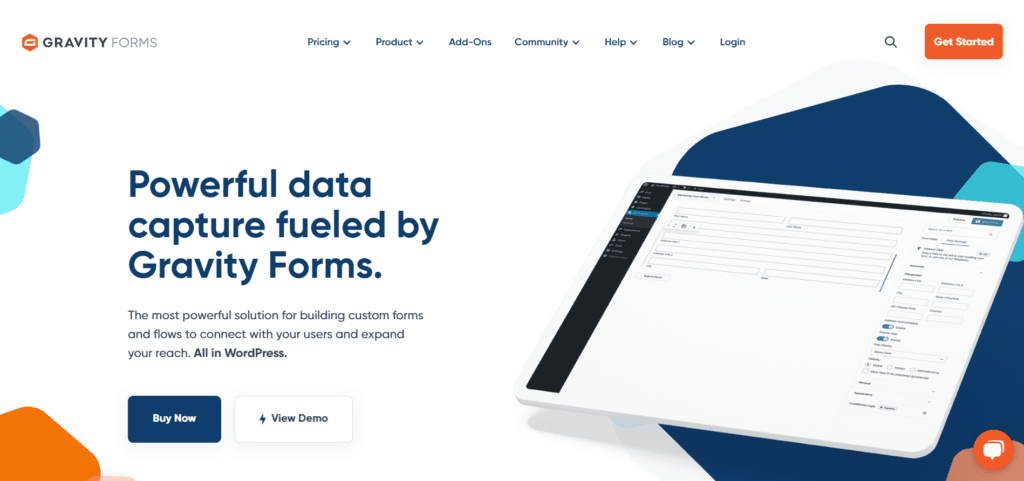
Gravity Forms is a premium-only WordPress form builder plugin renowned for its robust feature set and flexibility. It empowers users to create a wide range of forms, from simple contact forms to complex surveys and payment processing solutions.
With a focus on ease of use and customization, Gravity Forms has become a popular choice for website owners and developers seeking a powerful form-building tool.
Its robust conditional logic, workflow automation, and developer-friendly tools make it a top choice for complex form solutions and the perfect replacement for WPForms.
However, this depth of features comes with a learning curve. Users new to form builders or those with simple form needs might initially find the interface daunting.
While Gravity Forms offers unparalleled flexibility, its complexity might be unnecessary for basic form requirements. Still, it is one of the best direct competitors to WPForms you can find, especially if you require a complex form setup.
Read our full review for a more comprehensive comparison between WPForms and Gravityforms.
Key Features and Benefits
- Drag-and-drop interface – Easily create forms without coding knowledge.
- Conditional logic – Customize form behavior based on user input.
- Multi-page forms – Build complex forms with multiple steps.
- File uploads – Allow users to submit files.
- Payment integration – Accept payments through various gateways.
- Notifications and confirmations – Customize email notifications and confirmation messages.
- Integrations – Connect with popular email marketing, CRM, and payment platforms.
- Safe and Continue – Users can save form entries and submit them later.
- Advanced features— This includes calculations, surveys, quizzes, digital signatures, webhooks, developers API, and more.
Check the complete Gravity form features on their website.
Pricing and Plans
Gravity Forms offers several pricing plans to accommodate different user needs:
- Basic ($59 – 1 site license and standard support) – Covers essential features for building simple forms and includes add-ons for integrating email marketing and CRM platforms.
- Pro ($159 – 3 Sites License and Standard Support) – Includes advanced features like conditional logic, multi-page forms, and payment integration.
- Elite ($259 – Unlimited Sites License with Priority Support) – Offers the complete feature set, including advanced calculations, surveys, signatures, and quizzes.
Essential spam protection like reCAPTCHA is available on all Gravityforms license plans.
GravityForms Pros and Cons
Pros
- Powerful and flexible platform
- Extensive feature set
- Strong community and support
- Excellent integrations
- Customizable notifications and confirmations
Cons
- Requires a paid subscription (No free plan)
- Steeper learning curve for advanced features
- Some users might find the interface overwhelming
Best Suited For
Gravity Forms is best suited for website owners, agencies, and developers who require a comprehensive and customizable form-building solution. It’s ideal for businesses that need to collect payments, process orders, or gather complex, detailed user information.
Additionally, those who value advanced features and integrations will find Gravity Forms to be a valuable tool.
2. Ninjaforms
Ninja Forms is a popular WordPress form builder known for its user-friendly interface and essential features. It offers a free core plugin with additional features available through premium add-ons.
The user-friendly drag-and-drop interface allows users to create and customize web forms effortlessly. Its flexible design options enable forms to integrate seamlessly with any website’s aesthetic.
While the core plugin provides a solid foundation, Ninja Forms’ true potential is unlocked through its add-on system.
These individually purchased add-ons introduce features like conditional logic, file uploads, and payment processing, transforming the free core plugin into a powerful tool for more complex form needs.
However, while this modular approach can be cost-effective initially, it could lead to overpaying if you need more add-ons. It also means you could only pay for what you need.
So, evaluate your contact form needs carefully, review the Ninja Form features and addon list, and compare them to other form builders on this list.
Key Features and Benefits
- Unlimited Form Submission – All Ninjaforms plans allow unlimited form submissions with no limitations.
- Free core plugin—The free plan includes features such as 28+ form fields, advanced calculation, field validation, submission redirection, and more.
- Front-end posting – Allow users to publish content by submitting forms.
- Premium add-ons – Expand functionality with features like payment processing, conditional logic, CRM, and marketing automation like Twillo SMS, Helpscout, Trello, etc.
- Powerful Analytics – Track and monitor web form submission sources with UTM tracking parameters.
- Integration—Integrates your preferred email marketing, including ActiveCampaign, Aweber, Constant Contact, EmailOctopus, Mailpoet, and more.
- Priority Support – All paid plans give you access to the Ninjaforms priority support.
- GDPR Compliant – Ninjaform complies with user privacy and security laws.
Pricing and Plans
Ninja Forms offers a free core plugin with limited features. To access advanced functionalities, users can purchase one of the paid licenses below:
- Plus ($99 – 3 Sites license with Priority support) includes advanced features such as file uploads, $199 conditional logic, a PayPal add-on, and third-party email services integrations.
- Pro (20 Site Licenses with priority support) – This plan offers advanced functionalities like a date picker, save and progress, CRM, automation, and more payment options like Authorize.net, Stripe, and Elavon.
- Elite ($499 – Unlimited Sites License with priority Supports) – Everything in the Pro license with additional features like workflow, all Ninjforms current and future add-ons, exclusive access to new features before other users, and more.
Pros and Cons
Pros
- Free core plugin with basic features
- User-friendly interface
- Suitable for businesses with decent or moderate needs for form features.
- Large community and support
- Good balance of features and ease of use
Cons
- Some add-ons require a membership package.
- Limited reporting and analytics compared to some competitors
Best Suited For
Ninja Forms is ideal for users who want a simple yet effective form builder. It’s suitable for small businesses and bloggers who need basic forms like contact, subscription, and survey forms.
Users who prefer a modular approach to pricing and features will also find Ninja Forms appealing.
3. Typeform
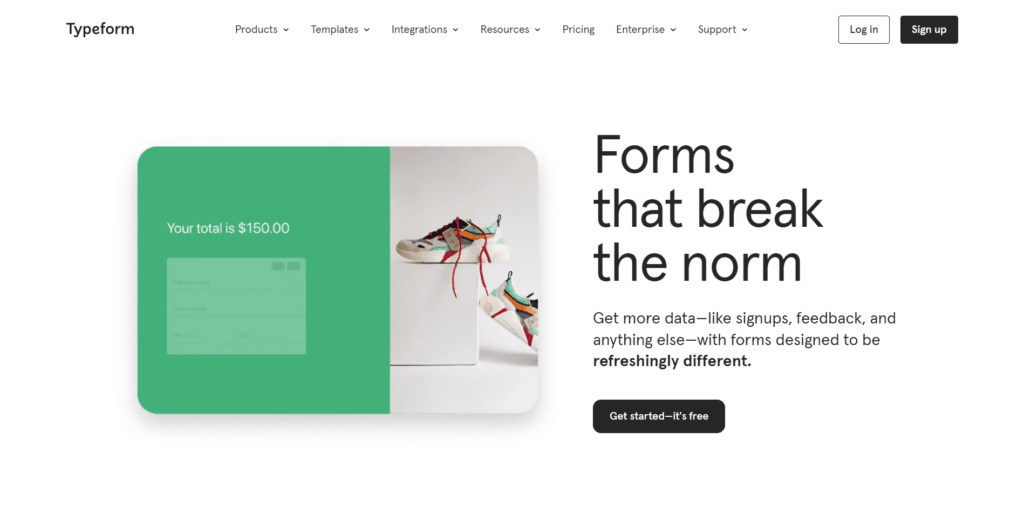
Typeform is a unique online form builder that stands out for its conversational approach to data collection. Instead of traditional form fields, Typeform presents questions one at a time, creating a more engaging and user-friendly experience.
It’s designed to make form-filling feel like a natural conversation, resulting in higher completion rates and better-quality data.
Typically, Typeform isn’t an ideal substitute for WPForms. It is a different type of web form builder focused on making form-filling interactive, fun, and engaging. It is a powerful conversational-style form builder.
Essentially, Typeform is an excellent choice for creating feedback forms, surveys, quizzes, product research, job application forms, client onboarding, and breaking long forms into one step at a time.
Compared to WPForms, Typeform also has a decent number of templates, but it lacks the depth of features available in WPforms. Features like form signature and more payment gateway integrations are missing in Typeform.
Typeform Key Features and Benefits
- Conversational interface – Creates a more engaging and interactive user experience.
- Customizable design – Allows for visually appealing and branded forms.
- Variety of question types – Offers a wide range of options for collecting different types of data.
- Logic jumps – Create dynamic forms based on user responses.
- Integrations—It connects with popular tools and services, including Zapier, HubSpot CRM, Google services, and Meta Pixel.
- Recall Information – Pull back information or user input to show previously answered data with variables, hidden fields, prices, scores, etc.
- Multiple Form Endings – Display different form endings to users based on their inputs.
- Create Form in Other Languages—The Typeform Business and Enterprise license has form translation features, allowing users to interact with and complete form submissions in their native language.
Pricing and Plans
Typeform now offers a new subscription plan (Growth Plan) along with its Core plan. The Core plan offers four Standard subscriptions, which are as follows:
- Basic ($25/month—100 responses monthly) – This plan includes unlimited questions, Typeform branding, and one user seat.
- Plus ($50/month—1k responses monthly): This plan allows up to 3 users, custom domains, and no Typeform branding.
- Business ($83/month – 10k responses monthly) – Add up to 5 users, including conversion tracking and priority support.
The Typeform Growth Plan is more expensive. To learn more, check the available subscriptions on this page.
Pros and Cons
Pros
- Engaging and user-friendly interface
- High completion rates
- Customizable design
- Strong focus on user experience
Cons
- Limited functionality compared to traditional form builders
- It might not be suitable for complex forms with multiple pages
- Pricing can increase for larger teams or high-volume usage
Best Suited For
Typeform is ideal for creating surveys, quizzes, and lead capture forms that prioritize user experience.
It’s well-suited for businesses and organizations that want to gather qualitative data and build stronger relationships with their audience.
4. HubSpot Forms
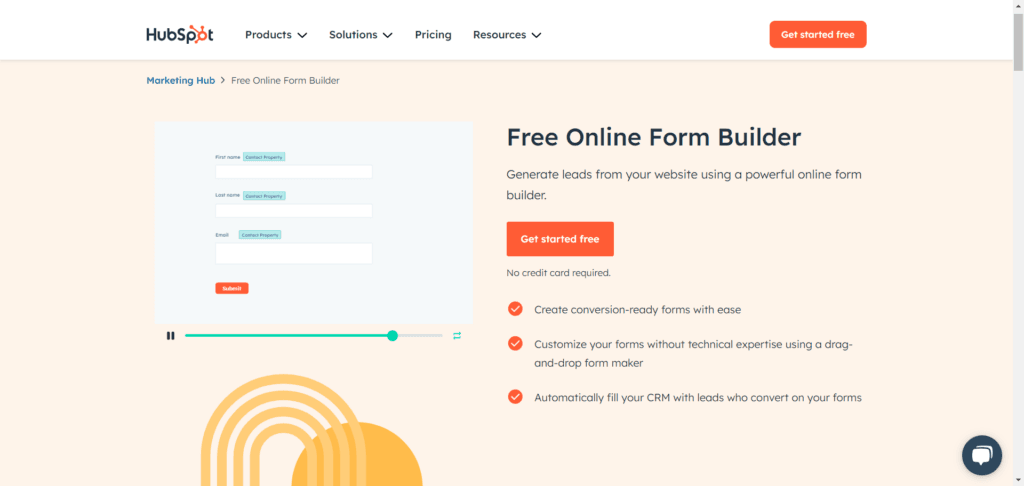
HubSpot Forms is an integral part of the HubSpot CRM platform, designed to capture and manage leads effectively. It offers a user-friendly interface and seamless integration with other HubSpot tools, making it a popular choice for businesses using the HubSpot ecosystem.
Compared with WPForms, Hubspot’s free online forms builder offers fewer features but focuses on helping businesses convert visitors into leads. It is an excellent choice for digital marketing professionals who prioritize lead generation, management, automation, and workflow over user registration or payment forms.
Like WPForms, the Hubspot form builder also uses a drag-and-drop editor. You can drag and drop form elements into their spaces and customize form inputs with dynamic fields, progressive filling, different field types, and more.
Furthermore, since Hubspot form builder is baked into its CRM and email marketing tools, visitors who complete form submissions are automatically added to your CRM, and you can send follow-up emails and set up conditional automation and workflow.
Technically, the Hubspot online form builder is the gateway to setting up powerful email marketing campaigns that integrate with a CRM. Still, it is not really a replacement for WPForms if you seek a more WordPress-specific form builder with advanced form features.
Key Features and Benefits
- Drag-and-drop builder – Create forms visually without coding.
- Integration with HubSpot CRM – Automatically sync form submissions with your contact database.
- Marketing automation integration – Connect forms with workflows and Hubspot email marketing tools.
- Customization options – Tailor forms to match your branding.
- Analytics and reporting – Track form performance and user behavior.
- Mobile optimization – Forms adapt to different screen sizes.
- Progressive profiling – Gather additional information from existing contacts over time.
Pricing and Plans
HubSpot online forms maker is free and included in most HubSpot marketing and CRM plans. You don’t need to enter payment details to sign up for a free Hubspot account.
You should only consider upgrading to a premium plan if your business requires advanced Hubspot features, tools, and access.
Pros and Cons
Pros
- Seamless integration with the HubSpot ecosystem
- Strong focus on marketing automation
- Detailed analytics and reporting
- User-friendly interface
Cons
- Tied to the HubSpot platform
- Pricing can be higher compared to standalone form builders
- Some users might find the platform overly comprehensive
Best Suited For
HubSpot Forms is ideal for businesses that are already using the HubSpot CRM and marketing platform.
It’s a good choice for those who prioritize lead generation, marketing automation, and data-driven decision-making.
Conclusion
WPForms is a strong contender for the best WordPress form builder. It has several innovative features that make building and managing web forms easier.
However, there is no one-size-fits-all tool in digital marketing. Other web form makers might be a suitable choice in your case.
Go through the list of best WPForms alternatives to see which competitors work best in your situation (features and budget-wise).
If I have to help you make the choice, GravityForms is the best form builder alternative to WPForms. It has similar features and advanced tools tailored to developers’ needs.




Hello, Shamsudeen,
I am using WPForms and it is one of the best and most intuitive form builders. You can easily create simple and conditional forms using it. Apart from WPForms, I prefer using Gravity Forms.
Regards,
Vishwajeet Kumar
Hi, Vishwajeet,
Thanks for sharing your opinion about WPForms. Like you, I also used WPForms and find it easier to build any type of web forms effortlessly, including conditional form fields.
As always, thanks for your support and sharing.