
If your site is hosted on Cloudways, you no longer need a separate Cloudflare account or an enterprise-sized budget to get enterprise-grade CDN and security features.
Cloudways has rolled out its Cloudflare Enterprise add-on that you can enable directly from your dashboard. It comes with a 30-day free trial on every eligible domain.
For a long time, Cloudways has kept this add-on in-house for its customers, with little public advertising, but that has changed recently.
You can now find a dedicated landing page where you can read all the standout features and benefits of the Cloudflare Enterprise on Cloudways.
Here’s everything you need to know before you subscribe and enable it.
What is the Cloudflare Enterprise Add-on?
The Cloudflare Enterprise add-on is a managed integration built into the Cloudways platform. Instead of signing up for Cloudflare separately, pointing your nameservers, and configuring settings on your own, Cloudways handles the entire setup process.
Add your domain name to your Cloudways Application Management section and switch it on.
Once it’s enabled, you get:
None of this requires a separate Cloudflare account, and you do not need to change your nameserver. You only update a CNAME or A Record at your domain registrar, then click Done inside Cloudways.
How the 30-day Free Trial Works
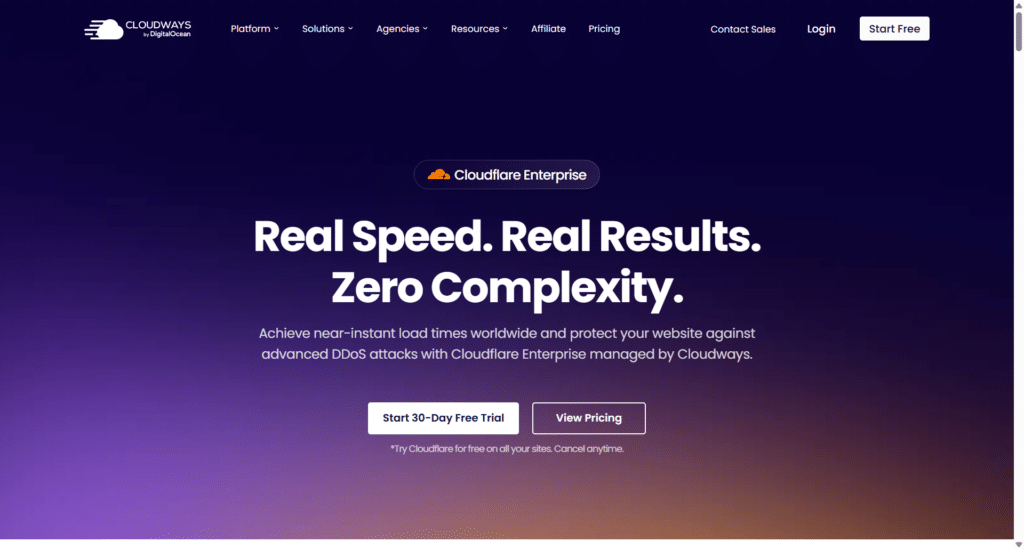
Every eligible domain on Cloudways gets its own 30-day trial with 100GB of bandwidth included. A few details worth knowing before you activate it:
Note: You need an active Cloudways hosting plan to access the add-on. It is not a standalone product. If you are not already hosting with Cloudways, you would need to sign up for a hosting plan first before the Cloudflare Enterprise trial becomes available to you.
TIP!
Cloudways offer a 3-day free trial to test it’s platform risk-free. This is a good chance if you’re considering moving to a different web host. You can test the platform, deploy server, walkthrough the staging, production, and other core features before committing.
Cloudways Cloudflare Enterprise Add-on Pricing.
Once the trial period ends (or if you skip straight to a paid subscription), pricing is tiered by the number of domains you run, and it gets cheaper per domain as you scale:
| Domains | Price per domain, per month |
|---|---|
| Less than 5 | $4.99 |
| 5 to 9 | Between $4.99 and $2.99; check the live calculator for your exact tier |
| 10 to 24 | $2.99 |
| 25 and more | $1.99 |
Each domain subscription includes 100GB of bandwidth, with overage billed ar $0.02 per GB beyond that.
For context on where that leaves you, Cloudways positions the add-on against the alternatives like this:
| Cloudways Cloudflare Enterprise | Cloudflare Free | Cloudflare Business | |
|---|---|---|---|
| Price | From $4.99/month, 30-day trial included | Free | $200/month |
| Argo Smart Routing | Included | Not included | Not included |
| Argo Tiered Caching | Included | Not included | Not included |
| Enterprise bot management | Included | Basic Bot Fight only | Super Bot Fight |
| Layer 3, 4, 7 DDoS protection | Included | Limited | Included |
| Managed setup | Fully managed, no separate account | Manual setup | Manual setup |
If you compare it to buying Argo Smart Routing and Argo Tiered Caching as standalone Cloudflare add-ons, or to CloudFlare’s Business plan at $200 a month, the Cloudways price is a fraction of the cost for a site running one to a handful of domains.
How to Enable ot in 3 Steps:
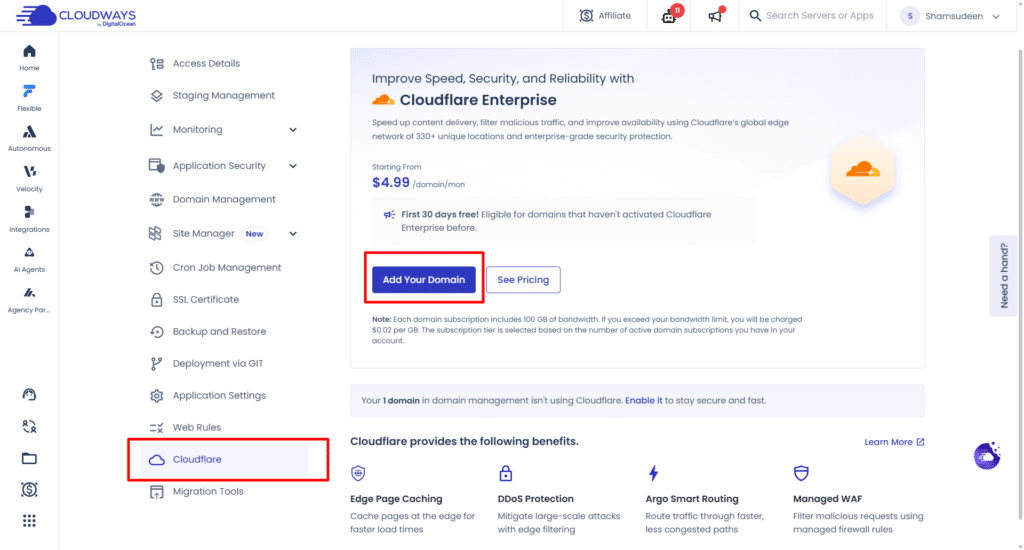
No nameserver changes, no separate Cloudflare login, no manual firewall configuration. Everything just works with a simple 3-step process.
Things to Know Before You Enable it
A few limItations are worth knowing to set your expectation on:
FAQs
Is Cloudflare Enterprise Worth it?
If you’re already on Cloudways hosting, the free trial makes it an easy yes to at least test the Cloudflare Enterprise solution. You get the full features set for 30 days with no seperate account to manage, and if ti does not move the nidele on your Core Web Vitals or uptime, you can cancel before billin start.
For sites running WordPress or WooCommerce specifically, the combination of Edge Page Caching and Argo Tired Caching is the part most likely to dramatically improve your speed test number and site performance.
If you’re not on Cloudways yet, the free trial alone is not a reason to swicth host. But if you were already considering migration for other reason, such as speed, support, performance, or pricing, having managed enterprise-grade Cloudlfare bundled in tips the value in Cloudways favor.