

WP Engine has long been a popular choice for managed WordPress hosting and is renowned for its performance, security, scalability, and ease of use.
However, several other providers have emerged as the market evolves, offering competitive features and pricing.
In this article, we’ll explore some of the best WP Engine alternatives and help you determine which one best suits your needs.
Key Factors to Consider
Before diving into the list, let’s outline the key factors to consider when choosing an alternative web host to WP Engine:
- Performance and Speed – How fast will your website load? Does your host have the potential server performance to match or outshine WP Engine?
- Security and Reliability – How well protected is your data? WP Engine is known for advanced web security features. A potential host needs to provide similar security features to be able to meet the criteria
- Scalability and Flexibility – Look for web hosts with easy scalability and flexible hosting plans.
- Ease of Use and Management – From website migration to launching, to server and DNS management, a good substitute web host for WP Engine must be easier to use.
- Pricing and Value – What features do you get for your money? Don’t focus on the shiny hosting features alone; look for a web host that actually offers value for money.
Top WP Engine Alternatives
1. Cloudways
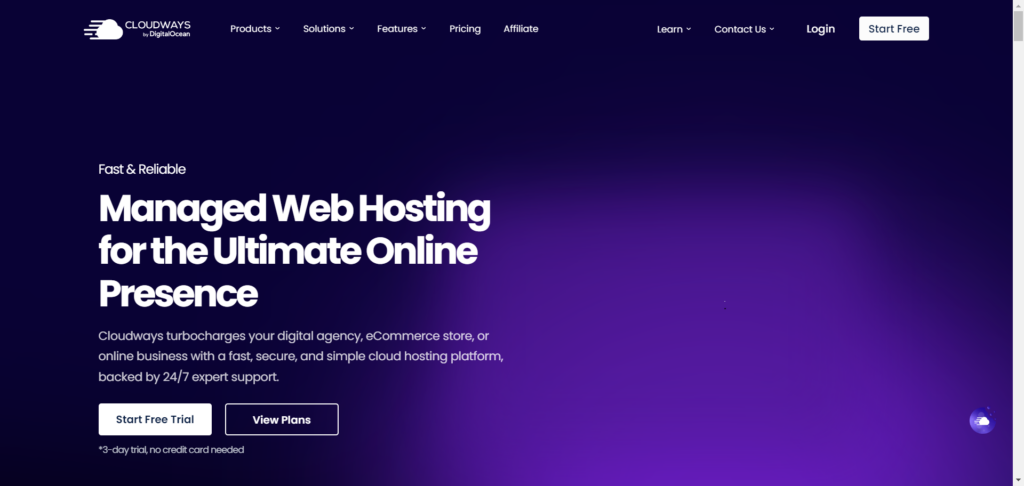
Cloudways is one of the best alternatives to WP Engine. In some scenarios, its server infrastructure is as fast as WP Engine, if not faster.
Like WP Engine, Cloudways offers fully managed WordPress hosting services. From the server stack to the customer service experience, everything is built and managed to provide the best WordPress experience.
Cloudways’ affordability and flexible cloud hosting plans make it a better choice for replacing WP Engine. In addition to Google Cloud and Amazon Web Services, which WP Engine uses, Cloudways also works with Linode, Vultr, and its main provider, DigitalOcean.
Cloudways doesn’t twist your arm to make you pay for resources that are not used. The Cloudways billing model lets you pay for server resources (RAM, CPU, bandwidth, add-ons, etc) actually used in a month.
This is why your Cloudways hosting fee is not fixed but flexible and more transparent than WP Engine.
In addition, Cloudways pricing allows you to pay hourly or monthly. For example, you can set up a website on the Cloudways server to run a seasonal campaign for a few hours or weeks and only pay for the resources used during those periods.
This is not so with WP Engine, where you must subscribe to a monthly or annual plan regardless of whether you need to host the website for a few days or a week.
Check my extensive review for more information about how WPEngine and Cloudways compare.
Cloudways Key Features
Cloudways’ many features make it an ideal web host for migrating an existing WP Engine site to the platform.
First, Cloudways will migrate your WP Engine sites to the Cloudways server for free. You can migrate up to 10 sites without any cost, but you need to contact sales for this benefit.
Regarding exclusive hosting features tailored to WordPress-specific sites, Cloudways has the same as WP Engine.
For example, Cloudways offers a free cache plugin, though it is less robust than WP Engine’s EverCache. The Cloudways server stack comprises NGINX, Varnish, Redis, and Memcached.
A partnership with ObjectCache Pro allows Cloudways sites to use the Pro plugin without paying for it. This alone is worth $95 in free savings per month.
For as low as $4.99 monthly per site, Cloudways’ partnership with Cloudflare Enterprise CDN optimizes your site through its page edge caching, image and mobile optimization, smart routing, over 260 edge network locations, security protection, and more.
Cloudways features include a free malware scanner, custom Varnish settings, safe updates, access to a free 1-year Astra Pro theme, and more.
2. Pressable

Undoubtedly, the most suitable web host to use instead of WP Engine is Pressable.
Why?
Pressable is like WP Engine. Both web hosting platforms focus on WordPress-only hosting. Their entire architecture, hosting environments, customer services, and everything else are tailored to work with WordPress and WooCommerce only.
Your website benefits from state-of-the-art security features and powerful scalability (vertically and horizontally), ensuring your site performance never diminishes during peak periods.
The Pressable dashboard is intuitive and well-organized, making it easier to manage your site. You can set up a Staging site from the user dashboard, install WordPress, access Edge Cache, and access the admin backend with one click.
It offers most of the hosting features you’re used to in WP Engine, such as free SSL certificates, white-gloves WordPress migration, cloud hosting, free global CDN, automatic backups, built-in cache, automatic server failover, advanced security firewall, etc.
Note:
For a limited time, Pressable offers to buy out your remaining WP Engine hosting contract if you move today. If you’re on WP Engine’s annual contract, Pressbale will credit your account for free for the remaining month.
Monthly hosting plan users receive 4 months of complimentary hosting when they upgrade to the Pressbale annual plan. Check the Pressable FAQs page for more information on using the WP Engine contact buyout offer.
I have reviewed Pressable and WP Engine side-by-side; you can read my honest experience to learn more.
Pressable Key Features
In this WP Engine alternatives post, I could go on and on about Pressable features, but for the sake of time, let’s focus on the notable ones.
First, because Pressable is focused on WordPress and WooCommerce, you’re dealing with people who know WordPress like the back of their palm.
Your site runs on a server architecture developed to make WordPress perform best.
You don’t need to spend money on image optimization; Pressable automatically compresses your site images and creates thumbnails on the fly. This feature is built into the system.
It serves your content from over 28 data centers on six continents, ensuring your website is fast for all users, regardless of location.
Based on this fact, Pressable guarantees 100% server-level performance uptime, or you will get a 5% plan fee refunded for every 30 minutes of server downtime.
With unlimited bandwidth, one-click restore and backup, DDoS and WAF protection, two-factor authentication, a real-time activity log, the Jetpack Security plugin, expert support, and other features, Pressable stands out as the ideal web host to replace WP Engine.
Pressable is also built for high-traffic sites, agencies, and developers. It offers tools like SSH, Git, Studio Local, and WP-CLI. Another highlight is the team collaboration features.
Plus, there’s a 30-day money-back guarantee policy. If you migrate your existing site to Pressable and don’t like the performance, you can request a refund.
So simple as that.
Did I mention that Pressable offers one of the most flexible pricing options?
3. Kinsta

Another compelling alternative web host to WP Engine is Kinsta.
Kinsta is built for WordPress CMS developers, agencies, SMBs, and mission-critical sites. It offers managed WordPress hosting with various features specific to the WordPress platform.
One of Kinsta’s benefits is that it is powered by Google Cloud servers (C3D and C2 VMs), and you can choose which server to deploy your application on from its 37 global data centers.
In addition, Kinsta’s Cloudflare Enterprise 260+ CDN POPs network supports HTTP/3 and improves the speed at which content travels from your server to users. The Cloudflare Enterprise integration lets your site benefit from Edge Caching, Brotli compression, Wildcard SSL support, early hints, powerful firewall (WAF), and DDoS protection.
Your website speed and security are unmatched with the Kinsta + Cloudflare content delivery network and Google Cloud infrastructure.
Migrating your site from WP Engine to Kinsta means more firepower to propel your online presence to greater heights. Here are some of the top features you can benefit from moving to Kinsta hosting.
Kinsta Key Features
Kinsta offers unlimited migration services, allowing you to move your site from WP Engine or another web host to the Kinsta platform. This free migration supports various types of WordPress sites, including multisite sites, sites using the WPEngine LargeFS feature, reverse proxies, eCommerce sites, and membership sites.
However, if you need to expedite the migration process, $49 puts you ahead of the waiting time and migrates your site within 8 hours.
Even if malware was detected during the site migration process, a Kinsta malware specialist might be able to help and clean your site for free.
Hosting with Kinsta also means peace of mind, as your website is protected by Google Cloud firewall, Kinsta firewall, and Cloudflare enterprise DDoS protection.
As you can see, your business security and safety are very important to Kinsta hosting.
Kinsta Edge caching helps you reduce TTFB by 50%, cut page transfer times by 55%, optimize cached WordPress HTML content, and requires no additional plugins.
With the Kinsta APM (Application Performance Monitoring) tool, you can independently monitor and troubleshoot performance bottleneck issues and fix common hosting problems without assistance.
For example, you can debug long API calls, slow database queries, poorly coded plugins and themes, external URL requests, and media transactions, including slow and average.
If you’re stuck with an older version of PHP that has already reached the end of its life, it’s good to know that Kinsta now supports PHP 8.0 and older 7.4. While using the latest stable PHP version is generally advisable, some sites have valid reasons to run older PHP versions.
You can control the PHP version of your site or application because Kinsta lets you enable/disable automatic PHP updates in your account dashboard. This feature is good for advanced users running complex PHP applications needing specific versions.
Kinsta is a strong choice if you want to move away from WP Engine and to a better host.
It offers a comprehensive suite of features designed to help you reach your full potential, including hosting scalability, high server performance, uptime, expert WordPress customer support, Staging, developer tools, an agency hosting plan, and advanced web security features.
Conclusion
WP Engine is a fantastic web host. Many businesses have benefited from its excellent hosting services and innovative features. From its proprietary Evercache to free premium themes, the ACF plugin, and advanced security features, WPEngine is undoubtedly the top choice.
However, sometimes even the best stuff isn’t suitable for your present situation. That’s when looking for the best WP Engine alternatives, which might be an excellent idea.
I have shared some of the top alternatives to WP Engine you can trust. The good thing about this list is that most web hosts offer WordPress hosting. They all provide managed WordPress hosting with tailored features.
I recommend trying Pressable for a comprehensive WordPress-managed hosting experience.
Pressable breathes and eats WordPress every single day. Plus, the platform is backed by Automatic. This gives you significant advantages in accessing some premium WordPress plugins for free, like JetPack Security.
Choose Cloudways if you need a more transparent billing system, powerful scalability, server control, and flexibility. Cloudways gives you absolute control over your server-side management, and you can tweak the server configuration to suit your specific application needs.
However, in the end, your hosting choice depends on your website’s needs and budget.



Notice:
Your comment will end up in the trash folder if you spam our comment box. Use your real name, write meaningful and genuine comments. Avoid using keywords or brand name in the name filed and keep your comment relevant to the topic. Thank you.