

If you need to turn long videos into short clips in your own product and would rather pay for what you use than commit to a plan, start with Klap’s video clipping API.
You create a key, load a prepaid balance, and pay per operation: $0.44 per input video, $0.32 per generated short, and $0.48 per export.
I ran the full flow myself, and one run cost $1.56. That is not the right answer for every project, so here is how the four APIs I compared line up.
Quick answer
How I compared them
I ran Klap’s API and its Zapier integration myself. For OpusClip, Vizard and Ssemble, I compared each vendor’s own docs and pricing pages on November 6, 2026. I did not run their APIs, so I make no claims about clip quality.
Prices change, so check the linked pages before you buy.
Comparison table (checked November 6, 2026)
| API | Self-serve signup | Pricing unit | Price | Inputs | Results | Request limits |
|---|---|---|---|---|---|---|
| Klap | Yes. Key from your account page, prepaid credits, $5 free credits after you add a card | Per operation | $0.44 per input video, $0.32 per short, $0.48 per export | YouTube, Twitch, Vimeo, Loom, Google Drive, Dropbox, direct links (up to 5 hours) | Polling | None published in the docs I read |
| OpusClip | Paid plan needed: Pro (limited API, beta) or Business | 1 credit per source minute, 10-credit minimum per API project | Pro $29/month, or $14.50/month billed yearly (300 credits) | Video up to 10 hours and 30 GB | Polling and webhooks | 30 requests/minute, 4 projects at once, 15 hours of API video/month on Pro and Max |
| Vizard | Paid plan needed: Creator or Business | 1 credit per source minute | Creator $29/month, or $14.50/month billed yearly (600 credits/month); Business $39, or $19.50 billed yearly | Remote files, YouTube, Google Drive, Vimeo, StreamYard | Polling and webhooks | Creator 3/minute and 20/hour; Business 10/minute and 60/hour |
| Ssemble | Subscription with credits | 1 credit per video of up to 20 minutes | Pro $6/month billed yearly (360 credits/year); Business $24/month billed yearly (1,440 + 360 bonus credits/year) | YouTube URL or direct file URL (S3, GCS, Azure) | Polling and webhooks | 500/minute per key; account default 100/hour and 1,000/day |
Klap API: pay per operation
Klap bills three things: $0.44 for each input video, $0.32 for each short it generates, and $0.48 for each export. Its docs list YouTube, Twitch, Vimeo, Loom, Google Drive and Dropbox links, plus direct storage links, with a maximum input length of 5 hours and support for 99+ languages.
Useful parameters include max_clip_count, max_duration, transcription_context (names, brands and jargon, up to 1,000 characters), style_preset_id and remove_silences. Exports default to 1080 x 1920.
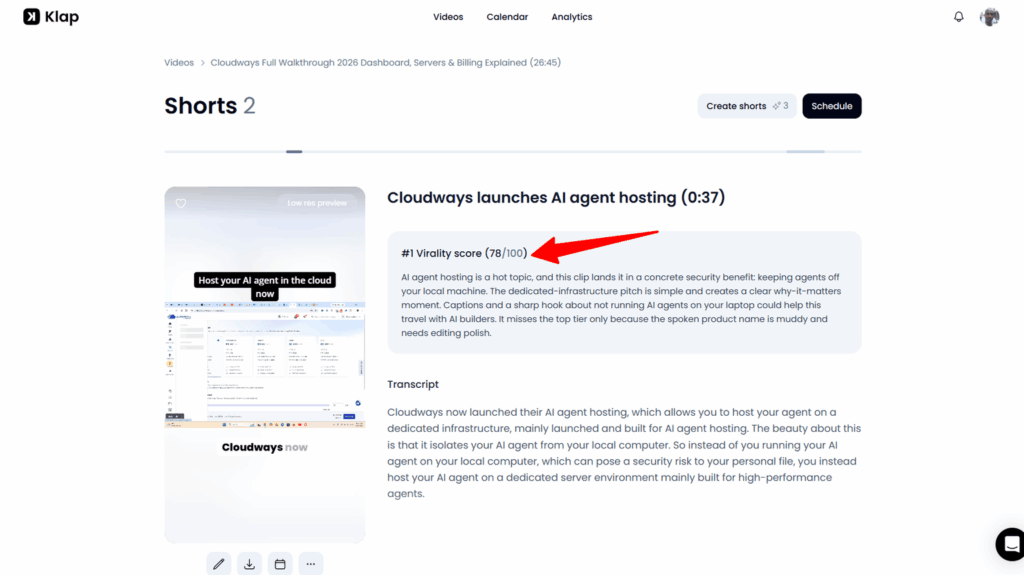
Each short comes back with a name and a “Virality Score” (0 -100), and shorts created through the API also appear in Klap’s web app, where you can review and edit them.
What I measured
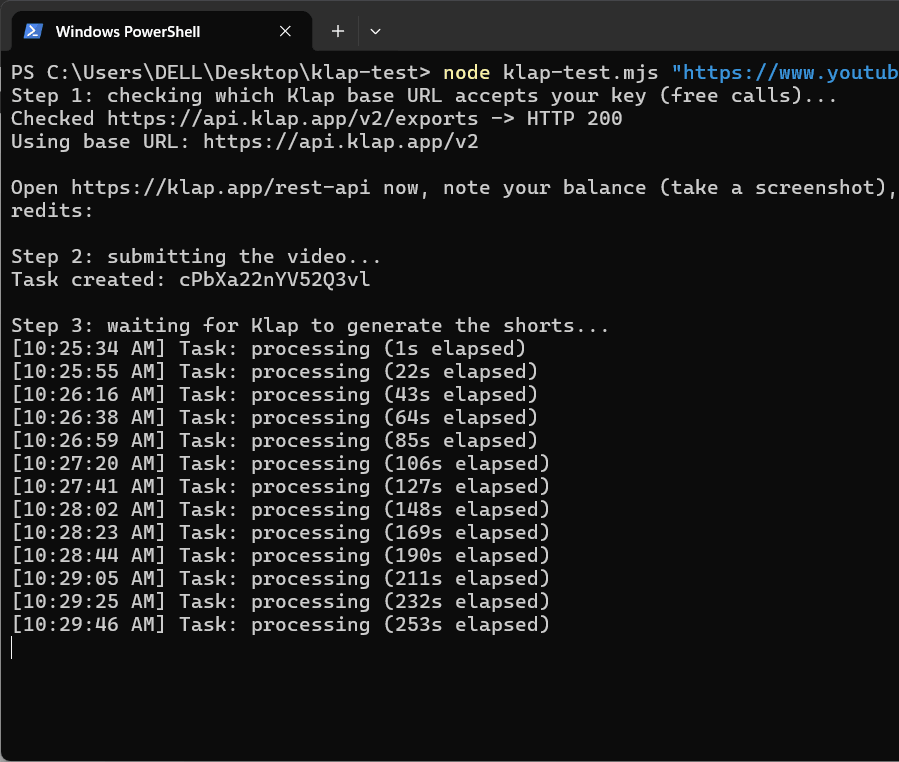
I submitted a 15-minute-41-second YouTube video and asked for 2 shorts of up to 30 seconds.
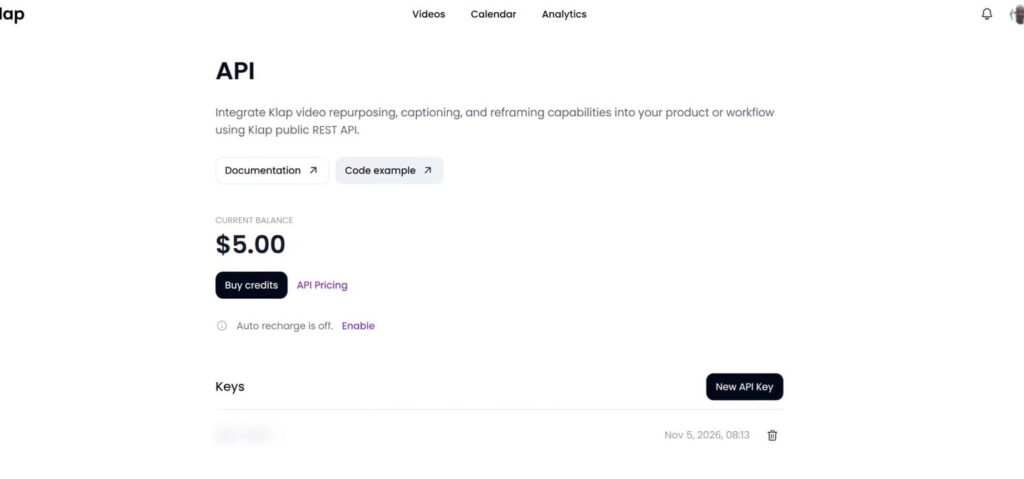
Credit balance before starting the run (free $5).
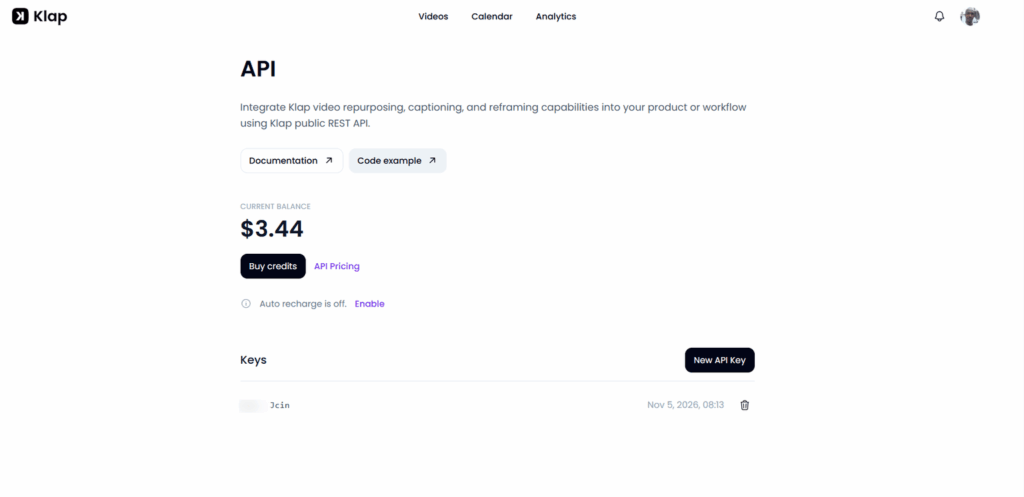
Credit balance after run
A working example
This is a condensed version of the script I ran end-to-end. Set KLAP_API_KEY in your environment and pass a video URL.
const API = 'https://api.klap.app/v2';
const headers = { Authorization: `Bearer ${process.env.KLAP_API_KEY}`, 'Content-Type': 'application/json' };

const call = async (method, path, body) => {
  const res = await fetch(API + path, { method, headers, body: body && JSON.stringify(body) });
  if (!res.ok) throw new Error(`${method} ${path}: HTTP ${res.status}`);
  return res.json();
};

const waitFor = async (path) => {
  while (true) {
    const obj = await call('GET', path);
    if (obj.status === 'ready') return obj;
    if (obj.status === 'error') throw new Error(`${path} failed`);
    await new Promise((r) => setTimeout(r, 15000));
  }
};

// 1. Start the job (this is the billed step)
const task = await call('POST', '/tasks/video-to-shorts', {
  source_video_url: process.argv[2],
  language: 'en',
  max_duration: 30,
  max_clip_count: 2,
});

// 2. Wait, then list the shorts
const done = await waitFor(`/tasks/${task.id}`);
const shorts = await call('GET', `/projects/${done.output_id}`);
const best = shorts.sort((a, b) => b.virality_score - a.virality_score)[0];

// 3. Export the best one
const exp = await call('POST', `/projects/${best.folder_id}/${best.id}/exports`, {});
const file = await waitFor(`/projects/${best.folder_id}/${best.id}/exports/${exp.id}`);
console.log(best.name, best.virality_score, file.src_url);
One lesson from my run: a network error killed my first script while it was polling an export. The export still finished on Klap’s side. If you ever encounter this, retry the GET calls, but never retry the POST calls, because a retry could create and bill a second job.
Rough edges
OpusClip API
OpusClip has the deepest developer feature set of the four. Its docs describe webhooks, official SDKs, brand templates and social posting endpoints.
The catch is access and limits.
API access starts on the Pro plan (limited, beta) and Business, with Pro and Max capped at 15 hours (900 credits) of API video per month, 4 projects running at once and 30 requests per minute.
Every API project costs at least 10 credits, and one credit equals one minute of source video. Beyond Pro and Max, Business is contract-based.
I read about a Max plan that does not appear on OpusClip’s pricing page, and the API advertises a “self-serve free tier,” so contact support if you’d rather learn about the Max plan.
Vizard API
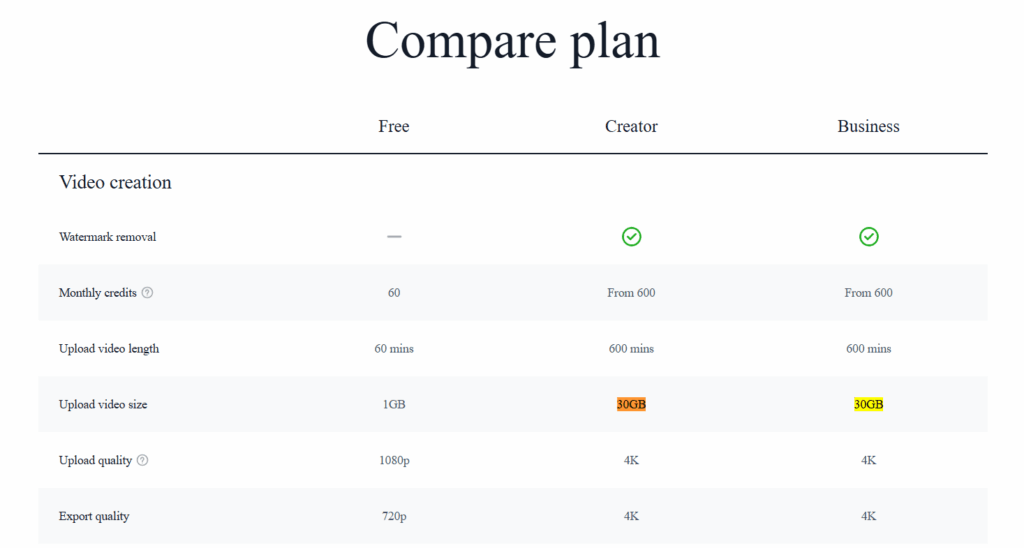
Vizard bundles API access into its paid plans. Per its pricing page, the API is included in Creator and Business, and not in Free. Billing uses the same credits as the web app, at one credit per source minute, so an API project consumes your plan’s upload minutes.
Creator is $29 a month, or $14.50 a month billed yearly, and Business is $39, or $19.50 billed yearly. The rate limits are low: 3 requests per minute and 20 per hour on Creator, and 10 and 60 per minute on Business.
Vizard documents both polling and webhooks. Its newer clip_v2 model is billed at 1.25 times the original rate, and its viral score runs from 0 to 10.
The pricing page lists a 30 GB upload size while the API docs say 10 GB (conflicting data), so confirm which applies before building around large files.
Ssemble API
Ssemble’s unit is the source video, not the minute. Its docs say each short creation consumes one credit, and its pricing page says one credit covers a video of up to 20 minutes.
On yearly billing, Pro is $ 6/month for 360 credits a year, and Business is $24/month for 1,440 plus 360 bonus credits a year. Ssemble’s own pages disagree on some prices, so verify at checkout.
The API uses an X-API-Key header, accepts a YouTube URL or a direct file URL, and supports polling or a webhook URL that sends shorts. completed and shorts.failed events.
Failed jobs are refunded automatically. It also publishes clear rate limits: 500 requests per minute per key, plus account limits that start at 100 per hour and 1,000 per day.
No-code route: Klap with Zapier
Klap’s Zapier app is in public beta. Per Klap’s integrations pages, Make is in review (use its HTTP module meanwhile) and n8n works through a community node on self-hosted n8n 2.12 or later. I tested Zapier only.
One difference matters for cost: these integrations sign in with your Klap account and bill your Klap subscription, not your API credits.
I built two Zaps. The first uses YouTube’s “New Video in Channel” trigger and then Klap’s “Create Clips” action. The second uses Klap’s “New Clip” trigger, with a minimum virality score, and then “Export Clip.”
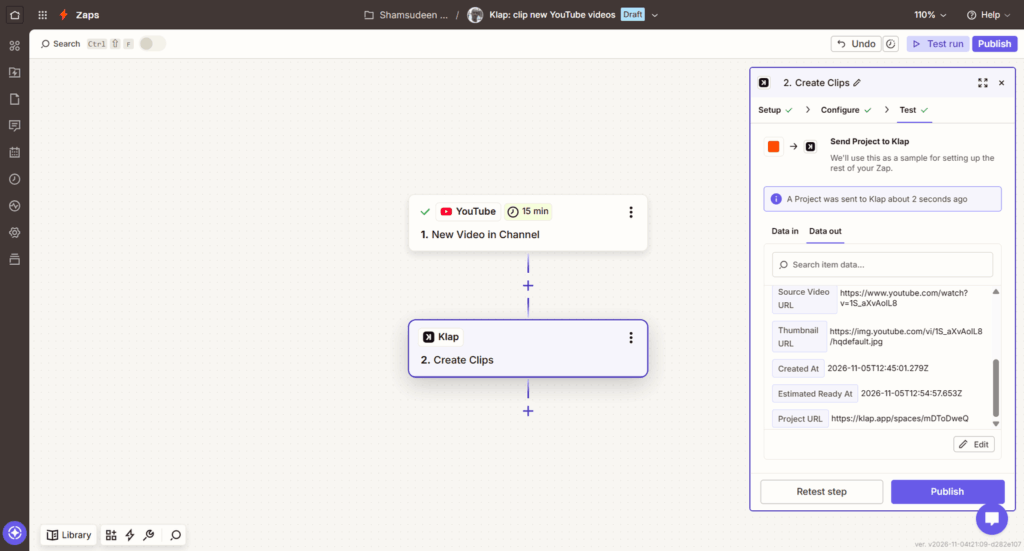
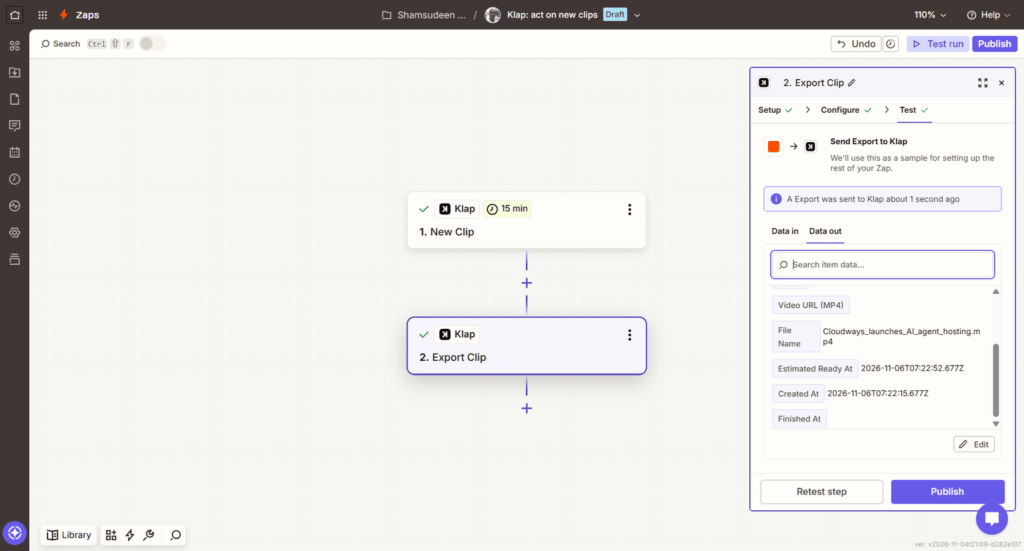
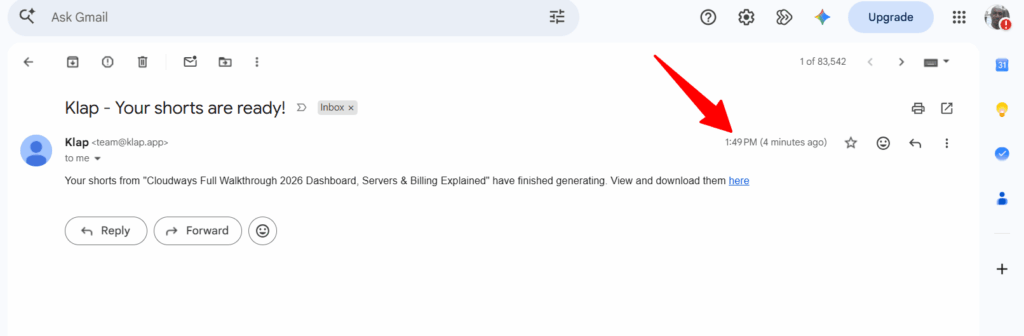
What I found:
ChatGPT and Claude: Klap through MCP
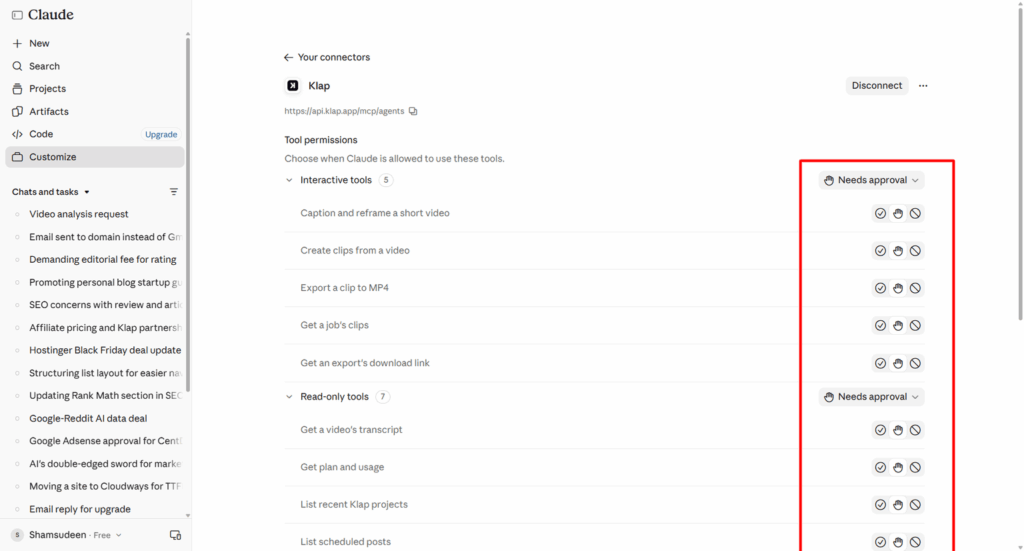
If you would rather work through an AI assistant, Klap’s MCP server lets Claude and ChatGPT create clips, export them and schedule posts. In Claude, I added it as a custom connector at https://api.klap.app/mcp/agents, signed in with my Klap account, and set each tool to ask for approval.
Like the Zapier route, it bills your Klap plan, not API credits. Ssemble offers an MCP server too, which uses an API key and ships as @ssemble/mcp-server or a hosted endpoint, and Vizard offers a skill file for Claude Code and Cursor.
What 2,000 clips a month looks like
To compare the pricing models, I assumed 400 source videos of 15 minutes each, producing 5 clips each.
On published prices alone, Ssemble looks cheapest per video. Klap’s edge is the billing model: you pay for operations with no plan minimum.
FAQ
Bottom line
Pick Klap if you want to start with a prepaid balance, pay per operation and see exactly what a run costs. Pick OpusClip if webhooks, SDKs and social posting endpoints matter more than a plan requirement.
Pick Vizard if you want API access bundled with a creator plan, and Ssemble if the lowest published price per video is your priority.
Before you build, run one small test on your own content, because clip quality is the one thing a pricing page cannot tell you.