

With the surge in AI tools, keeping up with your industry’s latest trends or relevant AI-based services could be challenging.
The field of artificial intelligence is evolving at lightning speed. New AI SaaS solutions seem to appear overnight, leaving you unsure which one offers the tools and features that best suit your needs.
Luckily, I’ve learned about several AI companies and their tools. So, in today’s article, I shared 9 of the top AI websites you should know about this year and beyond.
You can promote this AI software product and make money if you have an AI affiliate website. All the websites listed on this page have affiliate programs for their products.
Whatever your need for AI-powered software, there’s a website you can go to get the job done.
Let’s start with a generative image and art AI platform.
Best AI Image and Art Generation
1. Leonardo AI
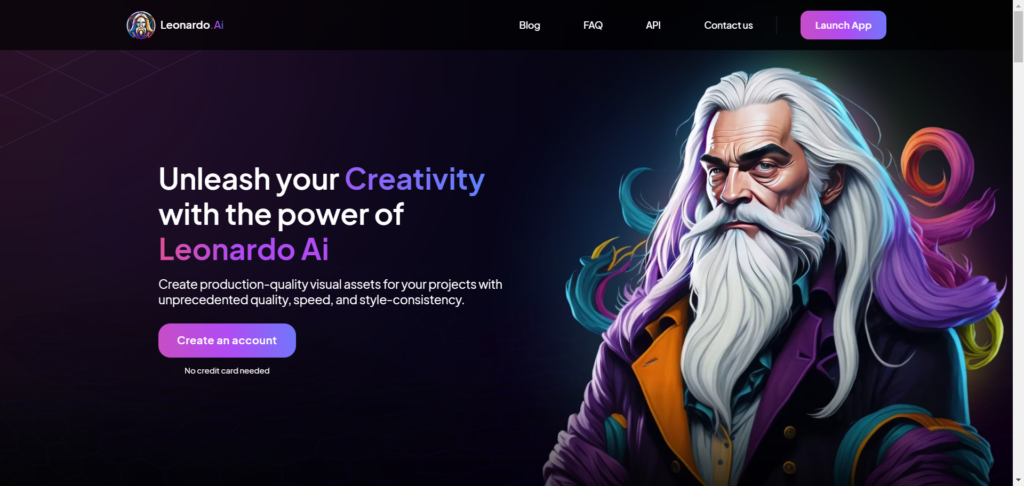
Leonardo AI is a powerful and versatile AI-powered art generation website. It is a renowned artificial intelligence site for creating stunning art images for artists and non-artists.
Leonardo AI has many capabilities, customization, and control, allowing you to create the perfect art image for your unique use case.
If you want to explore your art creativity and generate images with a wahoo effect like the one below, you must try Leonardo AI.


However, you must upgrade your AI prompting skills to get the best out of Leonardo AI. The better your prompt engineering skills, the better the output Leonardo AI generates.
Leonardo AI will bring it to life and make it look real if you can imagine and describe it.
What Can You Do With Leonardo AI?
Leonardo AI lets you turn your imaginative prompt into reality, creating the perfect visual asset from scratch using descriptive text.
It unleashes your inner artist’s creative instinct, allowing you to explore different styles, from photorealistic to painterly, cartoon, pop art, deco, AI canvas, 3D textures, etc. Leonardo AI gives you unlimited possibilities with its various fine-tuned AI models.
You can create motion pictures from an image and download it in MP4 format, like the one below.
The output can be customized with image dimension settings, the number of generations, advanced control, and other settings.
Artists can use Leonardo’s AI website to draw and transform sketches into art in real time. This is a powerful and helpful feature for creating unique artwork, combining human creative knowledge with image-generative tools.
Another fantastic feature of Leonardo AI is the real-time image generation as you type in your prompt. This feature lets you generate images as you type along.
It is one of the easiest ways for beginners to describe and generate beautiful photos. It requires no editing skills or mastering prompt engineering. All you need is the ability to type and express your thoughts.
I made a short video for this; it is worth showing you.
You can also fine-tune the image type using the page settings. For instance, you can set the image type to cinematic, photography, dynamic, sketched color, etc. With this feature, anyone can create high-quality artwork with much less effort.
Top Leonardo AI Features.
- Powerful and advanced image generation customization and controls.
- Ability to generate various image types – sci-fi, cartoons, anime, architecture, characters, food, animals, etc.
- Generate images and artwork using AI prompts.
- Real-time image generation from text descriptions as you type.
- Create 3D image illustrations.
- Train your AI dataset for incredible and unique results.
- Sketch or draw your images and bring them to life with the real-time image-generation feature.
- Powerful and fully customized AI-powered canvas editor.
- Access to dozens of AI art-generating models, including the community and your AI model.
Leonardo AI Pros and Cons
As powerful and versatile as it is, Leonardo AI has its strengths and weaknesses. Though it offers powerful toolkits for image and artwork generation and manipulation, some areas of concern for users’ need to know.
Here are the pros and cons of Leonardo AI worth mentioning.
Pros
Cons
Best AI For Meeting Recording and Noice Cancellation
2. Krisp AI
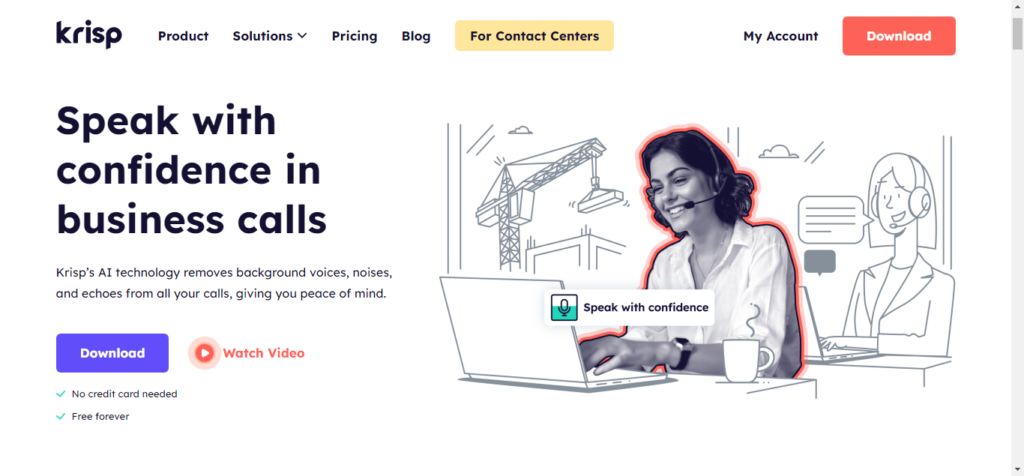
Background noise can be annoying and make communication challenging during online meetings on Zoom and other applications; this is where an AI noise cancellation website like Krisp can help.
Krisp specializes in AI-powered noise cancellation technology, ensuring online communication quality is as smooth as possible.
Not just online meetings, Krisp works with any app that allows its integrations as its audio input, including YouTube, social media, Loom, etc.
What Can You Do With Krisp AI?
You can accomplish a lot using Krisp to enhance online communication, boost productivity, and give your audience a better hearing experience.
First, if you need to eliminate unwanted noise, background voices, echoes, and sounds during meetings, presentations, video recordings, and calls, Krisp is the best AI-powered application for noise cancellation.
Krisp can remove sounds and voices, such as dog barking, vehicles, winds, doors closing, and music, from your device microphone, ensuring your voice gets through and is straightforward to others.
It can also mute distractions such as chatters, background noise, or sounds from other participants’ devices, allowing you to focus and hear the active speakers.
Beyond noise cancellation, Krisp offers other features, such as accent localization. This feature helps customer care representatives automatically switch accents to the customer’s native understood accent.
The Krisp software automates meeting transcriptions, audio recordings, and notes, making summarizing meetings or customer care chats easier. This is like having a virtual secretary taking notes of meetings, conversations, sessions, and long and short summaries.
Top Krisp AI Features
- Connect Krisp AI to your favorite calendar, automating note-taking and sharing.
- Using Krisp AI, remove background noise from your device’s microphone, ensuring you sound clear and professional even in busy environments.
- Dynamically change agent accents to that of customers, making communication better and improving customer service efficiency.
- Real-time transcription of calls and meeting conversations, suitable for individuals with hearing problems or who enjoy catching up with last-minute discussions.
- Get an automated summary of calls and meeting proceedings after they end. This benefits people who couldn’t attend or need to review key meeting points.
- You can create and assign items or actions that need to be done during or after the meeting.
- Use Krisp AI with your existing workflow or integrate it with the many popular video conference and calling apps.
- Krisp AI protects and keeps your information and data confidential, so you can rest assured of privacy and protection.
- Krisp AI can enhance your voice clarity and communication, making it sound more professional and confident.
- You can record your calls and meetings, enabling you to review them later.
Krisp AI Pros and Cons
Pros
Cons
Best AI For Graphic Design
3. Adobe FireFly

Adobe Firefly uses generative AI technology to create stunning images using simple prompts, text-to-images and effects, generative fill, and 3D to images.
Primarily, Adobe Firefly focuses on text and image generation, with its intense usage being image generation and color manipulations.
If you can imagine and describe it, Adobe Firefly is the right AI graphic design website for perfect images and photos, marketing materials, fun, and memes.
It is free and has a paid plan starting at $5.36/month.
What Can You Do With Adobe FireFly?
Mostly, Adobe Firefly can be a game-changer for content creators in the visual creative industry. A simple text description can bring your creativity and imagination to reality.
You can create stunning, fun, and entertaining photos in one click using text descriptions.
Adobe Firefly lets you remove objects from your photos, add new ones, and experiment with endless possibilities and customizations.
You can also upload existing images or edit photos using Adobe Firefly AI software. This is helpful for photographers, travel bloggers, and anyone who earns a living from creating professional photos or image design.
The AI text effect feature is one of the highlights of the Adobe Firefly AI software.
It goes beyond generating a bunch of words or text; it lets you put a spin on what you generate. You can generate text with different cool effects, allowing you to explore your creativity and design skills further.
Adobe Firefly is undoubtedly one of the best AI websites for generating text with effect and vector graphics. This can generate website and business logos, illustrations, and typographic designs.
Top Adobe Firefly Features
- Text to image generations.
- Generate eye-catching text effects such as handwriting scribbles, neon signs, echo, outline, shadow, etc.
- Access to a vast library of creative and design elements like brushes, patterns, shapes, vectors, textures, etc.
- Use Adobe Firefly generative fill to extend or complete your design and add more concepts.
- Adobe Firefly image 1 and 2 models allow you to generate different qualities for the same image or photos to pick from.
- Adobe Firefly’s Generative recolor feature allows you to experiment with different color palettes without affecting the original work or design.
- Adobe Firefly is integrated into other Adobe tools, like Adobe Illustrator, Express, and Photoshop, making it easier to streamline your workflow.
- Interacting with the positioning of 3D elements creates realistic-looking photos, unlocking new possibilities for product renders and unique design concepts.
Adobe Firefly Pros and Cons
Pros
Cons
Best AI for Voice Cloning
4. Voicify AI

Voicify AI is a fantastic website for creating AI covers. You can also generate custom AI voice models by uploading a voice file or entering YouTube video URLs.
It has a vast library of AI voices from various genres, including celebrities, public figures, music, gaming, French, Korean, Italian, anime, and cartoons.
Voicify. AI is an intriguing and unique concept. It is a game-changer for lovers of music, entertainment, fun, and memes.
There are many use cases for this fantastic AI-powered application with unique features and needs.
What Can I Do With Voicify AI?
Voicify.ai created a new world of unique possibilities with AI-generated covers, vocals, and music.
If you’re a musician or love playing with lyrics, you can create personalized songs using Voicify.ai. It lets you upload your lyrics or content and use the voice of your favorite artist to compose the music.
With AI-generated narrations, Voicify AI can bring more creativity and buzz to podcasts, presentations, or audiobooks. Extract voices using the AI toolkits to create a capella.
In addition, you can be part of the Voicify AI community, get feedback on your project, or make someone’s day by creating remarkable personalized gift voices with memorable songs or vocals just for them.
There are also tools for removing silence and reverb from your recordings.
Top Voicify AI Features
- Extensive voice library of diverse collections of celebrities, renowned singers, actors, public figures, politicians, etc.
- From pop, rock, and classic, discover AI-generated voices across various genres and use cases.
- Create personalized songs by providing the melody and lyrics, or enter a YouTube URL to create the music.
- You can experiment with different techniques, from creating mashups and blending voices; endless possibilities exist.
- Access to the entire conversation history.
- Ability to train custom Voicify AI models on your dataset.
- Create AI Voice models for various use cases, including sports, Languages, gaming, politics, anime, and cartoons.
Voicify AI Pros and Cons
Pros
Cons
Best AI For Video Editing
5. VEED AI
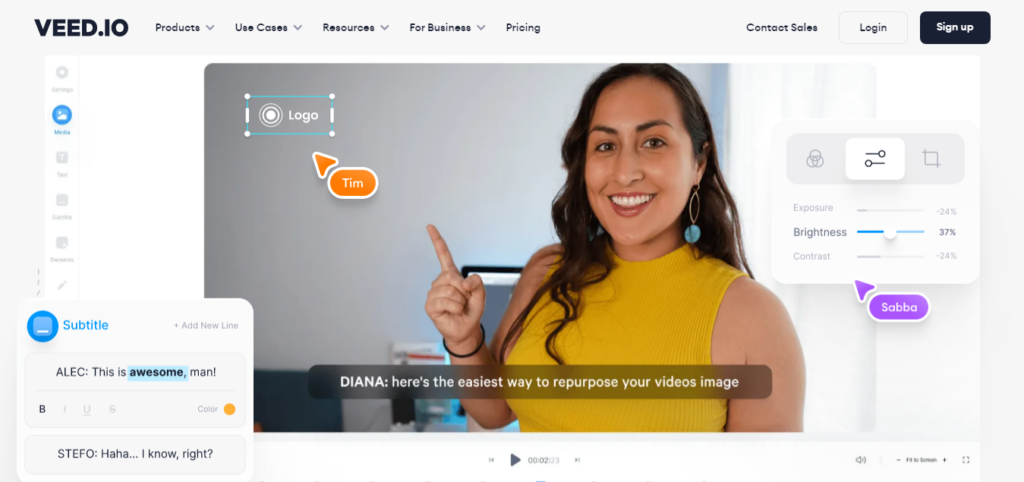
Veed is one of the most popular online video editing software.
But I guess you didn’t know that Veed is also an AI-powered video editing website that allows you to create videos using text-to-speech and AI avatars. You can create various video types from text inputs or select from several AI avatars as your presenter.
These features use artificial intelligence video editing technology, allowing anyone with little or no editing skills to create engaging video content for different needs and purposes.
What Can You Do With Veed AI?
Veed AI’s video editing website has several tools and features you can leverage to boost your video marketing campaigns.
The text-to-speech feature converts content into a talking video or audio. It allows you to choose the AI voice model’s gender, speech rate, voice style, language selection, and more.
Likewise, you can customize your text-to-speech output with background sound, voiceover, split elements, or use the magic cut to remove silence and filler words in your audio file. This makes your audio sound more professional and engaging.
Using the Veed AI avatars, creating video presentations, explainers, and tutorials becomes easier than ever. This feature is excellent if you’re uncomfortable appearing in your video presentations.
Veed AI avatars let you create human-like video presentations using different AI models. You can choose from dozens of AI presenters and several languages and accents.
One fantastic Veed AI feature is the ability to upload custom avatars. This feature allows you to create a unique AI avatar representing your brand and business.
Clicking the magic tools reveals additional features to customize your video content, such as automatic subtitles, voice translations, removing background noise and silence, eye contact, removing background video, and a green screen, which removes color from the video.
Top Veed AI Features.
- Smart trimming and cropping – Veed AI provides suggestions to
- There is no watermark on all paid Veed plans.
- Create branded video templates.
- Upload personalized AI avatars.
- Upload unlimited file size to the Veed AI platform.
- Automatic video voice subtitle generation saves you hours of tedious work.
- Access a vast library of unlimited stock photos, videos, and audio clips.
- Export video in high-quality 1080p and 4k resolutions.
- Create a video with eye contact features.
- Swap or remove background elements in one click.
- Share your video anywhere on the web with a customizable link.
- Clone your voice, create text-to-speech audio, and use AI avatar to create powerful video content.
Veed AI Pros and Cons
Veed AI is undoubtedly a powerful and feature-rich AI video editing website. But despite a robust suite of tools, it has pros and cons. Here are some of the benefits and drawbacks of using Veed AI.
Pros
Cons
6. Synthesia

Are you considering generating text-to-video with AI on steroids? Taking your video marketing game to the next level? Look no further than the Synthesia AI video generation website.
Synthesia AI revolutionizes video editing with AI avatars and text-to-video technology.
The Synthesia AI platform allows you to create realistic AI videos with lifelike characters who express emotions like humans. You don’t need complex video recording equipment or actors or spend hours on filming.
Choose from over 140 AI-powered Avatars capable of generating different facial expressions, such as nods, smiles, frowns, eye movements, etc. These computer-generated avatars span various ethnicities, accents, languages, personas, ages, outfits, attire, industries, etc.
You can create videos in over 120 languages worldwide. This is highly beneficial for businesses in languages and regions other than English. It lets you create video content targeted at your ideal audience.
What Can You Do With Synthesia AI?
You can achieve much using Synthesia AI video text-to-video generation and AI avatar software.
First, e-learning and development platforms can create interactive and educational video material. Instead of text-based content formats like PDFs, PowerPoints, and Slidedeck, AI avatars can bring life to your learning environments, increase engagement, and resonate more with the students.
Sales teams or hiring professionals require training content for the team, and new employees can use Synthesia to facilitate knowledge transfer and training processes.
Using Synthesia AI, customer care services can effectively transform boring knowledge base articles into engaging video explainers or step guides for users. This is one of the core strengths of Synthesia AI avatars.
Synthesia is a powerful platform for creating video tutorials, explainers, training materials, presentations, talking-head videos, etc. Besides, you can use the Synthesia AI chatbot to generate your script and make the AI video avatar speak the narration.
Its powerful and advanced customization features make Synthesia one of the most advanced AI video creation platforms.
Top Synthesia AI Features
- Create your video script using AI script generation like ChatGPT.
- Access to a wide range of AI-powered human-like avatars that convert different kinds of human emotions.
- Record from your computer screen to create your video content.
- Upload custom fonts to personalize your brand kits and content.
- Upload your soundtrack, video, and audio file to populate your video scenes.
- Access to a wide range of premade AI video templates.
- One-click to add video animation.
- Automatically generate closed video captions.
- Create videos from a simple text input.
- Create and share your video in over 120 languages.
- Automatically clone your voice to pair with your AI Avatars.
- Customize your brand share page with your website logo and assets.
- Embed your video content on your website and automatically update it with the new version.
Synthesia AI Pros and Cons
Like any other AI video generator, Synthesia has pros and cons, some of which you need to know to make the right decision. It is a powerful tool for video creation.
Here are some tips to help you decide.
Pros
Cons
Best AI Content Detection Tool
6. Originalty.AI
Are you worried your freelance writers are using AI-generated content? Despite bargaining for 100% human writing text?
Worry no more; Originality.ai detects if an AI writing assistant tool generates a piece of content. It also checks for plagiarism and fact-checks your content for data and reference accuracy.
I have used the Originalty.ai website quite often. It is one of the best AI-powered systems for fact-checking, detecting AI content generation, and determining if your content contains plagiarism.
What Can You Do With Originality.AI
Beyond detecting AI-generated content, Originality.ai also checks content readability scores. It analyzes your content for readability and shows text stats, scores, and keyword density (if that’s still a thing).
This helps improve the content’s quality and readability scores, enhancing the reading experience and improving search engine visibility.
By checking content originality to ensure only human-generated content is published, you can improve your website’s integrity, filter AI-generated content, and identify writers submitting auto-generated content.
One growing concern of AI-generated content is hallucination and incorrect stats and facts. Using Originality.ai, you can rest assured that your content is factually correct and free of hallucination.
Offering its API access, developers can leverage the platform to build custom tools and integrate Originality.ai into their products. This is beneficial if you want to plug into AI content detector and fact-checking as a service.
Top Originality.ai Features
- Originalty.ai has one of the highest AI content detection rates in the industry. On GPT-4, there is less than a 1.5% false positive rate; on ChatGPT GPT4, there is an 83.29% accuracy rate. This helps minimize the risk of mistakenly flagging human-written content as AI.
- Ability to detect paraphrased content, even if it is AI-generated. Originality.ai has 94.7% accuracy in detecting paraphrased content by Quillbot.
- Present detailed reports and a breakdown of content detection analysis.
- Originalty.ai can detect content written by several large language machine-learning models, including ChatGPT.
- Check paraphrased content in other languages besides English.
- Scan entire sites for AI content, saving you time and effort looking through the site page by page.
- Scan content from URLs; this is good if you can’t access the site.
- Share content detection reports with team members, clients, and others on the web.
- Upload your content for scanning in PDF, DOC, and DOCX files.
- Collaborate with team members, assign content scanning to individuals, and share reports.
Originality.ai Pros and Cons
Pros
Cons
Best AI For Digital Marketing
7. Copy AI

Copy AI does more than AI content generation; it offers businesses and brands a complete suite of sales and marketing tools.
Your team can collaborate and perform efficiently, from lead generation, management, and sales enablement to marketing automation and advanced workflow. It is like having a complete operating system powering your entire business operation, sales, and marketing teams.
If you’re tired of subscribing to multiple AI-driven applications to grow your business, especially regarding content, marketing, and sales operations, you must try the Copy AI website.
What Can You Do With Copy AI?
With Copy.ai’s extensive tools and features, you can plan and execute marketing and SEO strategies, scale content production, advance your marketing team, and set up automation and workflow.
You can automate content repurposing, refreshing, and setting up transcripts to content briefs in one click.
Copy AI lets you check your content against Google’s Helpful Content Updates guidelines. This feature is invaluable when generating AI content. It enables you to check if your AI content meets the HCU criteria.
Automating internal linking is another helpful way SEOs can use Copy AI. It has this feature so you can optimize your AI content before publishing.
For email marketing, Copy AI lets you create personalized email sequences, nurture email leads, create cold email outreach, and follow up with messages.
The icing on the cake is that Copy AI integrates with over 2,000 services and tools. Streamlining your marketing tasks with other essential tools has never been this manageable.
With its Chatbot, you can create long-form content, social media posts, product descriptions, ad copy, and just about any other content needs.
The Copy AI chat is an advanced AI chatbot trained to deliver high-quality, human-like content that aligns with your brand tone and reputation, conveying your message in more straightforward, error-free ways.
Unlike several other AI-based platforms, Copy AI is model-agnostic and not stuck with one AI language model. It works with popular machine learning programs such as GPT 3.5, GPT4, Anthropic, Azure, etc.
Top Copy AI Features
- You can select from various content templates, such as social media, blog posts, reviews, email copy, and product descriptions.
- Create SEO-optimized long-form content in one click.
- Generates content that aligns with your brand tone and style.
- Set up marketing automation.
- Create workflows to improve efficiency, nurture leads, and deliver your message at different points of the sales circle.
- Personalized AI prompt, ensuring the Copy AI machine learns about your content to perfect its output.
- Explore sales competitors on G2 and discover their value and customer sentiments to create winning strategies for your brand.
- Scrape ad copy URLs to analyze their best-performing copy or headline.
- Get deep insights into a company’s data, news, size, and industry search terms.
Copy AI Pros and Cons
Copy AI is a strong contender for the best AI SaaS solution for generating content faster. It has several features and tools to help marketers achieve incredible success.
However, it has pros and cons you need to know. Based on experience, here are some known advantages and cons of using Copy AI.
Pros
Cons
Best AI For DeepFake
9. FakeYou
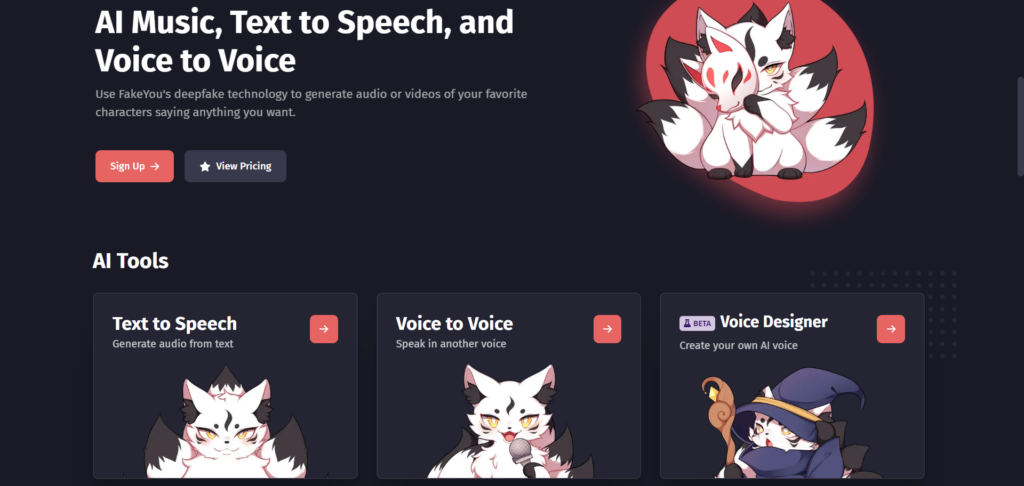
FakeYou is an interesting AI-driven application powered by deepfake technology that you’ll love.
The AI platform allows users to create and manipulate audio sounds that mimic specific celebrities, politicians, authors, comedians, actors, etc. For example, you can generate a lip-sync video by uploading an image and sound, making it as realistic as possible.
The text-to-speech method allows users to enter text inputs, select the desired language and voice, click speak, and have the AI engine transform the text into audio speech.
Amazing….
Next, voice-to-voice manipulation is a fantastic feature that transforms your voice into your favorite character’s.
What Can You Do With FakeYou?
Voice Impersonation has never been easier; FakeYou has transformed the industry by making it easier to sound like anyone.
If your business requires mimicking famous people’s voices, voice cloning, or creating lip-sync video content, FakeYou is the best AI-driven application.
You can transform text into speech, audio to mimic anyone, or an image into a talking head with FakeYou AI.
Moreover, the platform is easy to use; you don’t get lost navigating the interface.
Top FakeYou Features.
- Fast processing priority is available for users on the Elite plan.
- Transform your voice to make it sound entirely different.
- AI voice cloning.
- Process unlimited text-to-speech generation.
- Create up to 2 minutes of audio
- Create talking videos or memes with Lip-Synch Wizard.
- Upload private or custom models.
- Share your private model with other users.
- Narrate your text in the voice of your favorite characters – actors, comedians, authors, musicians, politicians, etc.
- Choose from several languages, accents, and genders to narrate your text or recorded audio.
FakeYou Pros and Cons
Pros
Cons
Conclusion…
This list only scratches the surface of the best AI websites out there.
Countless AI tools serve various needs and businesses, providing endless possibilities for exploring creativity, improving efficiency and productivity, and streamlining business operations.
Occasionally, I will update this list with new AI-powered platforms once I find something unique and relevant that can help you improve your business value and growth.


Notice:
Your comment will end up in the trash folder if you spam our comment box. Use your real name, write meaningful and genuine comments. Avoid using keywords or brand name in the name filed and keep your comment relevant to the topic. Thank you.